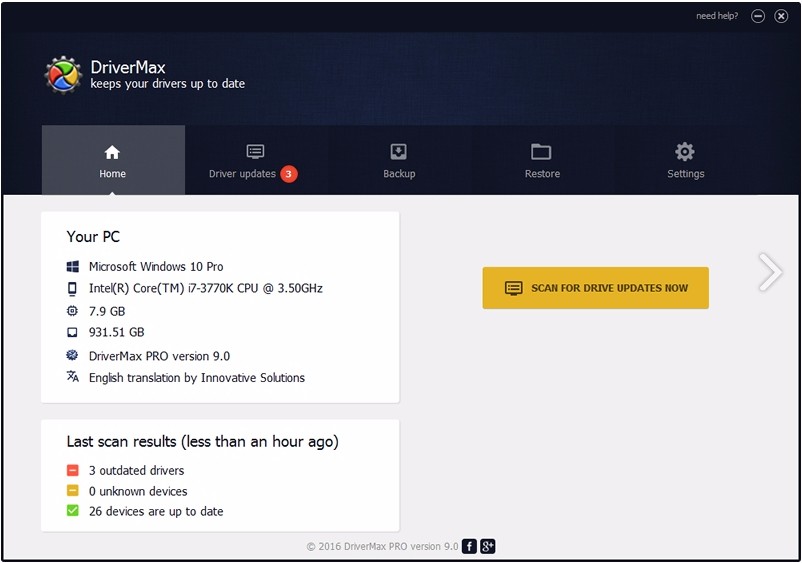
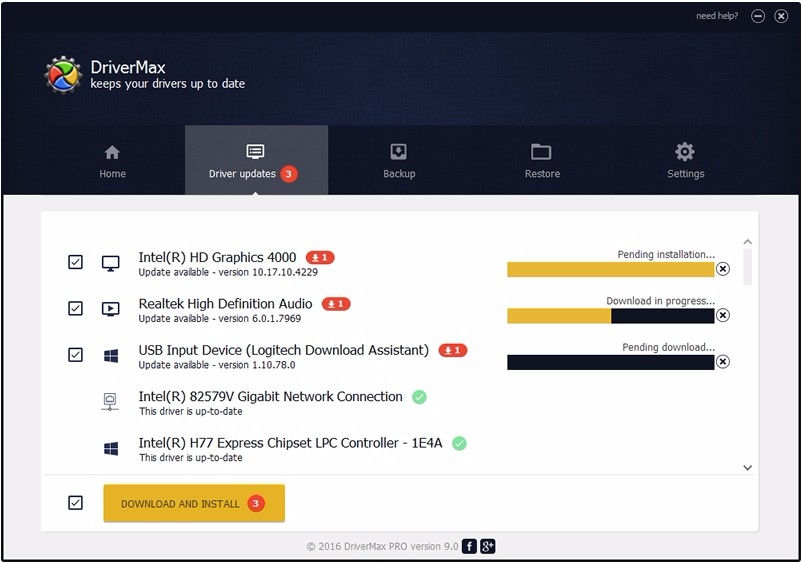
Help your Windows computer maintain performance and system stability with DriverMax. DriverMax will take care of all things driver updates while you sit back and relax. At its core, the tool scans, downloads, and installs hardware device driver updates. With its help, you will never see another outdated driver again, and your computer’s performance will always be at its best.
DriverMax works by analyzing the drivers you currently use and identifying newer versions. Once an appropriate update has been located, you can create a compressed backup of your existing driver. Components can be updated too, including software like Java and DirectX.
It is worth noting that DriverMax has a free tier and a pro tier. Free tier users can only download a certain number of drivers per day and month. If you want to experience DriverMax with no restrictions, you will have to spring for a paid subscription. The utility is particularly useful for those using obscure hardware tools, the installation and updates of which cannot be handled by Windows on its own.
What Are the Key Features of DriverMax?
DriverMax is an application for Windows computers that takes over hardware driver management. This utility is not necessary for most Windows users, as the modern versions of the operating system are advanced enough to handle driver updates without any help. However, if you’re looking for rare hardware updates, you will surely appreciate DriverMax.
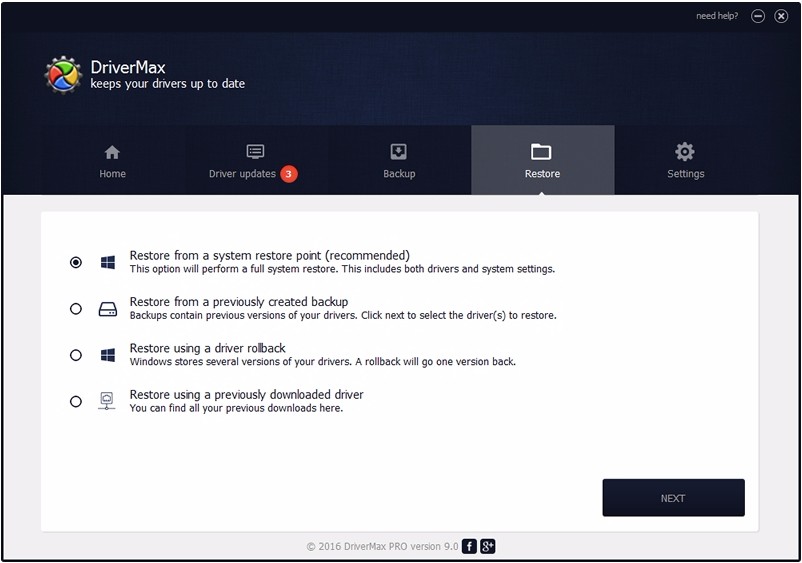
The tool works by scanning your computer’s parts, identifying areas for improvement, and downloading and installing updates from extensive databases. To stay on the safe side, the program can create a compressed backup of all the drivers your computer is using at the moment. Should anything go wrong with the updates, you can easily reinstall the old versions.
To make sure DriverMax works to the best of its ability, you can schedule daily, weekly, or monthly system scans. That way you’ll never miss an update, and your computer will be working at maximum efficiency. Another bonus is that the scans can be automatic, so you don’t have to initiate them every single time.
DriverMax keeps the safety of your PC at the top of the priority list. If an update goes wrong, there is always a recovery path that will take you back to safety.
Is DriverMax Free to Use?
DriverMax has a free tier and a paid version. The free tier can be downloaded completely free of charge, but it comes with significant limitations. You can update a maximum of 2 drivers per day and 10 per month, which may not be enough for you. However, you can conduct as many system scans as you’d like.
The paid version of the app removes these limitations and allows you to update as many drivers as you’d like. It is also faster and fully automated.
Which Platforms Support DriverMax?
DriverMax is made for Windows computers. You can download the platform on Windows 11, 10, 8.1, 8, 7, Vista, and XP. The app supports 32-bit and 64-bit processors. There is no native version for Linux and macOS.
What Are the Best Alternatives to DriverMax?
If you’re looking for a different application that will take care of your driver updates, you have a few to choose from.
Driver Fusion is a solid alternative for Windows computers. Unlike DriverMax, this solution is all-encompassing, providing insight into the health of your computer. It has access to 10 million drivers, ensuring speedy updates. Other features include hardware stats monitoring and a driver cleaner for unnecessary registry entries left on your PC from downloads. The only downside of Driver Fusion is the cost. The free version of the app doesn’t actually let you install updates. As a result, it is only useful for analysis.
Driver Easy has a decent database of drivers. The program has backup capabilities, just like DriverMax, but it can also conduct scans when you’re not connected to the internet. While the tool can scan your computer for free, you will have to install the suggested drivers manually, which can be a hassle. It also takes significantly longer to do it that way. Subscribing to the paid tier will provide you with access to automated scans and installations. Driver Easy boasts a friendly user interface.
Display Driver Uninstaller is quite different from DriverMax. It is a deep-cleaning tool you can use to uninstall GPU drivers. For that reason, the tool is limited strictly to the area of graphics cards. It will be useful if your screen is glitching or you’re switching to a different GPU brand.