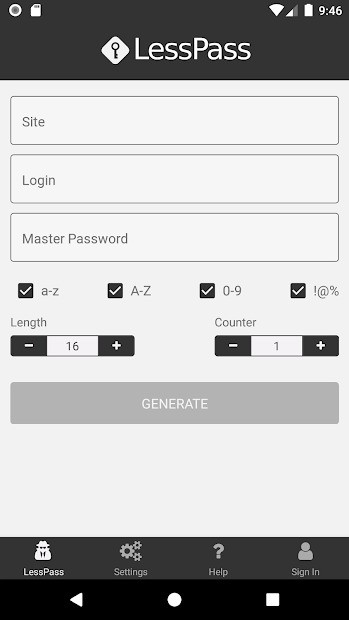
LessPass is a safe and secure password manager for everyone. The tool is free and open-source, which adds to its appeal. It doesn’t follow the traditional route of password manager apps that store your passwords in cloud storage. Instead, it uses a mathematical algorithm to calculate your password each time you need it. To do that, it only needs the website you are trying to access, your login details, and your unique master password.
Since it doesn’t actually store your passwords, you don’t need to sync your account across devices. The actual calculation happens offline, locally on the device you’re using, so your private information never leaves your device. You can check the source code on GitHub, as the app is open-source.
You can use the web app version of LessPass, as well as its browser extension, or iOS or Android mobile app.
What Are the Key Features of LessPass?
LessPass is a free and open-source password keeper that doesn’t actually keep your passwords, removing the need to sync your account across devices. It works by calculating the needed password through a mathematical algorithm, giving you the password you’re looking for each time. To do so, it needs to know the website you’re trying to access, your login or registered email, and your unique master password.
With LessPass, you don’t run the risk of exposing your passwords and personal information to third parties. There is no vault or cloud storage where all of your passwords are stored, which makes LessPass one of the most secure solutions. For that reason, it can also work completely offline. All the computations happen locally on the device you’re using, and nothing ever leaves your device. Your master password is protected by PBKDF2 hashing.
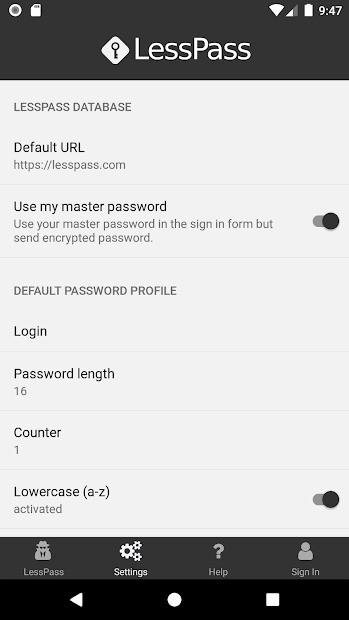
Your passwords can be adjusted with the help of criteria such as length, lowercase and uppercase letters, numbers, and special characters. Because the platform is open-source, you can find the code online.
Use LessPass through its official web application or browser extension for modern browsers like Google Chrome. You can also download the mobile app on iOS and Android devices.
Is LessPass Free to Use?
Yes, LessPass is a free tool. You don’t need to pay anything to download and use it.
Which Platforms Support LessPass?
LessPass can be accessed through its web app using any modern browser. You can also install the browser extension for Chrome, Firefox, and other modern browsers on Windows, macOS, and Linux computers.
If you prefer to manage your passwords on your phone, you can download the Android or iOS mobile app.
What Are the Best Alternatives to LessPass?
PearPass is another open-source tool for password management. It was only released in December of 2025, so it’s relatively new. PearPass also stores credit card details, notes, and personal information. None of your private details ever leave your device, as everything is stored locally. For that reason, you do not have to fear leaks or cyberattacks. If you wish to sync all of your devices, you can do so through third-party servers. PearPass is available offline, so you don’t need to rely on an internet connection to access your passwords. You can also use the app’s very own password generator for creating strong passwords.
KeePassXC is a password manager that is also free and open-source. The tool works offline, so you don’t need an active internet connection to manage your passwords. Your sensitive information is kept safe from intruders in an encrypted database. You can sync your passwords across devices using cloud services. However, if you choose not to, all of your sensitive information stays on your device and cannot be accessed by third parties. The app works in a number of ways, including as an integrated browser extension.
Bitwarden is a digital vault for all of your passwords, passkeys, credit and debit cards, and private notes. The tool is open-source. All you need to access your passwords is one master password. Once that’s set up, nobody can access your passwords without it. You can download the app on your iOS or Android mobile device, as well as a Windows, macOS, or Linux computer. It is also accessible in web browsers.