Bright VPN is aimed at people who want a simple, always‑free VPN. The deal is: you get a premium‑style VPN at no cost, and in return, you allow Bright Data to use your internet connection as part of its public web data collection network, which gathers things like prices and flight information for banks, universities, and big brands.
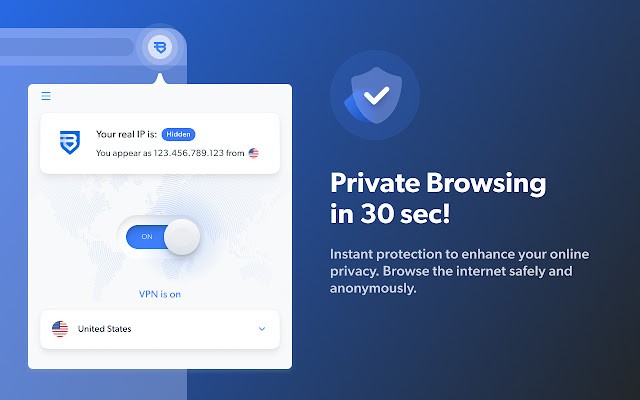
Once installed, the app masks your IP, encrypts your connection, and lets you jump to servers in a variety of countries so you can reach blocked or region‑locked sites, stream, or just keep everyday browsing away from basic tracking. The company stresses that it does not see or collect personal data, does not log your browsing, and does not show ads inside the VPN client, so from the user’s side it behaves much like a straightforward paid VPN, only with a different funding model.
What Are the Key Features of Bright VPN?
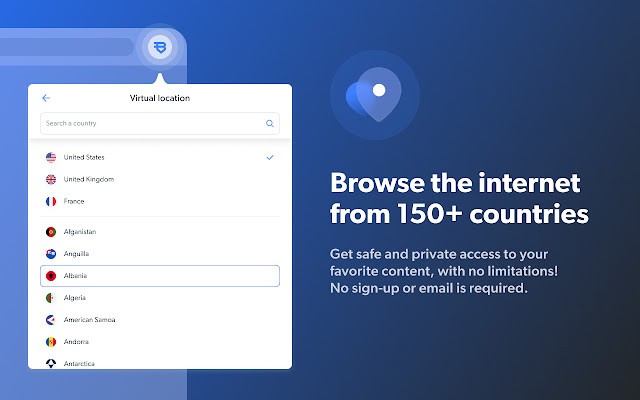
Bright VPN focuses on the core VPN jobs rather than a long list of extras. It hides your real IP address, shows sites a VPN IP instead, and routes your traffic through encrypted tunnels so local networks, ISPs, and basic snoopers cannot easily see what you are doing. You can switch locations to access sites from over 150 countries, which helps with region‑locked content and light censorship, and a built-in “What is my IP” tool lets you check at a glance which IP and country are currently exposed to the web.
The app does not require registration, email, or payment details, and supports multiple devices. It is also whitelisted by major antivirus engines, which matters for a free VPN that some users might otherwise suspect of bundling unwanted extras. The trade‑off is spelled out in simplified terms when you sign up: you allow Bright Data to run part of its public web collection through your connection when it is idle, and in exchange, you keep using the VPN without subscriptions or ads.
Is Bright VPN Free to Use?
Bright VPN is free to download and free to use, with no paid tier. There are no data caps, no time limits, and no subscription messages built in.
Instead of charging users, Bright VPN is funded by Bright Data’s commercial web data business. When you agree to the terms, you allow your connection to be used to collect public web data for corporate customers, which is how the company pays for bandwidth and infrastructure. The site is clear that this does not involve selling your personal information or logging your activity through the VPN tunnel, but it does mean your connection participates in that broader network while the client is installed.
Which Platforms Support Bright VPN?
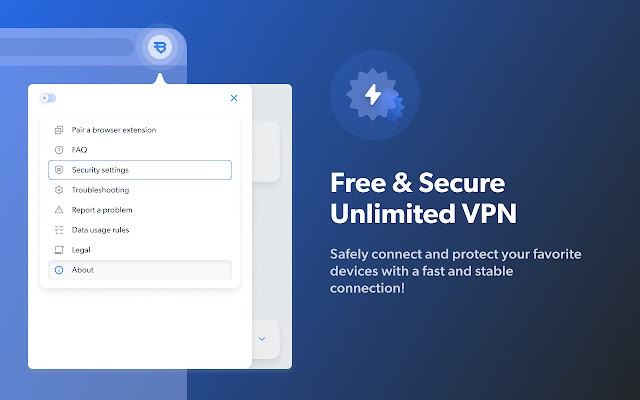
Bright VPN supports several mainstream platforms. You can download dedicated apps for Windows and Mac desktops, an Android app, and a VPN app for LG smart TVs. For people who mainly browse in Chrome, there is also a browser extension that applies Bright VPN’s tunneling to Chrome traffic without installing a full system client.
Having multiple platform options makes it easier to keep a similar setup across devices: you might run the full client on a Windows laptop, use the Android app on your phone, and install the LG TV app for streaming, all under the same free model.
What Are the Best Alternatives to Bright VPN?
VPN Unlimited is a close alternative if you prefer a traditional paid VPN. It offers apps for Windows, Mac, iOS, Android, Linux, and more, with AES‑256 encryption, multiple protocols, streaming‑friendly servers, and options like lifetime subscriptions. Compared with Bright VPN, VPN Unlimited follows a standard subscription model. You pay for a certain number of devices, get global servers, and features like a kill switch. In contrast, Bright VPN trades your idle connection for free access instead of charging monthly.
JumpJumpVPN is a simpler option for people who just want a basic, fast tunnel with minimal setup. It focuses on one‑tap connections, high‑speed servers, anonymous browsing by hiding your IP, and a proper mobile interface. Compared with Bright VPN, JumpJumpVPN behaves more like a typical free or low‑cost VPN app that just encrypts and routes your traffic without involving your connection in a commercial data network, but it may offer fewer extras around unlimited devices or platform availability.
Proton VPN is the best fit if privacy is your primary concern and you want a free plan from a security‑focused company. Its free tier offers unlimited data, no logs, no ads, and a small set of countries, with paid plans unlocking faster speeds, streaming support, and more servers. Compared with Bright VPN, Proton VPN frames free access as part of a privacy mission rather than as a trade for your connection in a web data network, so it appeals more to people who are wary of any third‑party use of their line and prefer a classic “privacy first” VPN, even if that comes with stricter device and location limits.