Elmedia Player is an all-encompassing media player for macOS computers. The player is compatible with different audio and video formats, including MP4, FLAC, MKV, AVI, and FLV. You can enjoy high-definition videos with its help, including 4K and 8K. One of its unique features is that it also works as a Flash Player emulator. Since Adobe Flash Player shut down in 2020, an emulator has been needed to view legacy Flash content.
The player has advanced features that make viewing media more enjoyable. For example, you can change playback speed, turn subtitles on or off, and see video preview thumbnails.
The app operates on a freemium model. There is a free version with limited capabilities, and a paid version with advanced features. Those include the ability to stream directly from your computer to AirPlay and Google Cast devices, as well as downloading video and audio files from online websites.
What Are the Key Features of Elmedia Player?
Elmedia Player is the solution for all of your media playback needs on Mac computers. The player is widely known and appreciated for its wide selection of supported formats, which include MKV, AVI, FLAC, MP4, MOV, WMV, and MP3, among others. All of these formats are natively integrated, so you don’t need to install any additional plugins to make the player work.
Notably, it can also handle Adobe Flash files, for which there is no native player anymore, since Adobe Flash Player was shut down in 2020. Elmedia Player can be used to view legacy Flash content and animations. All you need to do is download the file and open it in the app. That way, Flash animations get to live on.
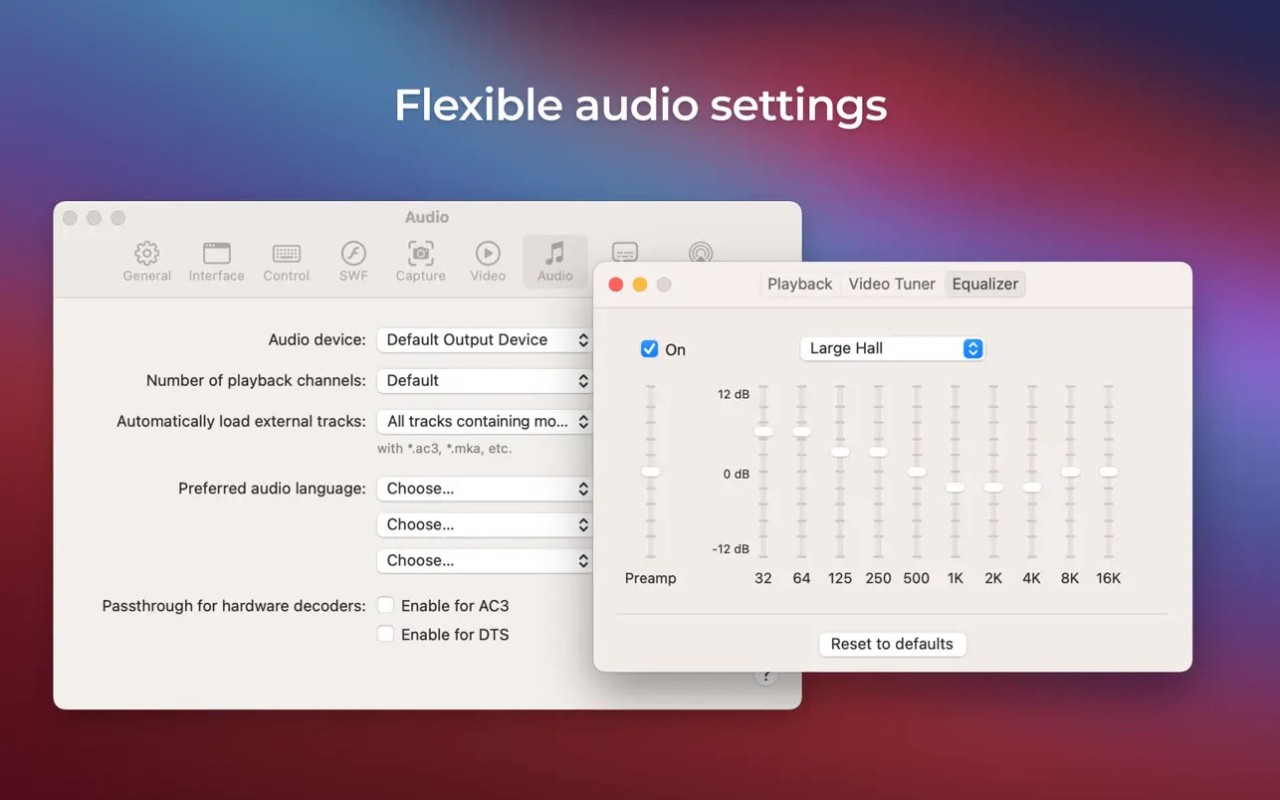
Elmedia Player is quite efficient, so it doesn’t drain your computer’s resources even when playing high-definition video, such as 4K and 8K. You can adjust your viewing experience with the help of customizable settings. Those include brightness, saturation, contrast, and hue. You can also change playback speed or synchronize the audio track if needed. Audio can be adjusted and fine-tuned with the help of Elmedia’s 10-band equalizer capability. You can choose presets and turn on surround sound to enhance your experience.
The application offers thumbnail previews to allow users to find the spot they’re looking for in any video. You can find appropriate subtitles for any video directly in the app. Finally, you can keep Elmedia Player open and let it float on top while using other applications.
Media can be streamed to other devices such as Apple TV or Google Cast directly from Elmedia Player.
Is Elmedia Player Free to Use?
Yes, you can use Elmedia Player for free. Most of its base features, including video and audio playback, subtitle management, and playlist organization, are free. If you want to gain access to advanced features, such as picture settings, audio equalizer, and online media downloads, you have to upgrade to the Pro plan.
Which Platforms Support Elmedia Player?
Elmedia Player is only available on macOS computers. It is compatible with Intel and Apple Silicon processors. There is no native application for Windows and Linux computers, or iOS and Android mobile devices.
What Are the Best Alternatives to Elmedia Player?
If you’re looking for an alternative to Elmedia Player, you have a lot to choose from. Perhaps you need a multimedia player for a different operating system, want something that can handle Flash content a bit better, or simply wish to try an alternative. Check out these options.
Ruffle and Elmedia Player both support legacy Flash content, but they’re quite different in all other respects. While Elmedia is an all-around media player for macOS, Ruffle focuses solely on .swf and .flv files. It is a free and open-source solution that you can use on your desktop or in your web browser. It doesn’t only work with video content, but it allows you to view websites with Flash animations and play legacy games.
SuperNova SWF Player is another media player designed specifically for Flash content. Its main application is as a browser plugin. With its help, you can surf the web and enjoy legacy Flash content that you wouldn’t be able to see without an emulator. Unlike Elmedia Player, SuperNova is built primarily for Windows systems.
Lightspark is a Flash Player emulator for Windows and Linux computers. It doesn’t provide a particularly fancy interface, as its sole focus is on executing legacy Flash content. Because it’s an open-source tool, anyone can find the code online, report bugs, interact with support, and contribute to the Lightspark community.