Blender has established itself as a major name in digital creation thanks to its open-source philosophy and community-driven development. The software is designed to give artists considerable freedom in the way they approach their projects, whether they are creating a simple personal scene, developing characters and environments, producing animations, or working on more complex visual projects. Its unified workflow makes it possible to move between different stages of production within the same application, while its open nature allows developers and users to contribute to its evolution.
The software is used across a wide range of creative workflows. Blender provides dedicated tools for polygonal modeling, sculpting, rigging, animation, simulation, rendering, compositing, and visual effects. It also includes a video editor and tools for motion tracking, while its Python API allows advanced users to automate tasks, customize workflows, and develop specialized tools.
Blender is also closely tied to a large community of artists and developers. According to the Blender Foundation, thousands of people have contributed to the software, while millions use it daily. The project is developed through open channels, allowing the community to participate in development, documentation, bug fixing, and other aspects of the software's evolution.
It is worth noting that Blender is coordinated by the Blender Foundation, an independent public benefit organization established in 2002. Its mission is to put 3D computer graphics technology in the hands of artists as free and open-source software. Blender is released under the GNU General Public License (GPL), which allows users to use the software for any purpose, including commercial and educational projects. Users can also study and modify the source code and redistribute modified versions under the terms of the license.
Blender Studio, the production, and training arm associated with the Blender project, also contributes to the ecosystem by producing creative projects and providing production knowledge and assets. The Blender Foundation uses funding from donations and the Development Fund to support activities surrounding the software, including development, documentation, and the maintenance of Blender's online infrastructure.
What Are the Key Features of Blender?
Blender is an all-in-one suite covering the full range of tools required for a modern 3D production pipeline. It can be used to create detailed objects, characters, and environments, then bring them to life through rigging, animation, simulation, and visual effects. Its rendering tools can be used to produce both realistic and stylized imagery, while compositing and color-related workflows make it possible to refine the final result directly within the same environment.
Modeling is one of Blender's core features, with tools covering polygonal modeling, sculpting, retopology, and curves. The sculpting workspace provides dedicated brushes and features such as multiresolution sculpting, dynamic topology, and mirrored sculpting, making it possible to work on both character designs and environments.
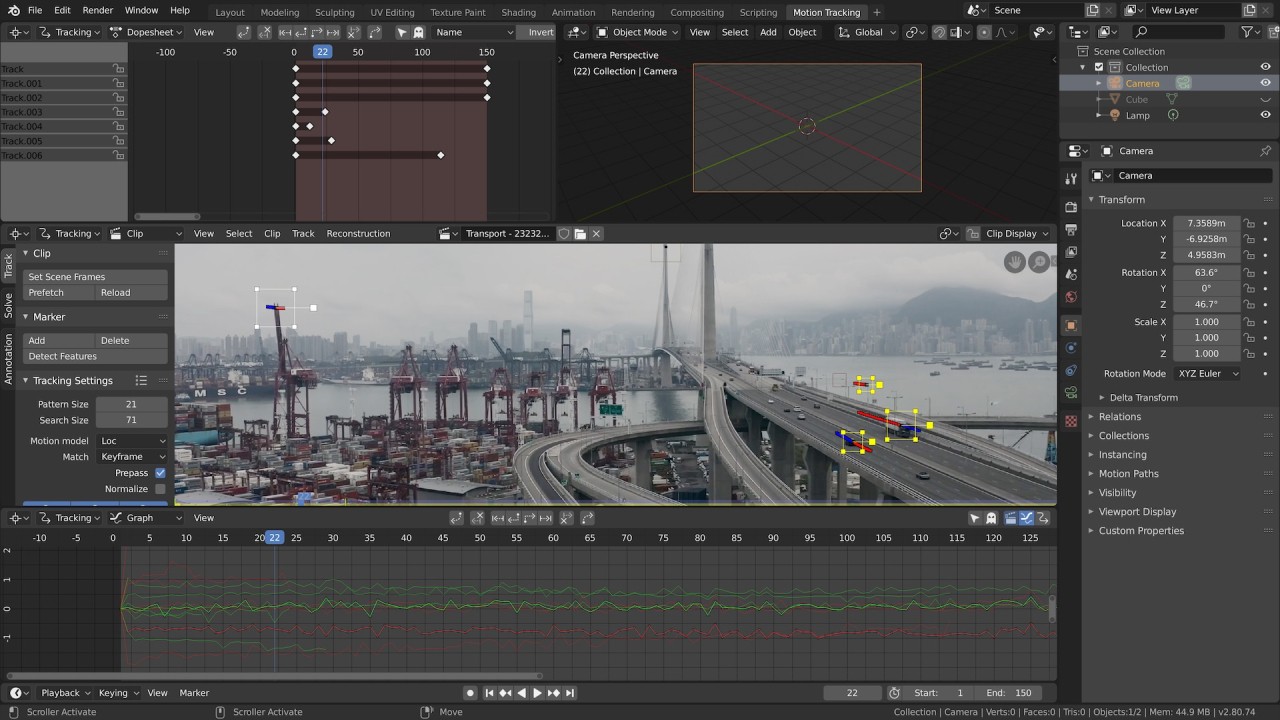
Blender also includes a complete animation and rigging workflow. Its tools are designed for character animation as well as other types of animated content, while the software's simulation features can be used for different physical effects. For visual effects, Blender provides camera and object motion tracking, masking, and compositing tools, allowing many post-production tasks to be handled without leaving the application.
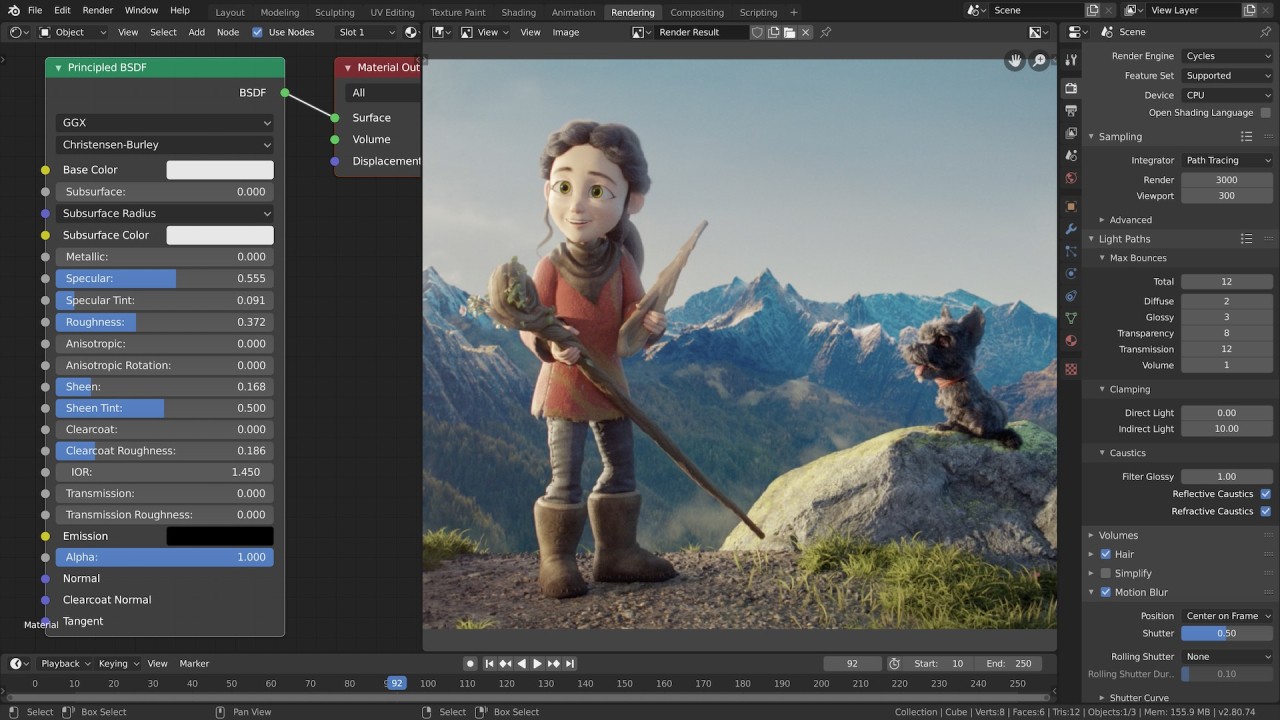
Rendering is another important part of the suite. Blender includes Cycles, a production-oriented path-tracing render engine, alongside other rendering and viewport technologies. The software also provides tools for materials, lighting, shading, and compositing, giving artists considerable control over the appearance of their scenes.
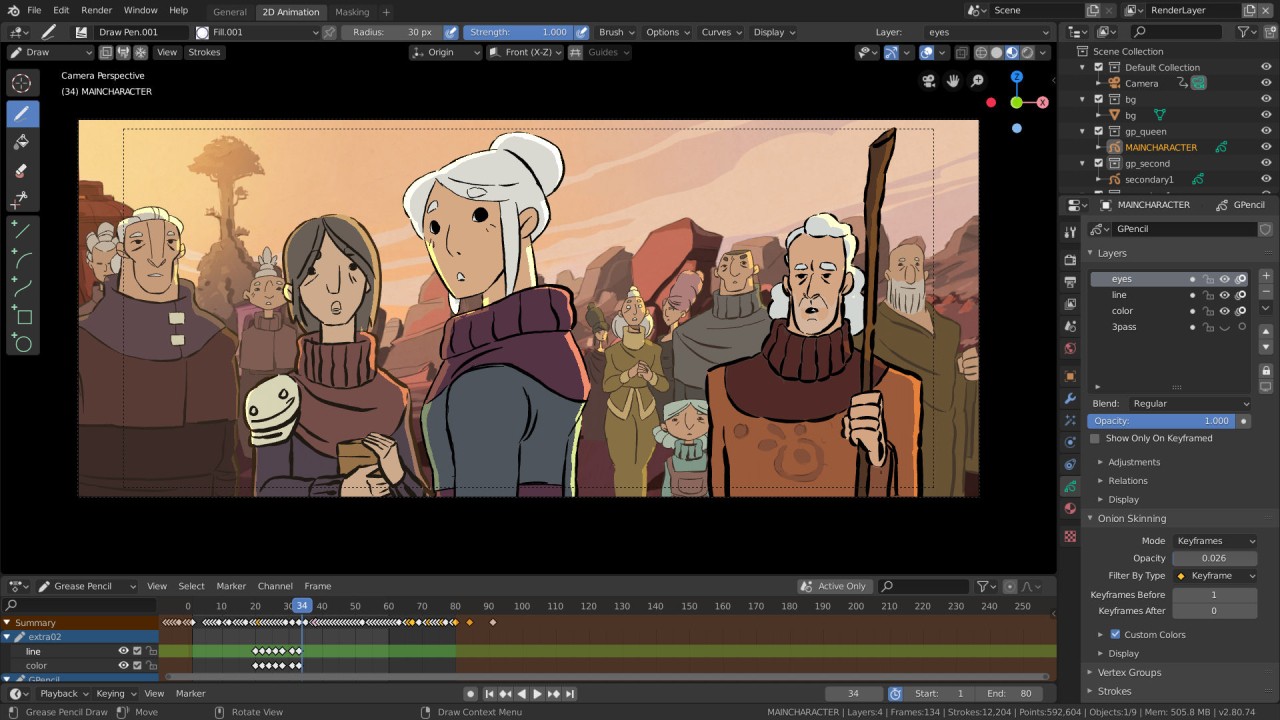
Blender goes beyond traditional 3D production with its Grease Pencil system. This tool allows artists to combine 2D drawing and 3D environments, making it possible to create traditional 2D animation, storyboards, motion graphics, and other hybrid projects. Drawings can be edited, sculpted, animated, and combined with 3D objects, materials, lighting, and visual effects.
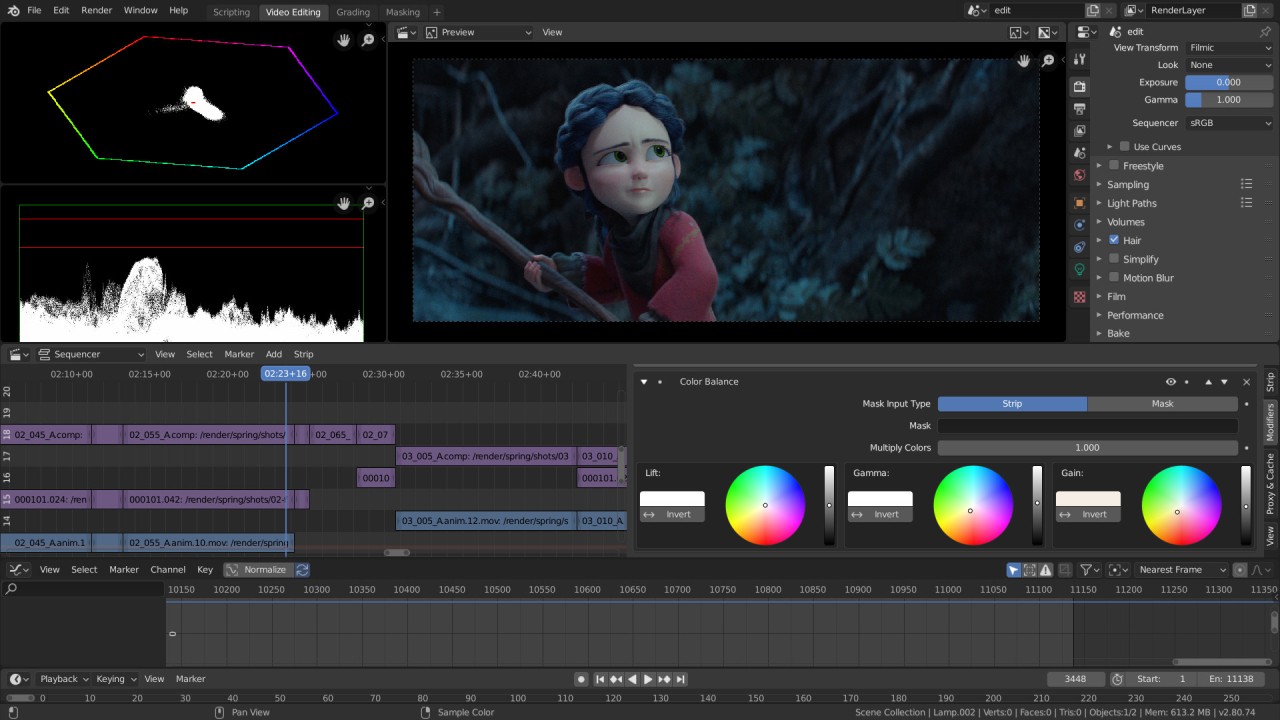
The suite also includes video editing tools and an extensive Python API. Advanced users can use Python to automate workflows, customize the software, and create specialized tools. Blender's interface itself can be extensively customized, including its workspace layout and shortcuts.
Blender continues to evolve through regular development and contributions from its community. Recent releases have brought improvements across areas such as rendering, animation, Geometry Nodes, Grease Pencil, compositing, video editing, and modeling, alongside performance improvements and bug fixes.
Is Blender Free to Use?
Blender is completely free to download and use and is distributed as free and open-source software under the GNU General Public License. There are no restrictions preventing users from using Blender for commercial or educational purposes. The GPL also gives users the freedom to study the software, modify it, and redistribute modified versions according to the license terms.
This model is at the heart of the Blender project. The Blender Foundation's stated mission is to make advanced 3D computer graphics technology available to artists through free and open-source software. The project is primarily funded through donations and the Blender Development Fund, which supports the continued development and maintenance of the software and its ecosystem.
Which Platforms Support Blender?
Blender is a cross-platform application available for the major desktop operating systems. Official versions are provided for Windows, macOS, and Linux, with downloads available directly from the Blender website (our download links are direct). Blender can also be used as a portable application, meaning it does not necessarily need to be traditionally installed on a computer.
What Are the Best Alternatives to Blender?
Several professional 3D software solutions can be considered alternatives to Blender. Here are three options worth exploring.
3ds Max is a comprehensive 3D modeling, animation, and rendering software developed by Autodesk. It provides tools for creating detailed 3D models, environments, animations, and rendered images, making it suitable for a variety of professional visualization and content-creation workflows.
Maya is another 3D software solution developed by Autodesk. It provides tools for modeling, animation, rigging, simulation, and visual effects, with a strong focus on professional production workflows. Maya is particularly suited to projects that require detailed character animation and complex 3D scenes.
Cinema 4D is a 3D creation suite developed by Maxon. It combines modeling, animation, simulation, and rendering tools within a single application and is particularly well known for its motion graphics capabilities. Its workflow is designed to give artists an integrated environment for creating 3D graphics, animations, and visual effects.