Dominic Mazzoni and Roger Dannenberg developed Audacity in 1999 at Carnegie Mellon University. The initiative was initially part of a research project focused on speech recognition and speech synthesis. The first public version was released in 2000 and was an immediate hit within the open-source community. Acquired in 2021 by the Muse Group, the program retains its open-source license and continues to evolve through regular updates.
This long-standing classic in audio processing now boasts several million users worldwide. Its versatility appeals to podcast creators, musicians, and sound engineers alike. Thanks to its user-friendly interface and exceptional stability, you can edit your recordings with complete peace of mind. The platform is a comprehensive solution for turning your computer into a standalone audio production studio.
What Are the Key Features of Audacity?
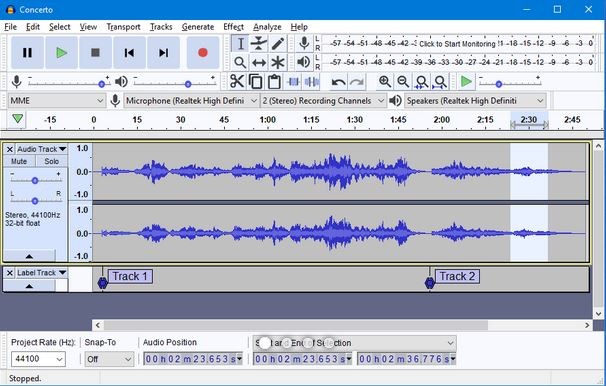
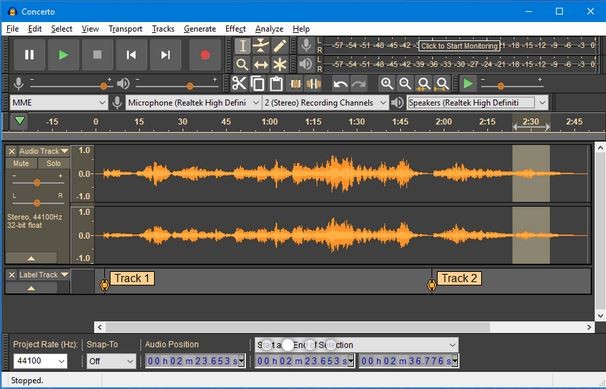
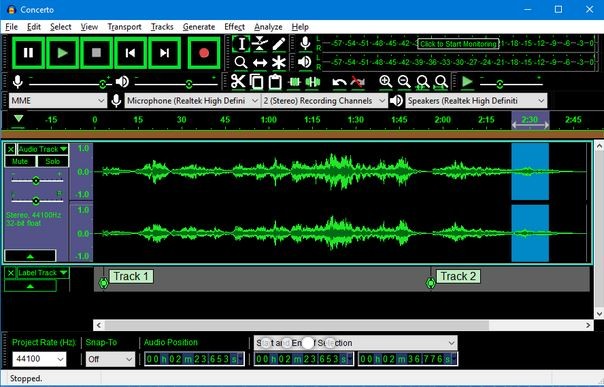
The work environment provides direct access to all audio editing functions. You can record tracks live from external sources such as a microphone, a guitar, or a mixing console. The platform handles multitrack processing seamlessly, allowing you to layer, listen to, and mix multiple sources simultaneously with surgical precision.
The editing options cover all common audio production needs. You can cut, copy, paste, merge, or move audio segments with just a few clicks. The built-in effects library includes equalization, compression, reverb, distortion, pitch correction, and fade-in and fade-out effects. A highly effective noise reduction filter cleans up your recordings by removing unwanted background noise to ensure a clean result.
Software compatibility is another strong point of this solution. The program supports major audio file formats such as WAV, AIFF, MP3, Ogg Vorbis, AAC, and FLAC, for both import and export. The integration of plug-ins compliant with the VST, VST3, AU, and LADSPA standards allows you to expand the program’s capabilities to meet your production needs. Users can thus customize their tools according to the specific requirements of their vocal or musical projects.
Is Audacity Free to Use?
Audacity is a completely free and open-source program. It is free of charge for all features, with no time limits or restrictions on commercial use. You do not need a subscription or a personal account to use all of its creative tools.
The open-source model ensures transparent code, free of intrusive ads or malware. The global community of contributors regularly updates the documentation, offers extensions, and helps continuously improve performance. Each update includes security fixes and new features—all without ever requiring any payment from you.
Which Platforms Support Audacity?
The program is available exclusively for desktop computers. You can download Audacity for Windows operating systems, in 64-bit or beta versions for ARM processors. Support ranges from older versions such as Windows Vista to the latest versions, Windows 10 and Windows 11.
Apple computer users can download the macOS version to use on their laptops or desktops. The application also runs on various Linux distributions, such as Ubuntu and Debian. There is no official mobile version available for Android or iOS smartphones. The lightweight code ensures smooth performance, even on machines with modest hardware resources.
What Are the Best Alternatives to Audacity?
If you’re looking for an alternative for your music creation or audio editing projects, several specialized programs offer complementary approaches.
GarageBand is a leading program developed by Apple for music creation on macOS and iOS. This platform includes an extensive library of pre-recorded sounds, virtual instruments, and audio loops. You can record your voice, compose songs, or create podcasts using an ergonomic and intuitive interface. The app is particularly geared toward Apple users looking for a turnkey solution to start a music project without any prior technical knowledge.
WavePad is a comprehensive audio editor developed by NCH Software. This program offers a wide range of editing options, such as cutting, equalization, reverb, and noise removal. It supports numerous formats, including WAV, MP3, and M4A, on Windows, macOS, Android, and iOS. Its mobile version lets you make quick edits right from your smartphone while on the go.
Magix Music Maker is a Windows-based solution focused on composition and mixing. The app lets you assemble sound loops, play virtual instruments, and apply studio effects to easily produce your own tracks. This tool is ideal for amateurs who want to create complete songs by intuitively arranging pre-recorded music blocks.