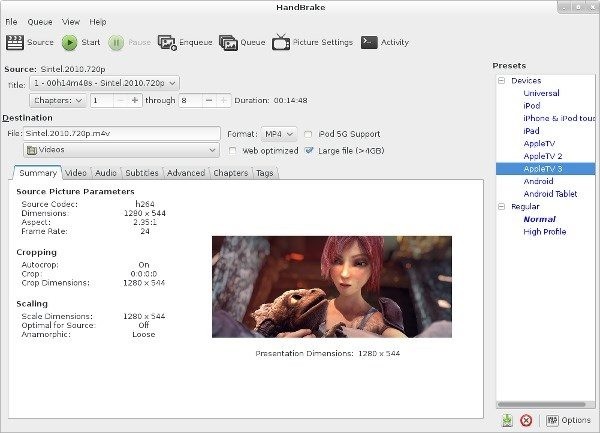
HandBrake is a widely used open-source tool designed for converting video files into modern, more efficient formats. Originally created to make it easier to extract and compress video from DVDs, it has evolved into a flexible post-production utility that works with nearly any common video source.
HandBrake helps you convert large or incompatible video files into formats that are easier to store, share, or play across devices. It supports everything from camera footage and mobile recordings to screen captures and disc-based media. While it’s not a video editor, it offers a range of settings that let you fine-tune how your video looks and behaves after conversion.
Because it’s built on powerful encoding libraries like FFmpeg, x264, and x265, HandBrake gives users access to professional-grade video compression tools without the large investment. It’s available on Windows, macOS, and Linux, and is a popular choice for both casual users and professionals.
What Are the Key Features of HandBrake?
HandBrake is built for one main purpose: converting video files into more efficient, widely supported formats. If you’ve ever had a video that won’t play on a certain device or takes up too much space, this is where you can use it.
One of Handbrake's biggest pros is format compatibility. You can take input from most common video file types, including MP4, MKV, AVI, and MPEG formats, as well as DVD sources. From there, it converts them into modern formats like MP4, MKV, or WebM, which are easier to use across platforms.
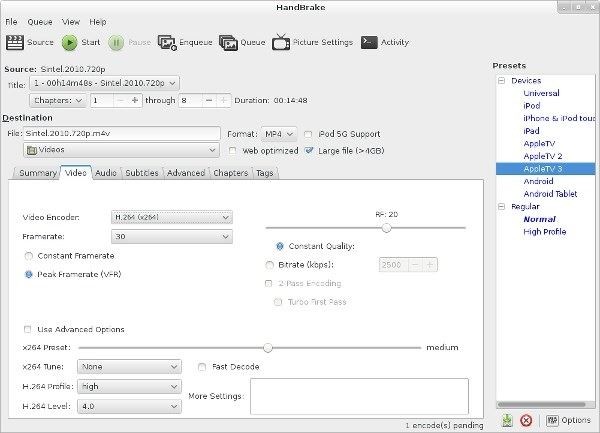
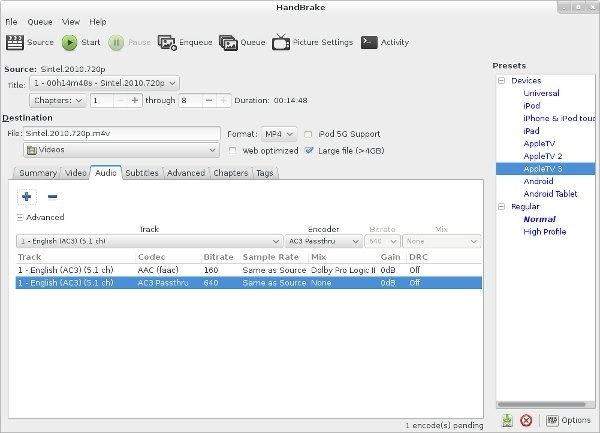
It also gives you control over how your video is processed. You can adjust bitrate, resolution, frame rate, and encoding settings to balance quality and file size. For example, you might compress a large video file without noticeably reducing visual quality, or optimize a file for streaming or mobile playback.
HandBrake includes built-in presets for different use cases, which makes it easier for beginners to use. At the same time, more advanced users can dive into detailed settings such as constant-quality encoding, filters for deinterlacing or cropping, and codec selection.
Another useful feature is batch encoding. You can queue multiple files and process them all at once, which is helpful if you’re working with large video libraries.
It also supports hardware acceleration on compatible systems using technologies such as Intel Quick Sync or Nvidia NVENC. This can speed up encoding, though it may come with some trade-offs in compression efficiency compared to software-based encoding.
Overall, HandBrake is a practical tool for anyone who needs reliable video conversion with a good balance of simplicity and control.
Is HandBrake Free to Use?
Yes, HandBrake is completely free to use. It’s open-source software released under a GPL license, which means anyone can download, use, and even modify it without paying. There are no paid tiers, subscriptions, or locked features.
All of its functionality is available for free, including advanced encoding settings, hardware acceleration options, and batch processing. This makes it different from many video converters that limit features or add watermarks unless you upgrade.
Because it’s open-source, HandBrake is also maintained by a community of developers rather than a single company. Updates are released regularly, and the tool continues to improve over time.
The only limitation to be aware of is that HandBrake does not bypass copy protection on DVDs or Blu-ray discs. If you’re working with protected media, you’ll need to handle that separately before using the software.
Which Platforms Support HandBrake?
HandBrake is available as a desktop application that you can download for the three main operating systems: Windows, macOS, and Linux.
The interface is consistent across platforms, so the experience is largely the same regardless of which system you’re using. This makes it easy to switch between devices or work across different environments without needing to relearn the tool.
There is no official mobile version or browser-based version of HandBrake. It’s designed as a local application that runs directly on your computer, which allows it to handle resource-intensive encoding tasks more efficiently.
In addition to the graphical interface, HandBrake also offers a command-line version. This is useful for advanced users who want to automate workflows, run scripts, or integrate video processing into larger systems.
What Are the Best Alternatives to HandBrake?
While HandBrake is one of the most popular video transcoders to download, there are several alternatives to choose from, depending on what you’re looking for.
FFmpeg is one of the most powerful options. It’s a command-line tool that offers deep control over video and audio processing, but it has a steeper learning curve compared to HandBrake’s interface.
VLC Media Player is another option that includes basic video conversion features alongside its primary role as a media player. It’s simpler to use but doesn’t offer the same level of control over encoding settings.
VidCoder is closely related to HandBrake and actually uses its encoding engine. It provides a slightly different interface and may feel more approachable for some users while still offering similar functionality.
Any Video Converter is a more user-friendly option focused on ease of use. It includes presets and a simplified workflow, though advanced users may find it less flexible.
Choosing between these tools usually comes down to how much control you need and how comfortable you are with more technical settings. HandBrake tends to sit in the middle, offering both accessibility and depth without requiring a paid upgrade.