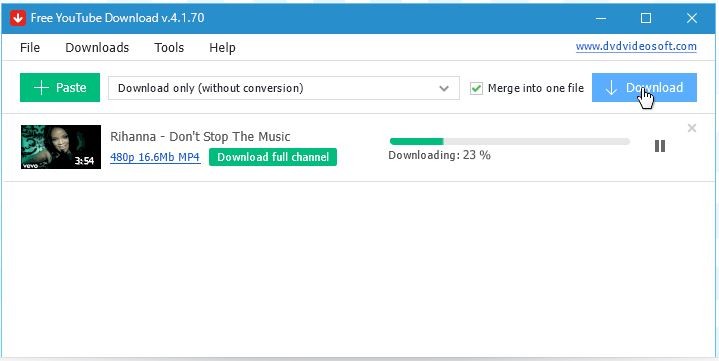
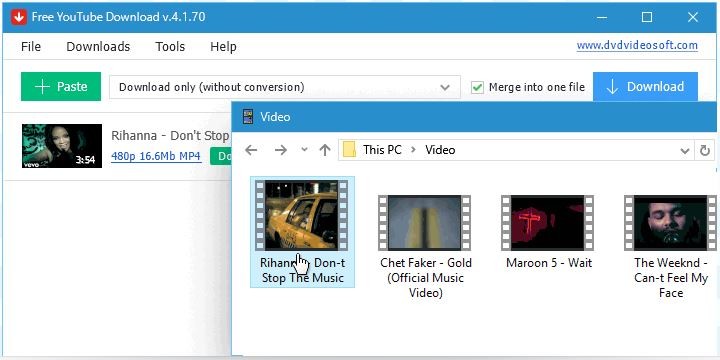
Free YouTube Download is video download software designed to provide a fast, stable, and comprehensive solution for all users who want to save content from YouTube without relying on online services. The application is designed for local use on a desktop computer or mobile device, with an emphasis on ease of use and a wide range of features. It allows you to download videos in their original quality, including Full HD, 4K, and 8K formats, while offering advanced conversion options, even for high-fidelity audio files.
Free YouTube Download stands out thanks to its straightforward interface, free of distractions or intrusive ads. The user experience is based on a seamless batch processing system, where you paste a URL, start the download, and manage multiple videos simultaneously without overwhelming the interface. The app is available for Windows, macOS, and Android, in a neat, secure version designed for immediate use. The app is multilingual and aims to provide a straightforward, fast, and frictionless user experience, whether you’re on a desktop or on the go.
What Are the Key Features of Free YouTube Download?
Free YouTube Download supports all video and audio stream formats offered by YouTube. It can save videos in their native resolution, up to Ultra HD 8K, and encode content into MP4, AVI, MOV, MKV, WEBM, or MP3. The software supports the VP9 codec, which ensures better image quality for high-resolution videos. It also allows audio conversion to MP3 files at up to 320 kbps, meeting the quality requirements of users who value sound fidelity.
You can use it to download individual videos, as well as entire playlists, entire YouTube channels, popular Shorts, or even personal lists such as videos you’ve liked or saved for later. You can merge multiple files into a single file, apply naming templates to output files, and automatically import the converted content into iTunes for syncing with an iPhone, iPad, or iPod. Additionally, Free YouTube Download includes a subtitle management system that automatically downloads subtitles if they’re available on YouTube.
The download engine is optimized for speed, with parallel processing capabilities that allow you to download multiple files in just a few seconds, even when dealing with large volumes. Unlike online downloaders, the download speed isn't limited by a browser or an external queue. Free YouTube Download also offers a feature for reading links from text files, which allows for easy automation when dealing with long lists of URLs.
Is Free YouTube Download Free to Use?
Free YouTube Download is available as a free download and works without any registration or account activation. All essential features are available without restriction, including downloading videos in the highest quality—up to 8K—automatic conversion to MP4, AVI, or MOV formats, and batch processing of playlists or entire channels. The interface is completely ad-free; there are no usage time limits, and the downloaded videos contain no watermarks or unwanted additions. The app can be used offline after installation, ensuring stable, standalone operation without a continuous connection to the publisher’s service.
Which Platforms Support Free YouTube Download?
Free YouTube Download is compatible with Windows (XP SP3, 7, 8, 10, 11) and macOS operating systems, making it accessible on virtually all computers in use today. The Windows version is particularly well-developed, offering excellent stability even on older systems. The program is not natively available for Linux, but can be run with Wine with varying performance.
The user experience is consistent across Windows and macOS, featuring a clean interface—translated into multiple languages—designed for immediate ease of use. The design prioritizes speed and simplicity, without intrusive elements or unwanted redirects. You can follow our direct links to download the application safely. Installation is done via a local executable and requires no advanced configuration. The entire process is offline once the software is installed, with no registration or authentication required at any time.
An Android version is also available, allowing for mobile downloads without the need for a computer. Not available from the Google Play Store, you have to download an APK file and install it annually on your Android device.
What Are the Best Alternatives to Free YouTube Download?
There are several alternatives to Free YouTube Download, each with a distinct focus depending on your needs.
aTube Catcher is free software for Windows that also allows you to download and convert videos from YouTube and other video platforms. It offers additional features such as screen recording and CD/DVD burning. While its interface is a bit cluttered, it remains a versatile tool, well-suited for users looking for a comprehensive utility.
noTube is a free online solution that requires no installation or account creation. It is available directly through your web browser, making it accessible on all systems, whether you’re using Windows, macOS, Linux, Android, or iOS. Its main advantage is its ease of access. Formats supported in the free version include MP4, MP3, 3GP, FLV, M4A, and HD MP4, with a maximum resolution of up to 1080p. Certain advanced features, such as downloading playlists or accessing higher resolutions, are reserved for the paid noTube Plus plan.
Free YouTube to MP3 Converter, also developed by DVDVideoSoft, focuses exclusively on extracting audio from YouTube videos. It’s free, available for Windows and macOS, and features a clean interface designed for quickly downloading high-quality MP3 files. Unlike Free YouTube Download, it does not support video files. You can use it to extract any audio from any video.