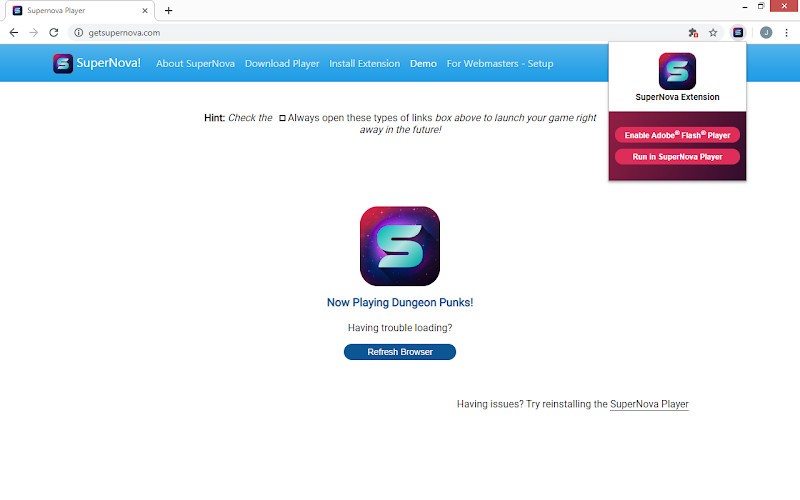
After Adobe Flash Player was discontinued in 2020, interacting with Flash files has become a challenge. No application came to replace the original, forcing people to fill the gap in the market left by Adobe. SuperNova SWF Player comes to the rescue today to enable users to play their favorite Flash games, visit old websites with Flash content, and interact with downloaded Flash files.
SuperNova SWF Player acts as a bridge between Flash content and our new browsers, creating a suitable environment for legacy Flash animations to run. Most people use SuperNova to play old but not forgotten games. Some choose to use the web extension to visit websites with Flash animations.
The app can help you go back in time to when SWF files were common. Without it, all the hard work that was put into them would go to waste, forgotten in a new era of the internet.
What Are the Key Features of SuperNova SWF Player?
SuperNova SWF Player is a player for SWF files. In the absence of Adobe Flash Player, it provides a way to interact with legacy Flash content that would otherwise be forgotten. The app can be used as a browser extension to view Flash content online. The browser extension integrates into your flow seamlessly, working in the background to facilitate a suitable environment for Flash animations and games. There is also a desktop app that enables the viewing of downloaded files and applications. While the Chrome browser extension only works when your device is connected to the internet, the desktop app can be used offline too.
SuperNova does not subject your system to security threats the way the original Flash Player did. New technology allows the application to work safely, which is a necessity today. Technological advances extend beyond cybersecurity and offer a user-friendly interface. The platform is easy to use and will not spook Flash gamers with no background in IT. You can scale the content you’re viewing to fit the screen, change the quality of the animations, and use various controls to create the best experience. The application automatically recognizes SWF files, so you won’t have to look through your downloads to find that Flash game you wanted to play.
Is SuperNova SWF Player Free to Use?
Yes, SuperNova SWF Player is free to use. You can download the application or browser extension for free and use it as much as you like.
Which Platforms Support SuperNova SWF Player?
SuperNova SWF Player is an application for Windows computers. You can also access it as a browser extension on Google Chrome, Firefox, Brave, Opera, Vivaldi, and Chromium.
What Are the Best Alternatives to SuperNova SWF Player?
If SuperNova SWF Player doesn’t suit your needs, there are multiple alternatives to choose from.
One of them is Lightspark—a SWF player for Linux and Windows computers. Unlike SuperNova, which functions primarily as a browser extension for casual users looking to play legacy Flash games and interact with website content, Lightspark is a browser plugin for developers. Its focus is on ActionScript 3.0 content, which includes some of the newer Flash content. It is a free and open-source solution that is especially popular among Linux users.
Ruffle is another Flash Player emulator that comes in the form of a browser extension and a desktop app. It is often the preferred application for viewing legacy Flash content due to its ease of use and security. Once downloaded, Ruffle works automatically in the background, running Flash applications, animations, and games. You can add it to your Chrome, Firefox, or Edge browser for a seamless experience. It is an open-source tool with strong community support, consistently working on improving the platform and making it more user-friendly.
Unlike the two aforementioned options, Elmedia Player is an all-purpose media player for Mac computers. It supports the most popular video formats, including SWF, MP4, and AVI. You can use it to view downloaded files and Flash animations. Elmedia is not available as a browser extension, so it will not help you view legacy Flash content online. On the other hand, if you’re looking for a tool to enable viewing local files on your computer, Elmedia Player is an excellent option with strong security protocols in place.