GameHub is an application that brings PC gaming options to an Android device. It is not a pure emulator but a hybrid solution that provides three options: Windows emulation, cloud gaming, and local PC game streaming. Many users test it to play Windows titles without any complicated systems or various applications on their phones. GameHub combines that experience, and it does not require several steps.
The concept is straightforward: load your Windows game files, stream over Steam or the Xbox Cloud, or even run a small indie game through the emulation layer. It is likened to Winlator, but GameHub is more introductory and less technical and thus would suit those who do not need to adjust dozens of settings.
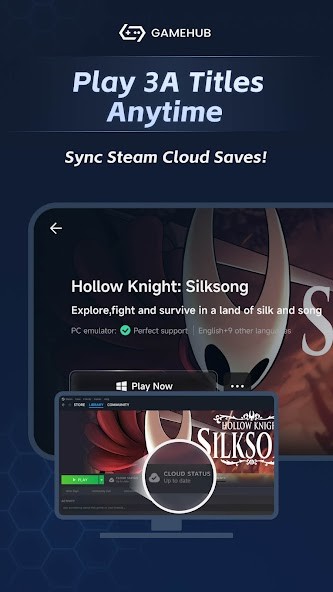
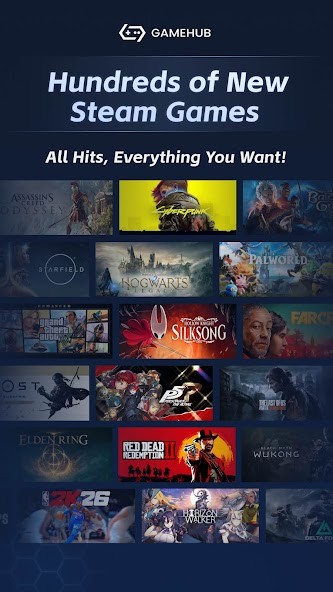
It is also directly connected to a Steam account and allows downloading games directly on the device through Steam servers. Not all games perform as well, and it does not mean that they require higher hardware, but convenience is the aim and nothing more.
What Are the Key Features of GameHub?
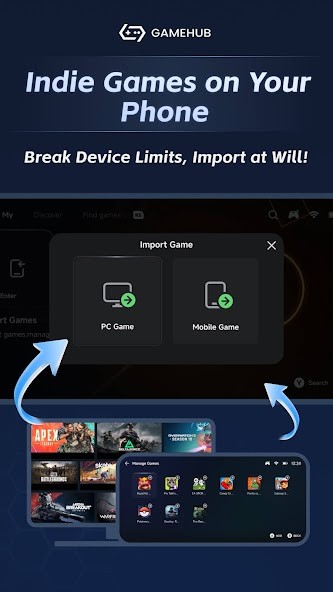
The prominent characteristic of GameHub is that it brings together three game approaches under a single interface. It could also be used as a Windows emulator for PC games that are not under DRM. In case you already have game files on the computer, then you can drag them to your phone, and GameHub will play them with minimum configuration. The emulation layer provides presets, such as Extreme, Balanced, or Compatible, to ease the setup for people who are not familiar with translation drivers or OpenGL settings.
In addition to emulation, GameHub is capable of launching cloud gaming, such as Xbox Cloud Gaming, directly in-app. It does not substitute those services; it just makes them centralized so that you do not have to move between the apps. The third alternative is local streaming, which is very similar to Steam Link or Moonlight, where the game is played on your PC but appears on the screen of your phone.
Steam integration is another significant option. Players can claim in, see their Steam library, install games on demand, and transfer Steam Cloud Saves across platforms. Such a setup is convenient, and not all titles will work, particularly those that need powerful hardware or modern graphics support. GameHub also has an option of customizing display options, using controllers and touch, and switching drivers. Some users value simplicity, but some believe that the app conceals too much, a reason to be preferred or not.
Is GameHub Free to Use?
GameHub is free to download and free to use. No subscription plans are offered, and the key features are not restricted to everyone. The app does contain certain tracking elements, which some of its users perceive as a commodity trade-off. Nothing is behind a fee as far as payment is concerned.
Which Platforms Support GameHub?
GameHub was first released on Android, where games can be fully emulated. You can download the app from the Google Play Store, or the official APK file provided by the development team. The emulation side works best with any modern Android phone with a powerful processor, particularly with flagship phones.
After being Android-only, GameHub is now also available for iOS users. You can download it from the App Store to play your Windows games on your iPhone or iPad. And if you are an Apple geek, you may also have a Mac computer. As some games are Windows-only, you would be interested to know that GameHub is now available as a beta for macOS also.
In the case of cloud gaming and streaming, a device of almost any mid-range will be sufficient, with a lower hardware load. Emulating Windows is not easy; to play 3D games or big titles, a fast processor and graphics card are necessary.
What Are the Best Alternatives to GameHub?
Steam Link is not an emulator but a streaming app that replicates the games on your PC on a phone or tablet. It works well with people who prefer zero configuration, as the game is not executed on the phone but on the PC. Your PC is everything in performance. Steam Link is compatible with mid-range Android devices, has controller support, and tends to feel good with an effective Wi-Fi connection. It has no emulation of Windows games because it does not run them natively, as GameHub does. Steam Link can be considered the less difficult and more reliable choice for a gamer with a PC at home who would like to play PC titles on a mobile screen. Most users simply download the app, connect their PC, and start streaming without needing any extra setup.
Winlator is an open-source emulator of Windows on Android, popular with advanced users due to its finer control. You can modify the drivers, Wine settings, graphics drivers, and performance layers. It is not as user-friendly as GameHub and can make one test through some settings before a game is up and running. Winlator is trusted by users who prioritize their privacy and do not desire a tracker. It does have a great community, and performance is based on the hardware of the phone; many games still do not run perfectly. Winlator is more technical and freer than GameHub. People usually download Winlator when they want deeper control instead of a simple plug-and-play tool.
GameNative is a second open-source project to provide Windows gaming with Android without using a closed-source architecture such as GameHub. The fact that it is completely open source allows the community to investigate, enhance, and check security. GameNative is immature, and it is not as convenient as GameHub since it is more of a proper emulation than a cloud or streaming. GameNative is more favored by users who value privacy, transparency, and the long-term development of the community. It might need additional setup work, but it will not have the tracking issues and licensing problems that GameHub will have. Developers download GameNative mainly because it's transparent and community-driven, even if it requires extra setup.