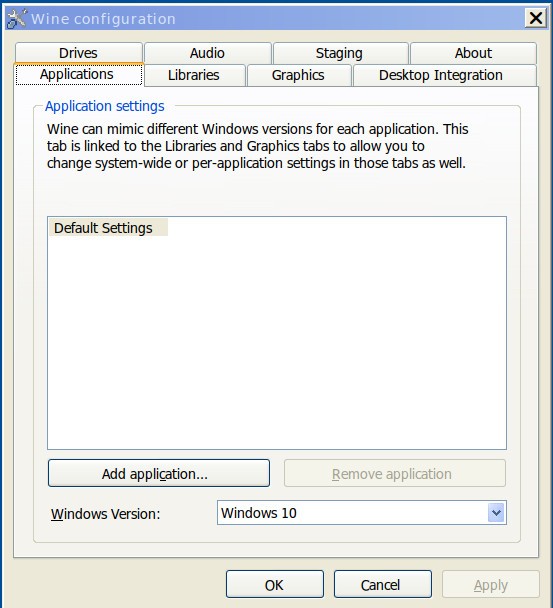
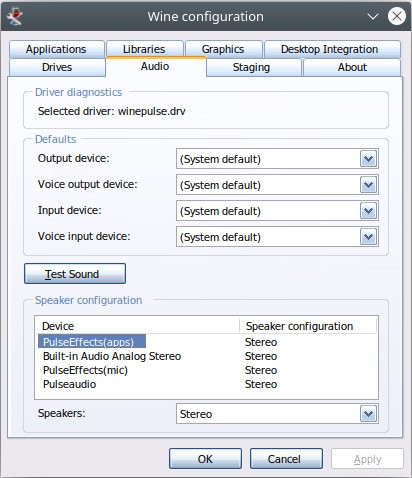
Wine is a compatibility layer that lets Windows applications run on non-Windows systems, including Linux, macOS, and certain BSD releases. The name stands for Wine Is Not an Emulator, which matters because Wine does not run a full copy of Windows. Instead, it translates Windows system calls into calls that the underlying Unix-based system can process, doing so in real time while the program is running.
This approach can be faster than running Windows inside a virtual machine, though results vary considerably depending on the application. Some programs run nearly perfectly, others work partially, and some will not run at all. Wine aims to make Windows software feel native on the desktop, but how well it succeeds depends on the specific app.
Wine has been around for a long time and is backed by a substantial open-source community that continues to test, update, and improve it. That said, it is not a push-button solution. Users often need to adjust settings, install additional components, or work through compatibility issues depending on what they are trying to run.
What Are the Key Features of Wine?
The core function is real-time translation of Windows API calls to POSIX system calls, which allows many Windows programs to execute without a Windows installation present. Because Wine does not emulate the full operating system, it avoids the performance and memory overhead associated with virtual machines.
Wine includes built-in tools that replicate standard Windows utilities: configuration helpers, a registry editor, installers, and debugging tools that help applications behave as they would on an actual Windows system. It also creates a simulated Windows drive structure so programs can install and store files in a familiar layout.
Installation is flexible. Wine can be added via package managers, compiled from source, or installed through platform-specific packages. It ships in stable, development, and staging release branches, each balancing reliability against access to newer features.
Compatibility tracking is an important part of the project. Wine maintains an application database where users submit reports on what works and what does not, helping the community improve support for specific software over time.
Is Wine Free to Use?
Yes. Wine is free and open source. Anyone can download, use, and modify it under its open-source license at no cost. Some commercial products are built on top of Wine, but Wine itself requires no payment. Updates and new releases are produced by the community and remain free.
Which Platforms Support Wine?
Wine works on POSIX-based systems: Linux, macOS, and some BSD variants. Linux has the broadest support, and most major distributions include Wine as an official package in their repositories.
On macOS, Wine is compatible with Catalina 10.15.4 and later. On Apple Silicon machines, it runs through Rosetta 2. Older macOS versions supported 32-bit applications, but that support has been removed from modern releases, which limits compatibility for Wine configurations that depended on it.
Android users have Winlator, a project derived from Wine that brings Windows application compatibility to Android devices.
What Are the Best Alternatives to Wine?
Proton is a compatibility tool from Valve that is built on Wine but focused specifically on Windows games. It integrates directly with Steam and handles most configurations automatically, making the experience considerably more straightforward for gamers. The trade-off is that Proton is tied to Steam and cannot be used to run arbitrary Windows applications outside that platform. It also offers less manual configuration control than using Wine directly. Most users get Proton simply by enabling Steam Play, since it is bundled with the platform for compatible titles.
Bottles is not a replacement for Wine but a management layer that sits on top of it. It lets users create separate, isolated environments called bottles, each with its own settings and dependencies for individual Windows applications. This reduces conflicts between programs and makes troubleshooting more contained. Bottles appeals to users who want the organizational structure and a cleaner interface without configuring Wine from scratch each time. Compatibility is similar to Wine itself since Bottles relies on it underneath. Users typically download Bottles when they want a more structured and manageable way to run Wine setups.
CrossOver is a commercial Wine distribution maintained by CodeWeavers. It focuses on stability, ease of installation, and professional support. CrossOver ships with pre-tested configurations for many popular Windows applications, cutting down the manual setup that standard Wine often requires. It is a paid product, though purchasing it also supports ongoing Wine development. Compared to Wine, CrossOver trades some flexibility for convenience and reliability. It tends to suit users who want a guided, supported experience rather than direct control over the underlying configuration. People often download CrossOver when they want Windows application compatibility without the troubleshooting that Wine can sometimes involve.