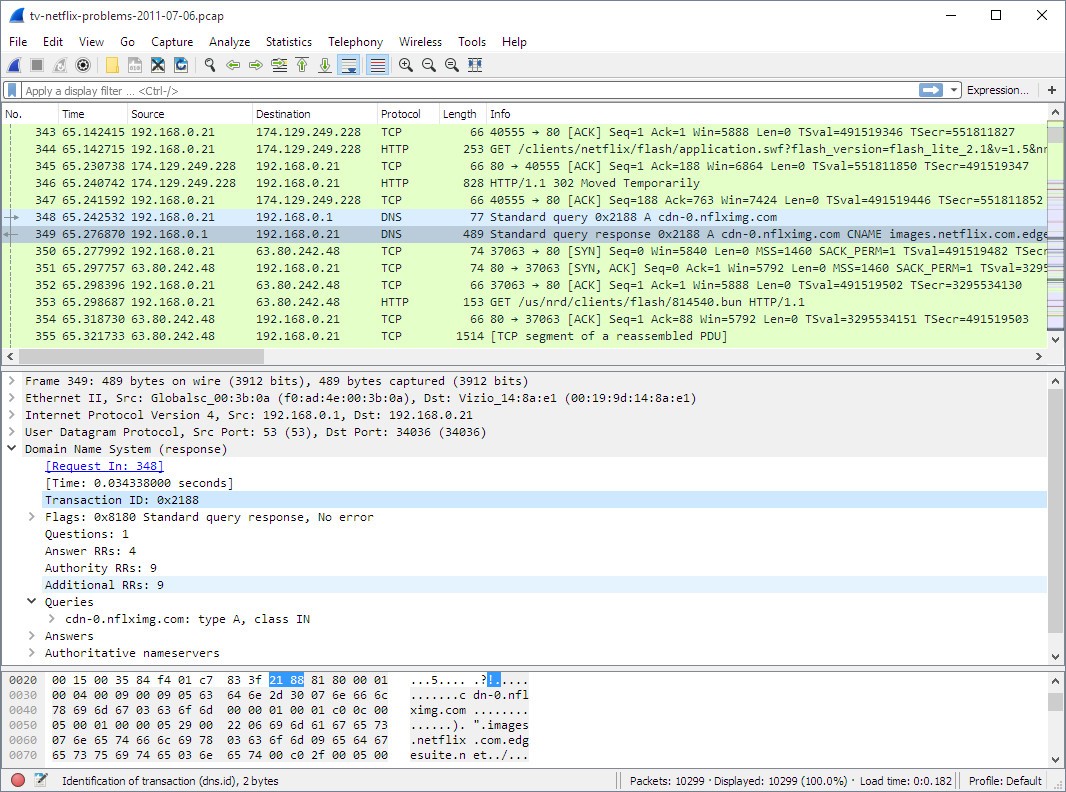
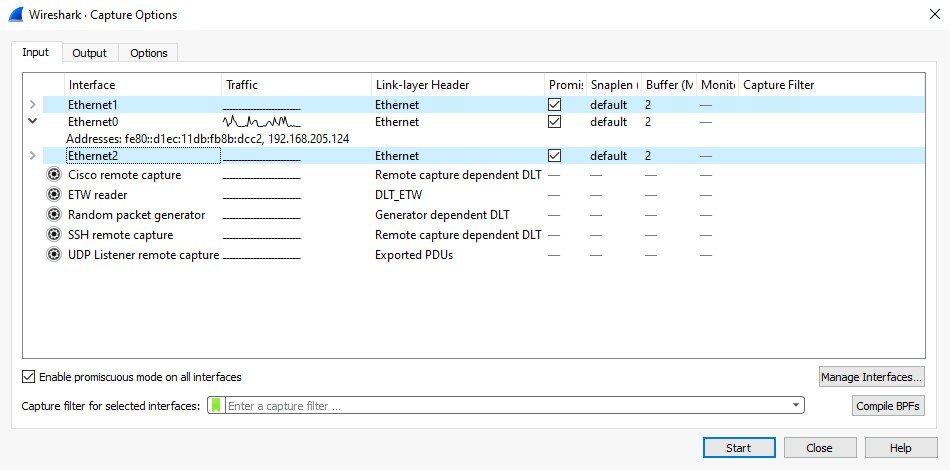
Wireshark is a network protocol analyzer that allows users to see what is occurring in their network in detail. Instead of suspecting that a network component is acting slowly, malfunctioning, or not, Wireshark shows the uncoded traffic passing through the system. It has been around and has become the primary tool of networking students, IT professionals, and security researchers who have to analyze packets or have to know how devices communicate with the servers. Wireshark does not make attempts to resolve issues or automate any decision; it just reveals the traffic, and the user can understand what is going on.
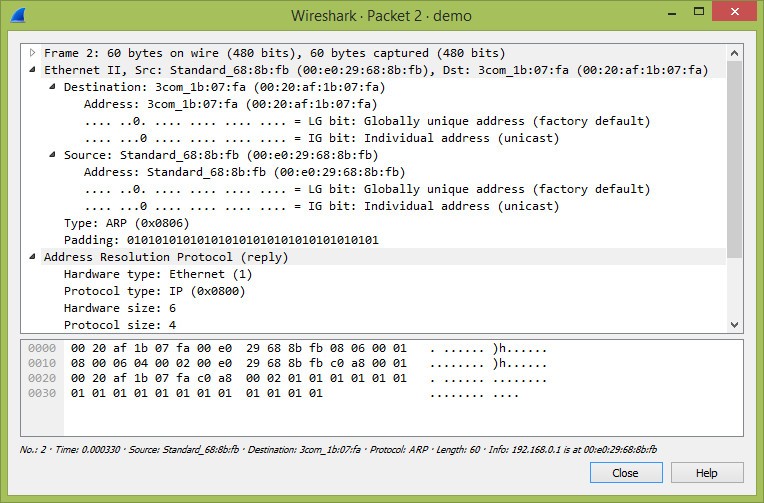
Wireshark monitors live network traffic on interfaces and disaggregates each packet into layers, i.e., Ethernet, IP, TCP/UDP, application protocols, etc. Layering simplifies the process of debugging complex interactions, including DNS lookups, HTTPS handshakes, routing problems, and other strange network behavior. It is referred to by users as a network traffic microscope. The software is open-source, supported by a considerable community, and has documentation, tutorials, and professional certification opportunities in case one wants to acquire more skills. Wireshark is not a tool to monitor casually.
What Are the Key Features of Wireshark?
Wireshark specializes in packet capture and analysis. It allows one to record real-time traffic or read the trace files that had been taken before. Wireshark, in turn, loads the packets and automatically decodes the protocols, which in some cases includes data that is difficult to obtain otherwise. Filtering is a core strength. Display filters can be written by users to filter down to the very packets they require, whether it is a single IP address, a specific TCP port, or protocol patterns. This simplifies the process of troubleshooting, particularly where large amounts of data are involved.
Much of the usefulness of Wireshark is due to the wide protocol coverage. It can decode hundreds of protocols, old and new, and keeps being updated with new versions of protocols becoming prevalent. Stream following is another feature that allows users to view the complete conversation in sequence with TCP, HTTP, or other transactions. This assists in identifying the existence of delays, missed handshakes, or retakes. Users can also use color rules to emphasize strange packets, errors, or patterns needing to be followed visually.
In addition to analysis, Wireshark provides statistics (IO graphs, service response times, endpoint summaries, and protocol hierarchies). Such visual tools assist users in identifying trends or bottlenecks without analyzing thousands of packets. Wireshark has a simple workflow, although it has power: capture, inspect, filter, and diagnose. It does not require any expensive hardware; it is executable on standard systems, as well as combinable with standard capture software. All this is open; therefore, the users are aware of what is happening in their network.
Is Wireshark Free to Use?
Yes, Wireshark is open-source. It is free, and under the GNU General Public License (GPL), anyone can have the freedom to download, study, make changes, and share it freely. Its growth is not through licensing fees but through the aid of volunteers, contributors, and sponsors. No paid versions or hidden features; everybody receives the entire tool.
Which Platforms Support Wireshark?
Wireshark is compatible with all major desktop OSs. It can be installed on Windows users in either the standard installer, portable, or ARM version, depending on the system. Wireshark is packaged as a universal disk image on macOS and is compatible with both Intel- and Apple Silicon-based hardware. Linux-based operating systems like Ubuntu make Wireshark available in their package archives with minor differences in installation instructions to accommodate permissions and capture libraries.
The tool is mostly applied to desktops and laptops, as packet capture requires complete access to network interfaces. Wireshark also allows users to open capture files on other systems; thus, traces captured on routers, servers, or special devices can be analyzed on a central machine. Due to the frequent updates of Wireshark, new releases are available on all platforms approximately simultaneously. This broad platform compatibility allows it to be used by any person, whether studying networking on a personal computer or examining production traffic in a business environment.
What Are the Best Alternatives to Wireshark?
Acrylic Wi-Fi Home is a Wi-Fi network scanner that does not perform complete protocol analysis. It shows details on the surrounding wireless networks, including signal strength, channel usage, type of security, and details about the device. It assists in diagnosing Wi-Fi interference or detecting the overlapping access points on the same channel. In contrast to Wireshark, it does not examine packet formats and deconstruct complex protocols, but it does give a realistic view of the wireless environment to an average user. Acrylic Wi-Fi Home is simple to use, uncomplicated, and user-friendly, even to problem solvers without in-depth networking skills in troubleshooting weak signals, slow Wi-Fi, or just a lack of coverage. It is not aimed at a full-fledged examination of packets, but it fulfills another need. Many users download Acrylic Wi-Fi Home when they just need a fast and simple wireless scan without a profound analysis.
InSSIDer is another tool to analyze Wi-Fi, and it is used to map performance problems on wireless devices. It displays adjacent access points, their signal strengths, the frequency that they are occupying, and the congestion of the respective channel. It is commonly used when establishing home networks to prevent interference or in the best location of routers in office areas. It does not substitute such packet-analysis tools as Wireshark, but it provides a clear view of the wireless environment without bombarding the user. It can also be applied especially to diagnose slow Wi-Fi or to locate why some rooms lack strong coverage. The strength of InSSIDer is that it is easy to use and emphasizes real-world Wi-Fi behavior over protocol internals. People often download InSSIDer to quickly assess signal issues and understand channel congestion in everyday setups.
WifiInfoView is a small utility that displays the information about available wireless networks in a table format. It does not capture traffic but collects metadata on channel, frequency, PHY type, security settings, signal quality, and device maker. It is portable and small; hence, it can be run fast without installation. It is applicable in situations when there is a need to have a quick overview of all the Wi-Fi access points without having detailed diagnostics. It is far less complex than Wireshark, does not involve decoding or filtering packets, though it is best suited to a user who simply wants to look at the available networks, scan a building, or ensure that a router is broadcasting appropriately. Its minimal interface is easy to use. Users download WifiInfoView when they want a lightweight, portable scanner that works instantly without setup.