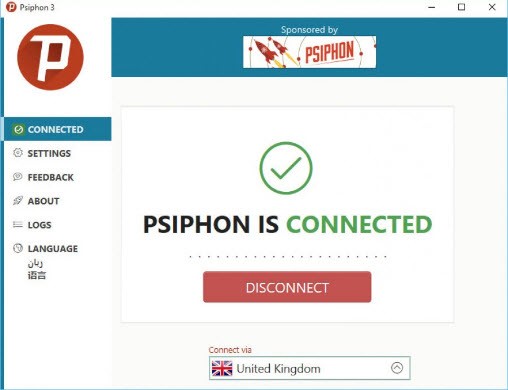
Psiphon is an app designed to help people get online when their local network is actively blocking access. It sits somewhere between a VPN, a proxy, and a circumvention tool, though it was never built to be a high-security anonymous tunnel. The focus from the beginning has been on connectivity: getting through firewalls, loading blocked apps and websites, and keeping users online when access is restricted. Strong encryption and no-log guarantees are secondary concerns. People rely on it in countries where social media and news sites are blocked, or simply when they are stuck on a restrictive public Wi-Fi network.
Psiphon scans for available connection paths automatically and keeps trying until it finds one that works. It has attracted millions of users over the years, partly because it requires no complex setup or technical knowledge. A single tap in the app is usually all it takes, with the tool handling protocol selection and routing in the background. It is best understood as a reliable fallback for when the internet becomes restricted or unstable, rather than a privacy-first solution.
What Are the Key Features of Psiphon?
Psiphon pulls together VPN, proxy, SSH, and other tunneling protocols to punch through blocks that standard tools cannot handle. Users never need to choose between protocols manually; Psiphon cycles through them automatically until something connects. This makes it effective on networks that deliberately throttle certain traffic types or interfere with traditional VPN connections.
The server network rotates across multiple locations, keeping connections alive even when individual routes get blocked. Traffic over Wi-Fi is encrypted to add a basic layer of protection against snooping.
The app supports multiple languages and is straightforward enough for users who would struggle with a conventional VPN interface. It is particularly useful for people in heavily restricted regions, journalists trying to reach blocked sources, or anyone dealing with unreliable or censored internet access.
Speed varies by location and can slow down during peak congestion, so most users treat it as a backup rather than a primary connection tool. Being open-source means independent researchers can inspect the code, which gives technically minded users more confidence in what the app is actually doing.
Is Psiphon Free to Use?
Most users run Psiphon on the free tier. Depending on the platform, the free version may display ads or operate at reduced speeds. A paid plan removes ads and may unlock faster connection paths, though results vary.
Both Android and iOS offer in-app options to upgrade to a premium plan. The core apps are free with no time limits or data caps. For the vast majority of users, the free version is all they need.
Which Platforms Support Psiphon?
Psiphon is available on Android, iOS, Windows, and through an iOS-specific browser. Android accounts for the largest share of users and can be downloaded from the Play Store or via direct APK if the store itself is blocked. The iOS version channels all device traffic through the Psiphon network, which fits within how Apple's App Store operates.
On Windows, Psiphon runs as a portable executable that requires no installation, making it useful on shared or locked-down machines. Apple Silicon Mac users can access an App Store build that works as a system-wide tunnel, though this version is exclusive to Apple Silicon hardware. Performance and stability differ across network environments, but the purpose stays consistent: get past restrictions and establish a working connection when nothing else will.
What Are the Best Alternatives to Psiphon?
Tor Browser prioritizes anonymity over accessibility. It routes traffic through a network of volunteer-run nodes around the world, making it very difficult to trace back to the original user. The additional routing layers come at a cost to speed, so Tor works best when performance is not the priority and avoiding tracking or surveillance is the main concern. It is not well-suited to streaming or large downloads, but for users who need a private way to access basic web content, many still download Tor as their preferred option.
Lantern is built specifically for fast access to blocked content. It combines peer-to-peer routing, proxy servers, and cloud infrastructure to work around restrictions without routing all traffic through heavy tunnels, which helps it stay quicker than many alternatives. It is not designed as an anonymity tool, and its peer-based architecture gives some users pause. That said, Lantern is light, easy to use, and tends to stay functional in censored regions even during off-peak hours. Some people download Lantern primarily as a fallback when their usual tools stop responding.
Freegate has been around for many years and is aimed at users in heavily censored environments. It operates through a dynamic proxy network that redirects traffic to servers in unrestricted regions. Originally developed for use in China, it has since spread to other restricted markets. Freegate prioritizes speed and ease of access over privacy, and while its interface looks dated compared to newer tools, it has a track record of working in situations where other options fail. People who want straightforward access to blocked sites without the overhead of a full VPN often download Freegate for its simplicity and fast connection times.