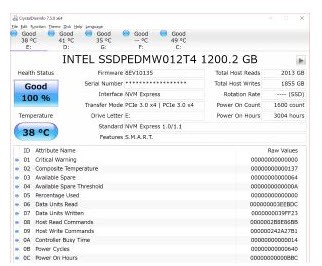
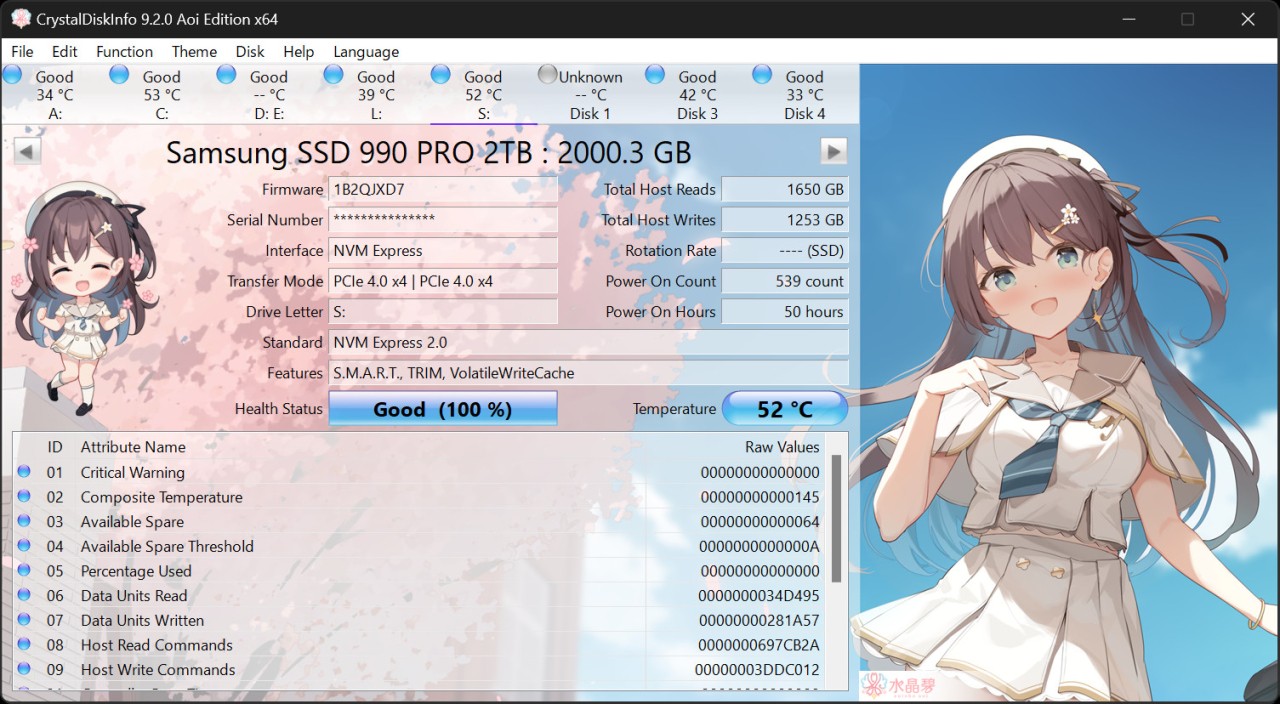
CrystalDiskInfo is a simple utility that will scan and display information regarding your storage drives, including hard disk drives and solid-state drives (SSDs). It primarily shows the health status, health, and general information of each drive so that you can know whether your storage devices are performing well or beginning to experience issues.
The software reads the data directly off the drive in built-in S.M.A.R.T. (Self-Monitoring, Analysis and Reporting Technology) data. This information exposes such aspects as temperature, the number of power-on hours, the number of errors, and general health. CrystalDiskInfo is not a disk repair utility nor a disk data recovery utility; it is simply a report of what the disk itself claims to be wrong with it.
CrystalDiskInfo is commonly used by users, technicians, and system builders to keep a watch on the health of drives over time. Furthermore, it is useful when a computer is running very slowly, or it crashes frequently, or when one has to verify a drive before transferring some data or changing hardware. Its visual versions differ, but the basic functionality of the program remains constant. All in all, it is a monitoring and information tool rather than a performance or repair solution.
What Are the Key Features of CrystalDiskInfo?
One of the key capabilities is to drive health monitoring. It is indicated in the program as a simple health status—good, caution, or bad, depending on the S.M.A.R.T. values reported by the drive. This allows participants to be able to view in seconds whether a drive is malfunctioning or not due to abnormal behavior.
Detailed S.M.A.R.T. data access is another main characteristic. You may see the raw values of the read errors, write errors, reallocated sectors, and temperature. The information assists with diagnosing problems or monitoring the changes. CrystalDiskInfo may also show the graphs of some values, and therefore, understanding the trends becomes easy.
The software allows working with different types of drives, such as HDDs, SSDs, some USB drives, Intel RAID builds, and NVMe drives, depending on the support of the operating system. It also has warning capabilities like resident monitoring, and it is optional to receive alerts in the occurrence of health condition changes.
CrystalDiskInfo provides some options, such as AAM and APM control, to supported drives and provides a chance to make a little adjustment to noise or power performance. It also records and stores an event history of drive status. Although the interface is straightforward, the data might be technical, particularly to the complex users who have the technicality of storage diagnostics.
Is CrystalDiskInfo Free to Use?
CrystalDiskInfo is free of charge to normal users. Its benefits, namely, drive health monitoring and S.M.A.R.T. information, are free of charge. The software may be downloaded and freely used by the user for personal use. The project is not compulsory in terms of donations to assist in development, as donations are optional and used only to support development. It does not need to be licensed to be used in normal uses, hence it can be used by a broad audience.
Which Platforms Support CrystalDiskInfo?
CrystalDiskInfo is suitable for Windows-based systems. It is compatible with numerous Windows versions, both older and newer versions of Windows XP, Vista, 7, 8, 8.1, 10, and 11. It can also be used with various versions of Windows Server, beginning with Server 2003 up to Server 2025. The software has been operating on various system architectures, such as x86, x64, and ARM64. Other features like NVMe drive support need Windows 10 or Windows Server 2016 or newer.
Windows XP and Server 2003 are not supported by the installer itself, though there might be some other types of compatibility. Older operating systems, such as Windows 95, 98, Me, NT4, and 2000, are not supported by CrystalDiskInfo, and CrystalDiskInfo does not support Server Core installations. It does not work on macOS, Linux, Android, or iOS.
What Are the Best Alternatives to CrystalDiskInfo?
Another option, which considers the computer as a unit, is Belarc Advisor, which does not focus solely on storage health. It provides a descriptive system profile that involves hardware, software installed, and security information. Belarc Advisor can display fundamental information on storage drives, but not actively track disk drive health or provide detailed S.M.A.R.T. values. Users who would prefer to see the state of their whole system set up rather than monitor disk condition over time would find it more useful. Many users choose to download Belarc Advisor when they want a full system overview instead of focusing only on disk health.
AIDA64 Extreme is a more powerful program that targets users with a desire to have an in-depth analysis of hardware and a computer system. It is an area of storage devices and processors, memory, sensors, and benchmarks. AIDA64 Extreme gives a wide range of technical specifications and real-time measurements, including drive performance and temperature-related information. It has a wider selection of tools than CrystalDiskInfo, yet the interface and information can be confusing to an average user. It fits better into the hands of the experienced users who require profound system insights. Advanced users often download AIDA64 Extreme when they need detailed diagnostics and deeper control over system information.
HWMonitor is primarily aimed at monitoring system sensors, including temperatures, voltages, fan speed, etc. It has the capability of indicating temperature in drives, and in this way, users can ensure that there are no serious problems with storage when using the systems. Nevertheless, HWMonitor lacks in-depth S.M.A.R.T. analysis and an evident drive health status report. It is an effective light-monitored device; however, it is too user-friendly and may not provide long-term disk health analysis. People usually download HWMonitor when their main concern is keeping an eye on temperatures and voltage levels.