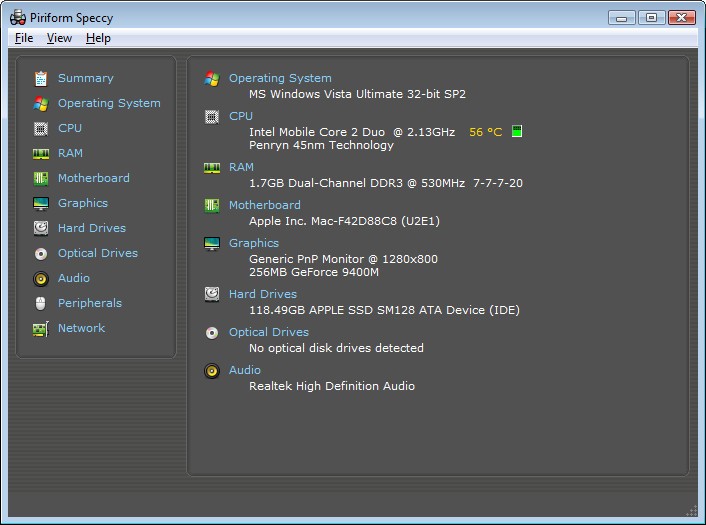
Speccy is a Windows-based application that displays the hardware used in a computer and the performance of each element used. Speccy displays the information on a single, easy-to-read screen instead of guessing what a particular system has in terms of CPU, memory, or graphics card. It is being used by many users who want to know briefly without getting lost in complex in-system menus.
The software is not for error repairing, file cleaning, or speeding. It is duty-bound to collect hardware data and put it in a simple and easy-to-understand way. This renders it helpful to normal users wishing to do a particular cross-examination of their system before including an upgrade in parts, software, and help.
It shows the data concerning the CPU, RAM, motherboard, graphics card, and storage devices. It displays operating-system information as well as basic statistics. This is laid out in a manner that is friendly to the non-technical user, so that they can learn to operate the computer without having to use complex devices.
Speccy exists as a free and paid version, both targeting home users. Professionals may also apply more sophisticated diagnostic instruments; however, Speccy is primarily a simple reasoning source. This is optimal when users require information rather than analytical work or monitoring.
What Are the Key Features of Speccy?
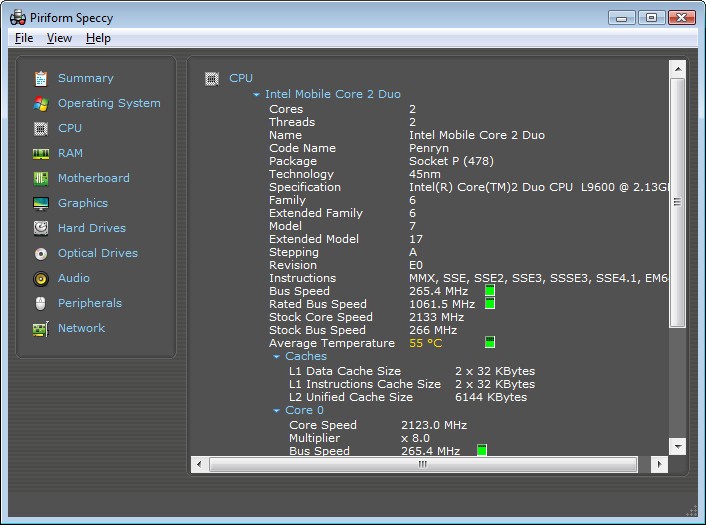
The key feature of Speccy is an extensive hardware overview. Opening it, you will find the most significant elements in a list of order. You do not have to go through intricate settings to view the information about your processor, level of memory, type of motherboard, graphics card, and other storage devices you are connected to.
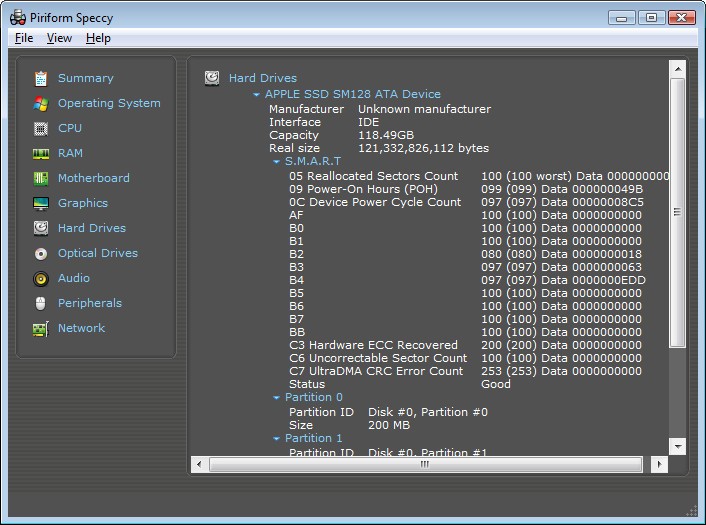
Speccy also displays temperature values of certain components, e.g., CPU and storage drives. This would allow you to check whether your system is functioning within the usual temperature ranges. Though this is not a complete thermal monitoring system, the display provides helpful overall knowledge.
Another advantage is enhanced hardware detection. Speccy is based on a more modern hardware library that identifies modern components more properly. It recognizes newer processors, graphics cards, and memory configurations and displays simple specifications and statistics that can be used to conduct system checks and comparisons.
The upgraded version is the professional version, which includes automatic updates and supports premium features. This type of option applies to users who desire the most up-to-date hardware database without taking matters into their own hands. The low-end free version still provides the list of essential hardware information that is often sufficient for the typical home user.
In general, Speccy is a company focused on straightforwardness. It never burdens the users with complicated graphs and sophisticated metrics. Rather, it provides trustworthy information about systems in a readable format.
Is Speccy Free to Use?
Speccy has a free version that can be downloaded and used without any payment. It provides access to simple hardware information and system information. The free version is, however, enough to monitor components and temperatures for the majority of home users.
There is even a paid professional version. It has upkeep and superior customer care by default. They are both designed to be used at home.
Which Platforms Support Speccy?
Speccy is only compatible with Windows operating systems. It supports a broad set (from Windows XP to 11). It supports both 32 and 64-bit systems and thus may be used in both older and newer computers.
The program fails to match up with Windows RT tablets. It cannot be used on macOS, Linux, Android, or iOS devices. The users of those platforms should require other system information tools that have been developed on their operating systems.
Speccy targets personal desktops and laptops. It does not target servers and mobile gadgets. Because of this, it is more suitable for home users who require superficial system knowledge rather than monitoring on an enterprise scale.
What Are the Best Alternatives to Speccy?
One typical substitute for fast and accurate hardware identification is CPU-Z. It specializes in graphics cards, motherboards, processors, and memory. The tool is easy to carry around and is often used to give quick checks, but it does not give a complete view of the system in a single location and has limited readability by the non-technical user. It suits those users who are familiar with what they want and do not want to see additional explanations on how to find it. Many users choose to download CPU-Z when they need a fast way to confirm core hardware details without extra system summaries.
Another alternative is Belarc Advisor, which has a wider perspective. It gives an elaborate system profile consisting of the installed software, hardware modules, and security details. It is capable of displaying simple storage and system information, but it is more oriented towards the documentation process rather than continuous monitoring. It can be handy to users who can appreciate a full-scale view of their system, but it does not have the visual simplicity and temperature gauge of Speccy. Some users prefer to download Belarc Advisor when they want a documented snapshot of their entire system in one report.
CrystalDiskInfo is another type of storage. It is a software dealing with hard drives and SSDs and presents S.M.A.R.T. information, indicating drive health, temperature, and other information. It helps users who are worried about the performance of disk failure or long-term storage, but excludes details about the other components of the system, such as CPU or memory. It has a more detailed insight into storage at the expense of a smaller system picture compared to Speccy. People often download CrystalDiskInfo when their main concern is checking disk health rather than reviewing the whole system.