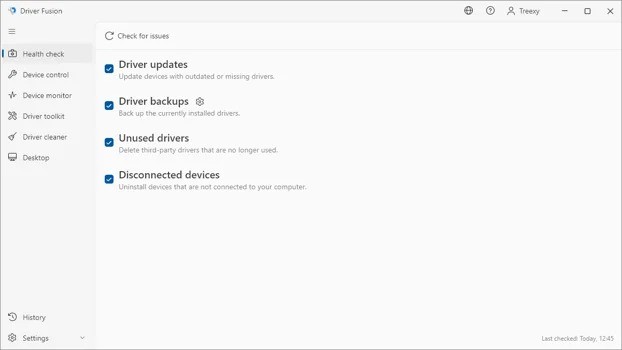
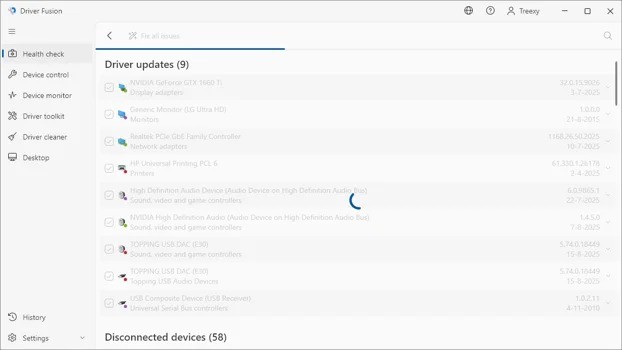
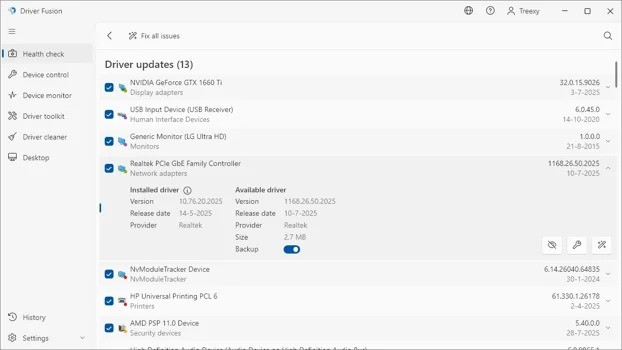
Driver Fusion is a Windows utility designed to help users manage the drivers and devices connected to their PCs. It can scan for missing or outdated drivers, provide access to different driver versions, back up drivers, and remove unwanted driver entries. The software also includes tools to identify hardware, monitor device performance, and generate system reports.
What Are the Key Features of Driver Fusion?
Driver Fusion combines several tools for maintaining drivers and connected hardware in one application. Its driver updater can automatically scan a PC for missing or outdated drivers and access a database containing well over 35 million verified drivers. Users can also access available versions for their devices, giving them more options when managing driver installations.
The software includes a driver backup and migration feature that allows users to export drivers before reinstalling Windows or moving them to another computer. Users can then reinstall drivers with or without an internet connection. This can be useful when setting up a PC after a Windows installation or when transferring hardware configurations to another system. Driver Fusion also includes a driver cleaner for removing software and driver entries associated with devices. This can help address certain driver-related problems, including boot issues and system stability problems. Some of the more advanced cleaning functions, such as removing entries that are currently in use or protected, require the Premium version.
Device control provides another way to manage hardware and drivers. Users can identify device errors, view information about installed devices, and access diagnostic tools to help troubleshoot problems. Driver Fusion can also work with the Windows Driver Store, allowing users to install and uninstall drivers stored there. The software includes device identifiers that can help identify known and unknown hardware. Its database contains information about more than 6 million devices, which can help users determine the type, name, and manufacturer of hardware installed on their computer.
Scheduling tools allow Driver Fusion to regularly check a PC for driver and device issues. The application can notify users when issues are detected or when fixes become available. This can make it easier to keep track of driver maintenance rather than manually checking each device.
Driver Fusion includes additional protection features that can back up system files, settings, and desktop information before changes are made. The desktop backup feature can preserve icon positions and screen resolution, which can help restore the desktop layout after certain system changes.
Is Driver Fusion Free to Use?
Driver Fusion has a free version that provides access to essential driver and device management features. Users can scan their computers for missing and outdated drivers and use the software to manage compatible devices.
Additional functionality is available through the Premium version. Some advanced driver-cleaning features, including cleaning protected or currently used entries, require Premium. The Premium version also provides access to additional capabilities for troubleshooting and managing drivers.
Which Platforms Support Driver Fusion?
Driver Fusion is designed for Windows computers and supports Windows 11, Windows 10, Windows 8.1, Windows 8, and Windows 7. It also supports Windows Server versions from 2012 through Server 2025.
The software supports both 32-bit and 64-bit systems. Its system requirements, therefore, cover a range of Windows installations, including older versions of Microsoft's operating system as well as current Windows releases.
Driver Fusion is intended for Windows rather than macOS or Linux. Users running those operating systems would therefore need to look for alternative driver management software designed for their platform.
What Are the Best Alternatives to Driver Fusion?
Driver Easy is a Windows utility focused on identifying missing and outdated device drivers and helping users download and install updates. It provides a central way to manage driver updates rather than requiring users to search for individual drivers manually. Driver Easy can therefore be useful for users who want a straightforward approach to maintaining the drivers on their Windows PC.
DriverMax is another Windows-based driver management tool. It can identify outdated drivers and help users download and install newer versions. DriverMax also includes driver backup and restore functionality, allowing users to preserve existing drivers before making significant system changes or reinstalling Windows.
Display Driver Uninstaller takes a more specialized approach to driver management. Rather than providing broad driver updating and device-management functionality, it is designed to remove graphics drivers and associated files from Windows systems. This makes it particularly relevant when users need to completely remove an existing display driver before installing another one.