Internet Download Manager (aka IDM) is a download management and acceleration program that allows you to download files from the Internet and resume interrupted downloads. In particular, it uses dynamic file segmentation technology to optimize transfers and make the most of available connections.
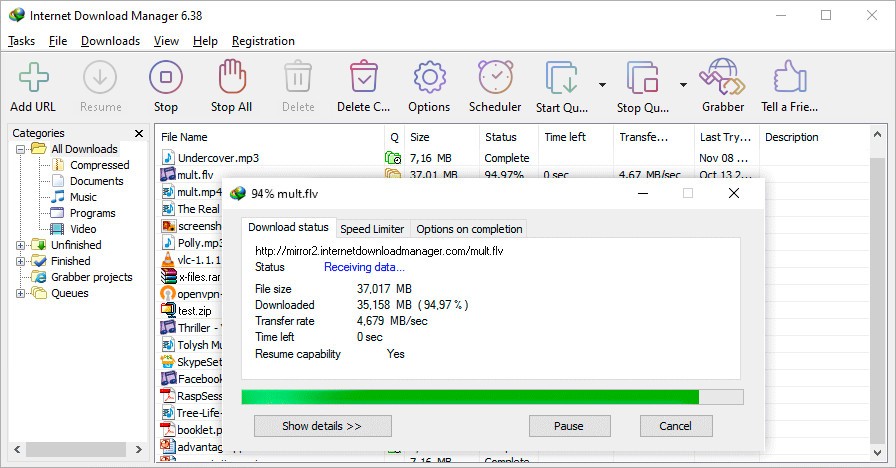
In terms of usability, IDM features an interface designed to simplify download management. The software allows you to start a download, track its progress, organize downloads by category, and resume interrupted downloads directly from its interface.
You can download Internet Download Manager and try it for free for 30 days, without providing an email address or credit card information. The program is currently available for Windows 7, Windows 8/8.1, Windows 10, and Windows 11, in both 32-bit and 64-bit versions. It comes as an executable file to be installed and can be integrated with major browsers—including Chrome, Firefox, Edge, and Opera—thanks to its integration module.
What Are the Key Features of Internet Download Manager?
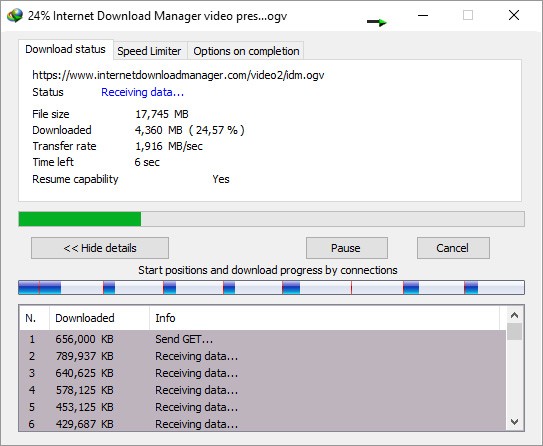
Internet Download Manager (IDM) is primarily designed to speed up and simplify downloads. The software divides files into multiple segments so they can be downloaded simultaneously and adjusts this segmentation during the transfer. This technology, known as dynamic file segmentation, optimizes the use of the available connection and can improve performance compared to a standard browser download.
One of its main advantages is also the ability to resume interrupted downloads. In the event of an Internet outage, a computer shutdown, or a power outage, IDM can resume the download where it left off, without having to start over from scratch. This feature is particularly useful for large files.
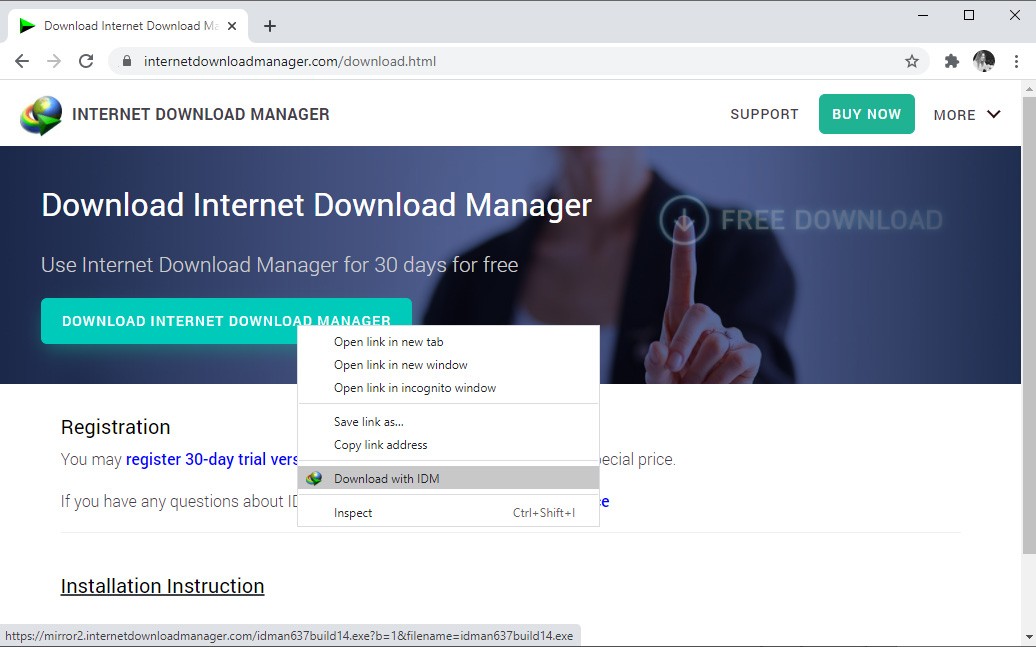
The software integrates with major browsers, including Chrome, Firefox, Edge, and Opera. When a compatible download is detected on a web page, IDM may offer to handle it. Its integration system also detects certain video content and offers to download it when possible.
IDM also offers numerous tools for organizing downloads. You can manage multiple downloads simultaneously, queue them, limit their speed, or schedule them to start at a specific time. Files can be automatically sorted into categories, such as documents, videos, music, or archives, and these categories can be customized. The “Download All” feature also allows you to select multiple files or links on the same page.
Pour récupérer du contenu à partir d'un site Web, IDM intègre le Site Grabber. Celui-ci peut télécharger certaines ressources, comme des pages HTML, des images ou des fichiers multimédias, voire des parties entières d'un site pour permettre leur consultation hors connexion. Des filtres permettent de choisir les éléments à récupérer.
Le logiciel peut aussi lancer automatiquement un antivirus ou un autre programme d'analyse une fois un téléchargement terminé. Son interface est quant à elle personnalisable : il est possible de modifier les boutons affichés, de réorganiser les colonnes et de choisir entre différents thèmes, dont un mode sombre.
How do I use Internet Download Manager (IDM)?
After downloading and installing Internet Download Manager (IDM), its integration with compatible browsers allows it to automatically handle detected downloads. When you click on a link to a file, IDM may display a window showing the download information and letting you choose the save location before starting the download.
Once the download has started, you can track its progress from the software’s interface, change certain options, or pause the download to resume it later. Downloads can also be grouped into queues to be started one after another, especially when multiple files need to be downloaded.
Finally, the scheduler allows you to automate certain tasks. You can set the start time for a download queue and instruct IDM to stop the downloads, log out, or shut down the computer once they are complete. A periodic synchronization feature also allows you to regularly check for certain files and download their latest versions.
Is Internet Download Manager Free to Use?
Internet Download Manager is free to download, but using it beyond the 30-day trial period requires the purchase of a license. After this period, you can choose between a one-year license and a lifetime license, which is available as a one-time payment.
Which Platforms Support Internet Download Manager?
You can download Internet Download Manager (IDM) on computers running Windows 7, Windows 8/8.1, Windows 10, and Windows 11, including their 64-bit versions. However, the software is not compatible with macOS or Linux.
IDM also offers an extension for major browsers, including Google Chrome, Mozilla Firefox, Microsoft Edge, and Opera. The software can also be integrated with other compatible browsers using its advanced integration options.
What Are the Best Alternatives to Internet Download Manager?
Internet Download Manager (IDM) offers many features for managing and speeding up downloads, but several free programs can be good alternatives for users who don't want to purchase a license.
Among them, Free Download Manager (FDM) is available for free on Windows, macOS, and Linux, with a lighter version for Android. It allows users to speed up downloads, organize them by category, and manage various file types. It also supports BitTorrent downloads and can integrate with browsers to detect available downloads on web pages.
JDownloader is another free and open-source alternative. The software is particularly well-suited for managing downloads from numerous file-hosting services. It allows users to handle multiple downloads, resume interrupted transfers, and automate certain operations based on links copied to the clipboard. It runs on Windows, macOS, and Linux.
Neat Download Manager is a lighter-weight program that focuses on the essential features of a download manager. It allows you to pause and resume downloads, speed up downloads, and integrate with browsers using dedicated extensions. The software is available for Windows and macOS and is designed specifically for users who are looking for a simple interface with few settings.