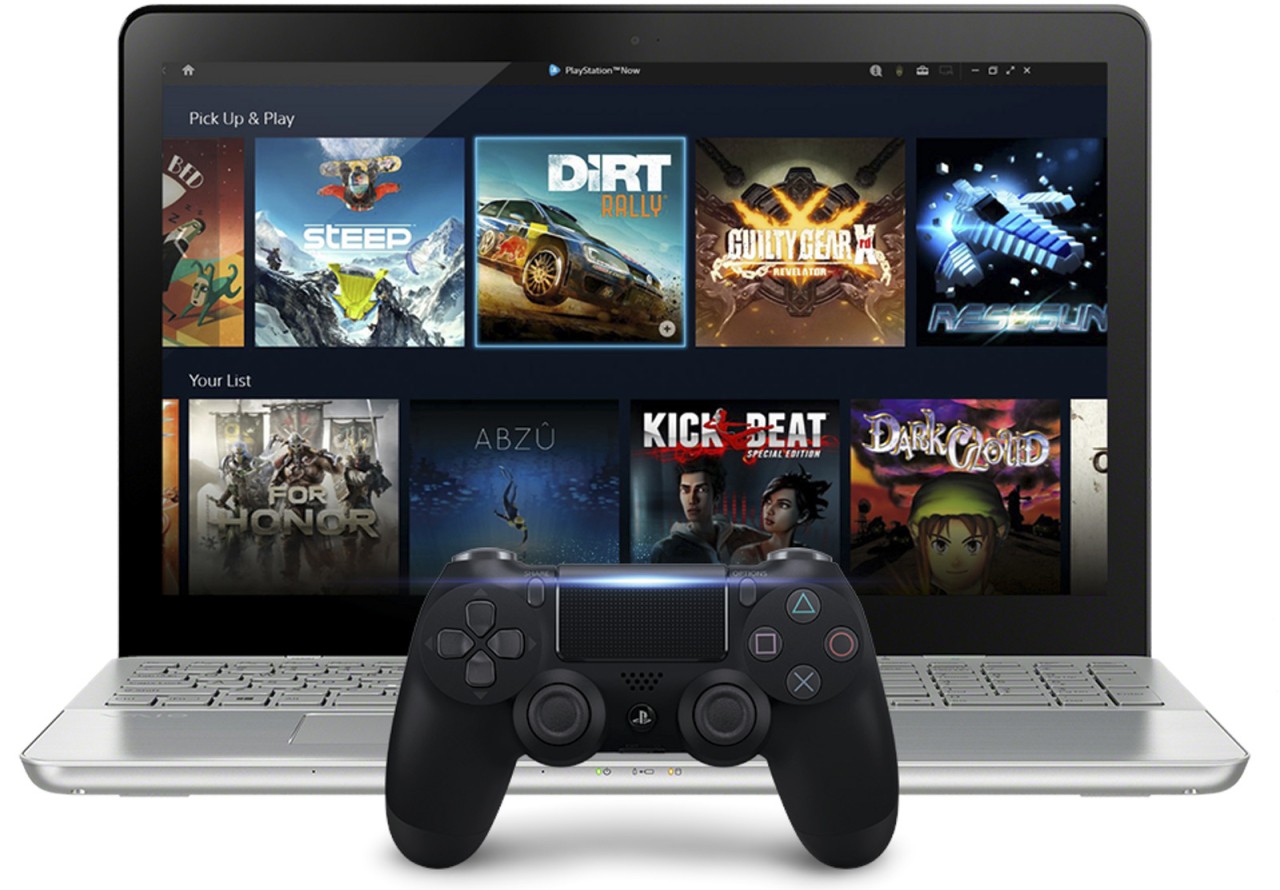
PlayStation Plus for PC, formerly known as PlayStation Now, is a cloud-based gaming service offered by Sony, which allows customers to stream PlayStation games directly to their PC. The games are hosted on the servers of Sony, thus no download or installation is needed, and all the video feed is displayed on your PC. Your hardware will not matter, but your internet connection has to be good to support the stream.
Open the app, choose a title in the catalog, and begin streaming. The library has PS3, PS4, and a few PS5 games, and their availability depends on the level of subscription. During play, the controller input transmits over the internet, and Sony returns the video to its servers. A good connection will make the game-playing smooth, whereas a poor connection may create lag or compression that can be seen.
The service is not aimed at substituting PC gaming. It just brings the PlayStation-exclusive games to an easy alternative to purchase without the need to buy a PlayStation. It also enables users to play games on PC and PlayStation devices through the cloud save sync by Sony.
What Are the Key Features of PlayStation Plus for PC?
The very advantage is that it is possible to stream PlayStation games without a console. Use your PlayStation Network account to log in and use a controller, and navigate the library on the app. There is no need to concern yourself with storage, time of installation or updating the game by downloading patches; the game loads instantly since Sony is in charge of the backend. This will remove the wait in downloading large files.
The next fact is that it does not support a keyboard and a mouse. It requires an appropriate controller. Sony suggests a DualShock 4, but certain third-party controllers may be used in navigation. Complete compatibility is not promised, and the experience is designed to simulate playing on an actual console, as opposed to adapting to the expectations of a standard PC gamer. The audio is also sent to the PC speakers instead of the headset port of the controller.
Due to the fact that the service broadcasts the game, some features are lacking. There is no possibility to install DLC or add-ons, and limited local multiplayer. The application lacks voice chat in a group, and thus, it is common to see players using alternative applications, such as Discord, to chat.
Convenience and accessibility are the greatest benefits. Players who do not own PlayStation hardware can preview exclusive titles, and people who move around or divide time between systems can continue playing without the need to move a console. Essentially, a normal personal computer transforms into a far-off gaming session on PlayStation.
Is PlayStation Plus for PC Free to Use?
PlayStation Plus on PC is not free. The app itself is free to download, although streaming is only available with PlayStation Plus subscriptions of the appropriate level. The app does not allow playing without a subscription. The price includes game catalog and streaming to the cloud, but does not include the purchase of single titles. You can also just browse, but you cannot stream games without a membership plan.
Which Platforms Support PlayStation Plus for PC?
The service is available on Windows computers through the PlayStation Plus application. No existing Mac or Linux version exists. It must have a solid broadband connection; Sony recommends 5Mbps as a minimum, but a more fluent gameplay typically requires more. One needs a controller- DualShock is the recommended one. Although certain third-party controllers can be used in basic navigation, Sony cannot guarantee that every game they will play will work.
You can not download games to your PC. The whole stream is being served by the servers of Sony, so the quality and speed of your connection have a greater influence on the input latency, the quality of video, and responsiveness than the specifications of your computer. PlayStation consoles and PCs can save and continue their progress using cloud saves. It is possible to begin a game on one computer and then pause and replay on another computer without physically transferring the files.
Since all of this is connected to your PlayStation Network account and as such, your progress and purchases are associated with your PSN profile rather than on a specific computer. Should you change PCs, install the application in the new computer, and log in, you will still access streams and saved data.
What Are the Best Alternatives to PlayStation Plus for PC?
GeForce NOW is a cloud-based gaming platform of NVIDIA. GeForce NOW, in contrast to the curated library of PlayStation Plus, streams games you already own on Steam, Epic Games Store, Ubisoft Connect, or any other library. It allows players to operate their existing PC library on low-power devices such as laptops and mobile devices. There are upper-performance levels, such as RTX streams. It is also dependent on the stability of the internet, as the PlayStation offers the user complete authority over the game to play.
Amazon Luna has more of a streaming library that is subscription-based. Subscribers have access to a selection of games in the form of channels. Luna is similar to a Netflix model: titles are not purchased separately, but they can be played on PC, phone, or smart devices without installation. The negative aspect is that access to libraries is based on subscription packages, and games are not owned in the long term. Luna is aimed at the customer base that prefers easy access via subscriptions instead of having to have titles on different platforms.
Xbox Game Pass streams Xbox titles on the Xbox Cloud platform. Any game with Game Pass can be played immediately without being downloaded, and it is compatible not only on PC, but also on mobile through the Xbox app or a web browser. It combines successes, saves, and cross-progression, and thus, you can play without a console on any device. Xbox can be considered a close substitute to PlayStation Plus, as it does not have as many limitations regarding the controllers or shared features.