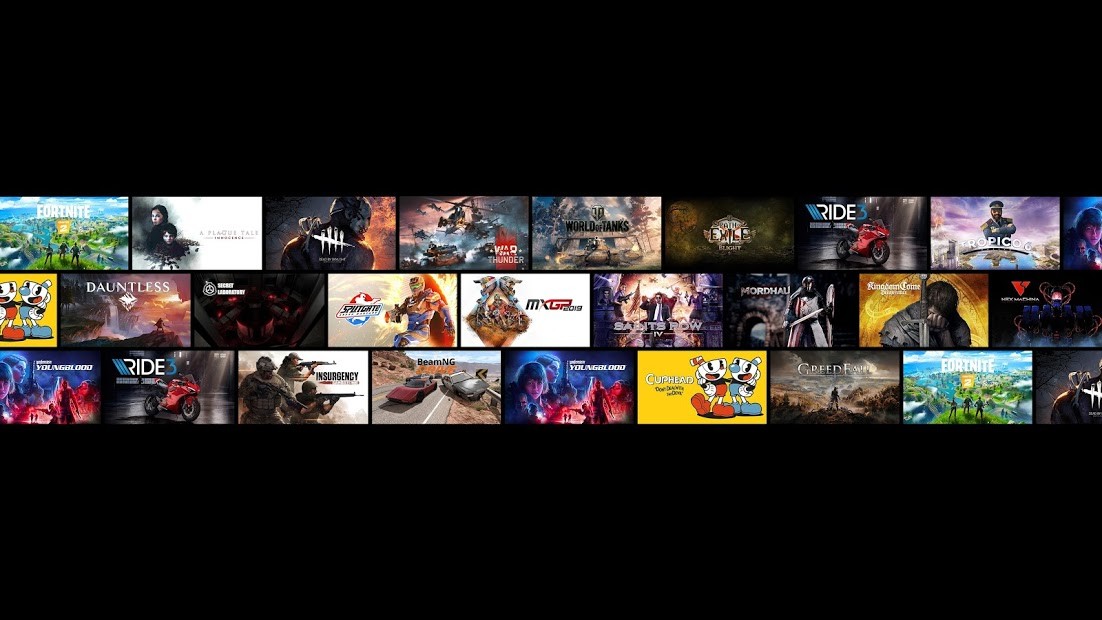
GeForce NOW is a cloud-based game program developed by NVIDIA. You do not need to install a game on your computer and execute it using your hardware; the game is hosted on NVIDIA servers and transmitted to your device. You press a key or move the mouse the command is sent to the cloud, and the video is returned in real time.
The processing will be done in the cloud, so you do not have to require a powerful PC to play demanding games. Even the devices that are usually incapable of running modern titles, such as older laptops, simple office computers, and tablets, are able to run high-end games since the work is not performed on your machine.
This is unlike the traditional gaming platforms, in which all the downloads are recorded locally. GeForce NOW is Netflix for games. It broadcasts owned games on Steam, Epic Games Store, Ubisoft Connect, or any other compatible platform. It does not replace those shops or even sell games; it allows you to play without having to think about the restrictions of hardware.
Your internet connection is important to your performance. When your internet is stable and fast, you are on surprisingly smooth sailing. Otherwise, you will experience lag and input delay. It eliminates the need to upgrade costly hardware, yet it enhances the use of internet quality.
What Are the Key Features of GeForce NOW?
The key point of GeForce Now is game streaming on the cloud. You do not download big files, update, or worry about storage. Choose a game, press play, and the stream commences. The high graphics quality on its servers is done by NVIDIA, and hence games could be run with high graphics quality, including with ray tracing, with titles that the company supports. Your machine is reduced to just a monitor and a control unit, and not the one performing the work.
The next issue is platform connection. GeForce NOW does not bring you games on a silver platter. You connect your Steam or Epic account and get access to the games you have owned. In case a game is supported, it is displayed in the list and may be launched. This ensures that your library remains cross-platform. Begin on a Mac, switch to Chromebook, and continue using a phone without any reinstallation.
Various performance levels are also provided by GeForce NOW. The higher levels offer a superior visual quality and quicker virtual hardware. Nevertheless, it is always a matter of the stability of the internet. A good connection is a seamless session; a poor connection stutters and delays.
Streaming is reasonable for travelers who do not want to spend much on hardware or need the flexibility. You do not get big updates and installations, but play. NVIDIA patches the games on their side, and you do not have to deal with patches or downloads.
Is GeForce NOW Free to Use?
GeForce now has a free option that allows users to experience the service with some restrictions, including limited session time and normal priority. Membership costs will enhance queue privilege, length of session, and performance upgrades such as RTX. The service is not free, unlike other stores, which broadcast the games that you already have. You are paying for the performance of cloud gaming and not the games.
Which Platforms Support GeForce NOW?
GeForce NOW is compatible with a vast number of devices. On Windows and macOS, the app can be downloaded, and then you can log in and stream. On the Chrome laptop, you can run it in the browser. Android gadgets have a native application, and the iOS platform restricts itself to a browser. Depending on the model, smart TVs and certain streaming sticks are also supported by the service.
You do not require any sophisticated hardware; all that heavy work is done on the servers of NVIDIA. The ever-present requirement is a good internet connection. Speed of connection and stability are more important than the device. The quality of the network will be poor, and thus it will either lag or compress its visuals, regardless of how mighty the computer is.
The stores linked to GeForce NOW synchronize game files and progress. When a game is saved to Steam Cloud, you can play it from home on the PC and resume your game on a totally different machine elsewhere. You do not have to move manually or install mods. The service focuses on convenience, flexibility, and immediate access to set-up-free games.
What Are the Best Alternatives to GeForce NOW?
Amazon Luna is the cloud-gaming solution provided by Amazon. Luna has a channel-based model, instead of the ownership of games via Steam. You pay a subscription fee to this or that library by subscribing to particular channels or packages. Since the games are included in the subscription, you do not require the games individually. Luna concentrates on convenience; the catalog relies on available bundles, and you do not have titles in the long term.
Game Pass Ultimate includes Xbox Cloud Gaming. It allows streaming games available in the Game Pass library. Just like Luna, you do not own the games, but stream them as long as they are in the catalog. Xbox Cloud Gaming is powerful for first-party games, and it is compatible with mobile, PC, and browser. GeForce NOW is more of a PC library extension, whereas Xbox Cloud Gaming is comparable to Netflix Gaming.
The streaming feature of PlayStation enables players to stream certain titles on PlayStation on PC through the PlayStation Plus app. The catalog is based on the level of subscription. It is unique, as some popular PlayStation exclusives can be streamed. Nevertheless, you are not only capable of streaming PlayStation-supported titles but also with your PC library through GeForce NOW. The service is of interest to people who would like to access the legacy PlayStation games without a console.