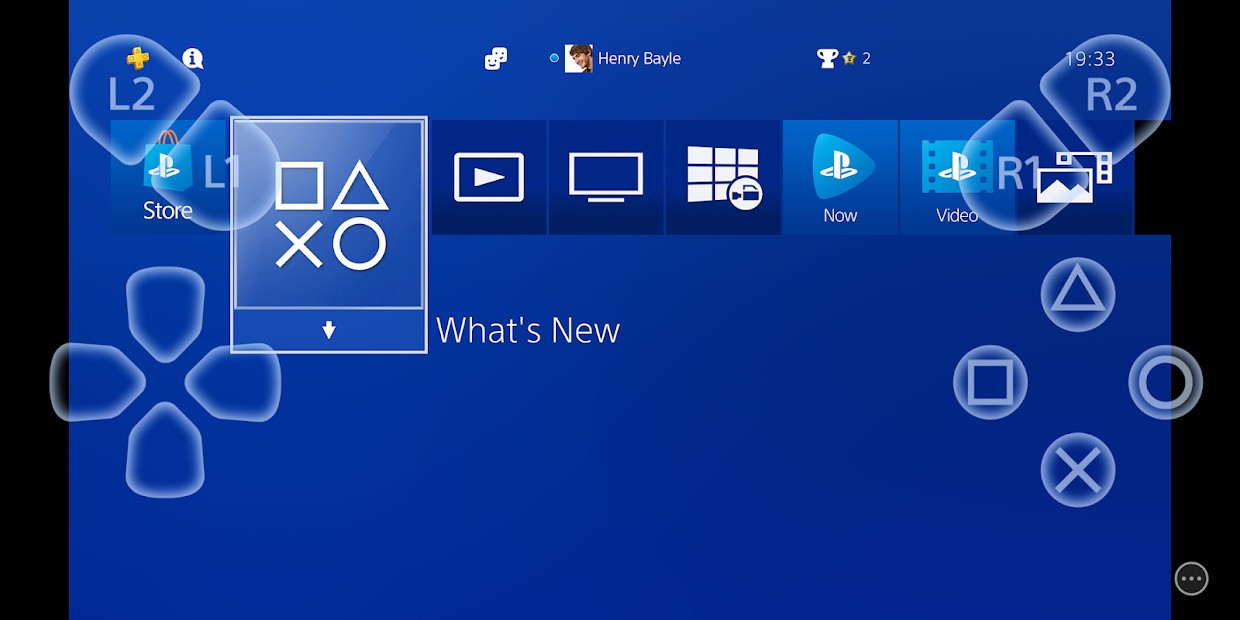
PS Remote Play is a remote access feature from Sony that lets you stream your PS console to another device instead of tethering it to a TV. You download the Remote Play software onto a phone, tablet, PC, Mac, or another PlayStation system. When all the links are made, your console displays its screen on the device in real time.
The game can continue to be played on your PS4 or PS5, but the video and controls are streamed wherever you go. The concept here is straightforward: when someone is on the TV, or you are not at home, you can keep playing on a different screen, and the progress will not be interrupted.
The application resembles your console, allowing you to navigate menus, start games, pause them, or resume what you were doing. Remote Play does not work as cloud gaming; it relies on your own console. Your console should remain on or in sleep mode, and it should have a steady internet connection. PS Remote Play also makes the console look like a portable device, allowing players to play outside the living room TV or move between rooms without necessarily purchasing new devices.
What Are the Key Features of PS Remote Play?
Flexibility is the principal concept of PS Remote Play. Rather than playing on the same screen as the console is hooked up, the gameplay is broadcast to a different screen, allowing you to resume the same game. You could get a game going on your TV, take a break, get your phone, and continue playing elsewhere.
The application allows you to navigate console menus, change games, display the PlayStation home interface, and customize system settings. The fact that all processing is done by the console means that whatever device you are streaming to does not require powerful hardware; the app just shows the video, whilst your inputs continue to be sent to the console.
Control compatibility is another factor. You support DualShock 4 and DualSense and the touchscreen controls on devices that have them. Haptic controllers, or adaptive triggers, are not compatible everywhere, but simple responses and inputs remain dependable across platforms that support them. Performance is affected by internet quality. Sony recommends a high-speed connection, particularly when streaming outside your home network or using mobile data. The app scales stream resolution based on bandwidth.
The device will not need anything other than the Remote Play app. The games remain on your PlayStation machine. It is, in effect, a window to your PlayStation, no matter where you are, provided the console and the device have internet access.
Is PS Remote Play Free to Use?
Yes, PS Remote Play is free. It doesn’t require an exceptionally paid PlayStation+ subscription to broadcast games from your console to another device. It has no fees to use the application. The only cost you can incur is the mobile data usage when streaming without a Wi-Fi network. Remote Play uses your personal console and games; as such, there is no additional purchase required.
Which Platforms Support PS Remote Play?
PS Remote Play is compatible with numerous platforms, so you can switch screens and continue playing. The software is compatible with Windows PC, macOS, iPhones, iPads, Android phones, and Android tablets. It is also compatible with PlayStation consoles; i.e., a PS5 can stream to a PS4, or vice versa.
You can also download Remote Play on some new Android TV products, as well as Chromecast with Google TV, with downloadable apps. PlayStation Portal is a streaming handheld device by Sony, specifically aimed at Remote Play, and is a direct continuation of the PS5, without requiring a TV.
To access Remote Play, the PlayStation console must be connected to the internet and left on or in rest mode. Depending on the device, a compatible controller may be required. Touchscreen controls can be used with smartphones, and consoles and PCs must have a controller connected via USB or Bluetooth. Stability of the network is essential to internet connectivity, since the quality of streaming and the responsiveness of the internet are related to it.
What Are the Best Alternatives to PS Remote Play?
Another similar entry within the PlayStation ecosystem is PlayStation Plus on PC, which used to be called PlayStation Now. In contrast to Remote Play, which streams from your personal console, PlayStation Plus on PC delivers the game directly from Sony servers to your computer. It is more of a cloud gaming service. There is no need for a PlayStation console to use it (but you must have a PlayStation account), and the library depends on your subscription level.
Not a PlayStation user? No problem, Microsoft offers a similar feature for Xbox users. Through the Xbox app, you can access a game streaming service. Of course, you need a Microsoft account and an Xbox Game Pass subscription. Like PlayStation Plus, the streaming features don’t require an Xbox console to play your favorite games on another device.
Searching for a way to play games without having to download an app to your PC? Then Amazon Luna may be your next move. The game streaming platform provided by Amazon allows you to access a wide game library. Of course, you’ll need a subscription to access everything, but some demos are available for free. For Amazon Prime users, there are some free games available.