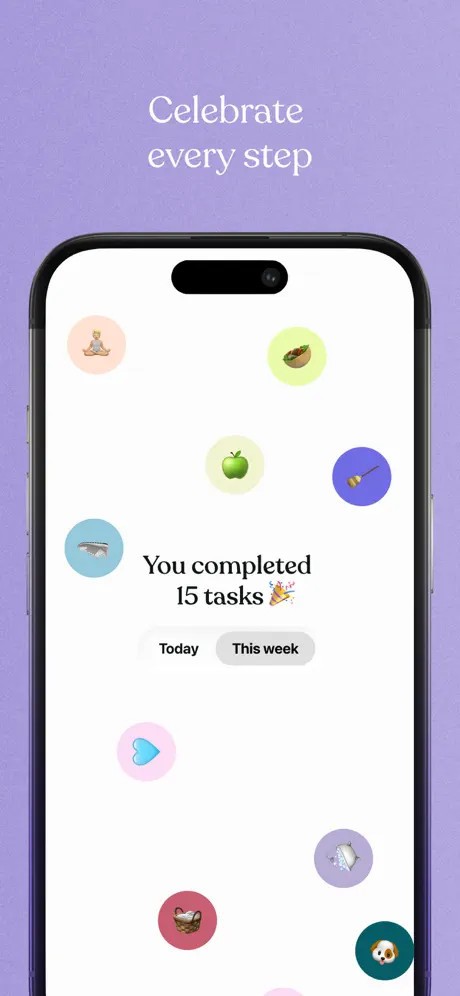
Tiimo assists individuals who can hardly use conventional diaries and strict to-do lists. Rather than hitting a rush or being rigid, Tiimo aims at focusing on precision, order, and peaceful follow-through. It is meant to be helpful to people who are overwhelmed with time, work, or schedules.
Tiimo can be used by many users as long as they have ADHD or autism. Individuals usually think that daily planners do not match the way the brain functions. Tiimo comes to customers in their location. Planning does not seem exhausting, but rather helpful. The app removes the necessity of perfection in planning and allows schedules to be adjusted throughout the day.
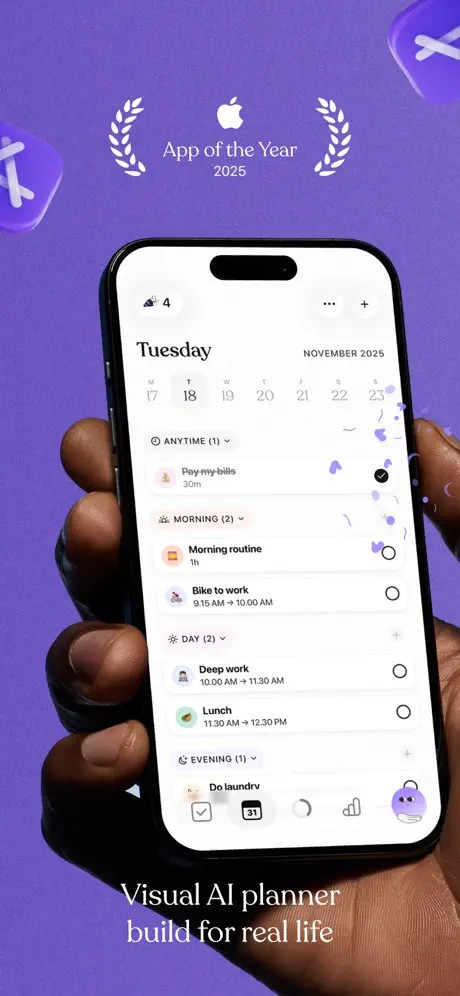
Visual planning is the main concept of Tiimo. Tasks are displayed on a schedule so that you can observe how your day flows. This will enhance time consciousness and minimize stress concerning your realistic ability to finish. Tasks may be divided into small parts; thus, it is easier to begin.
Tiimo is less of a rigid productivity system and more of a helpful planning partner. It aims at enabling users to navigate the day with less rubbing and fewer mind blocks, and a more profound understanding of what lies ahead.
What Are the Key Features of Tiimo?
One of them is the visual schedule planner. The tasks appear in a timeline using colors and icons, and this makes it easier to understand at a glance, as a day. This comes in particularly handy when an individual has difficulties with abstract time or even when it comes to changing activities. When the plans change, tasks can be rearranged.
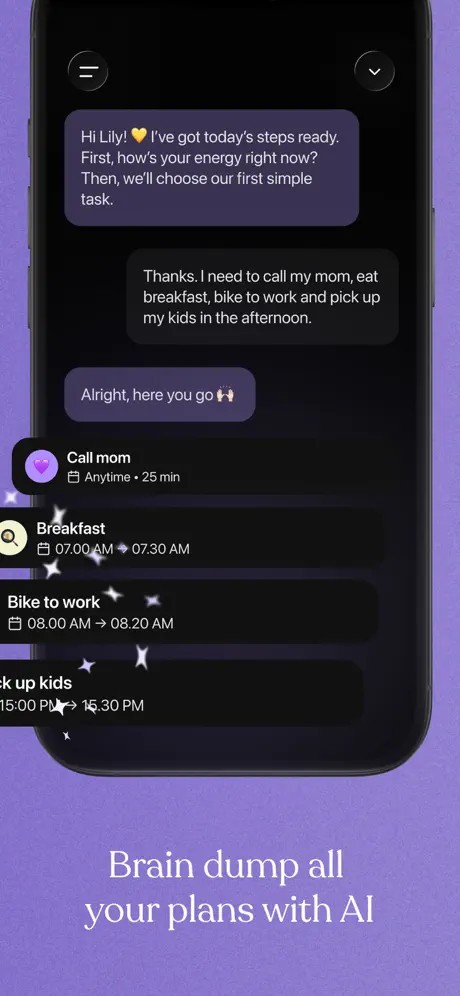
Tiimo also has an AI co-planner who interprets thoughts into achievable plans. You can either type or talk about what you need to do, and the AI divides it into tasks. It may also be able to schedule tasks in order of importance, eliminating much of the stress of what is widely considered the most important to do.
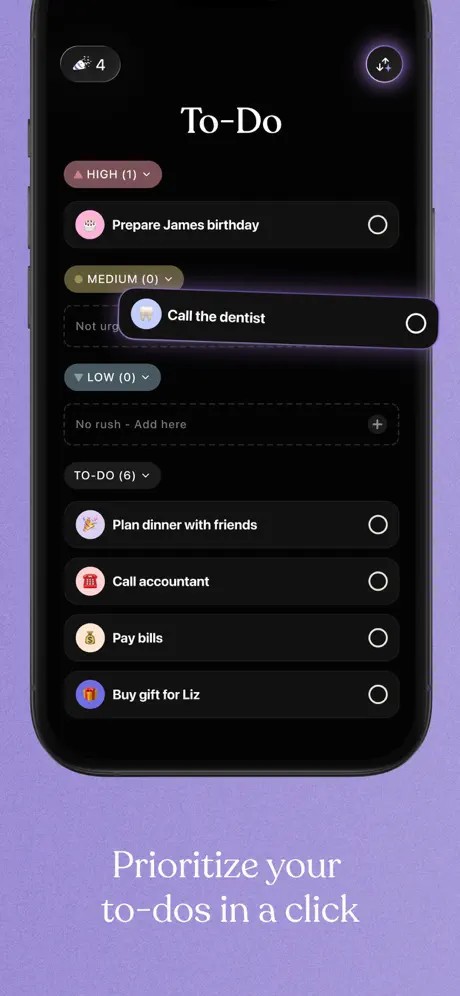
The application has a to-do list to brain dump in a minute. Tiimo does not leave tasks incomplete but lets you transfer them to the visual planner when you are ready. This prevents lists from getting out of hand over time.
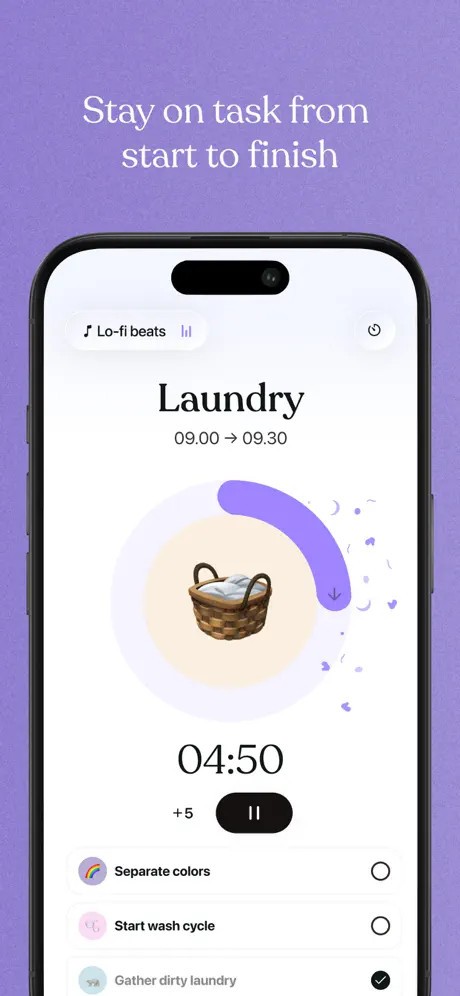
An inbuilt focus timer keeps you fixed at work. It does not have moving alarms but rather depicts time carrying on in its peaceful and visual way. This assists in task initiation, maintenance, and changeover.
Tiimo is connected to Apple Calendar and Apple Reminders, and thus, current schedules will be displayed at a single location. Individuals can see tasks and timers on the home or lock screen, with widgets. The app goes further to provide optional learning resources, productivity courses, and a community hub based on neuro-inclusive habits and routines.
Is Tiimo Free to Use?
The free version of Tiimo has simple capabilities for planning. You can add tasks, visual planner, and discover the functionality of the app. The free version also has limited AI utilization capabilities and the use of a single profile.
Tiimo has a Pro subscription that can unlock the full functionality. This will provide complete AI planning tools, customization, and access to web apps. It offers a 7-day trial (free only on the annual subscription). The payments will be renewed automatically and can be controlled or canceled using the settings in your Apple account.
Which Platforms Support Tiimo?
Tiimo works on Apple Watch, iPhone, and iPad. It has a web app, which runs on desktop browsers, allowing you to plan on a bigger screen. Everything will be automatic, and everything is in sync across supported Apple devices and the web app. Apple Watch support allows looking at the work, a timer, and routine without opening your phone. It can prove handy in high traffic times or in transitions.
Tiimo needs iOS 17 or above, which can restrict devices that are not new. Timo currently lacks an Android version. This can be limited to those using Android phones or those who require full cross-platform support. The application is still concentrated on the Apple ecosystem.
Tiimo also has accessibility features like VoiceOver, Voice Control, bigger text, and dark mode. Some subscriptions permit family use, which provides partial access to family members.
What Are the Best Alternatives to Tiimo?
RoutineFlow is selected by individuals who adopt guided habits rather than a free format of planning. It guides the user's task by task, helpful with the morning routines, evening wind-downs, or daily habits. The app will tell you what is next, rather than requiring you to make a choice. This reduces dallying in work commencement, and offers less scope to the movement of things in any direction. RoutineFlow is less flexible compared to Tiimo, especially when the plans change throughout the day. Many users choose to download RoutineFlow when they want a routine-based planner that removes daily decision-making.
Focus To-Do is a combination of task management and Pomodoro-type timers. It suits the users who prefer brief and sharp, to-the-point sessions. Tasks are matched with time blocks, which helps in tracking concentration and productivity. It is optimal for students or office work, but when one is time-pressured, then this can be rather stiff. In comparison to Tiimo, Focus To -Do is not oriented at the reduction of mental load or the support of flexible routines; it is instead output- and efficiency-oriented. People often download Focus To-Do to stay focused during short work sessions and track productivity clearly.
Structured is a simple daily planner. It has a timeline layout, and one puts tasks by hand during the day. The app does not depend heavily on AI and instructions and keeps planning at the full power of users. It is applicable among individuals who are already conscious of the way they like planning and simply require a visual reference of the schedule. However, it can be sparse to users who require assistance in partitioning the tasks or the priorities. Tiimo is more supportive in those spheres. Users who want a clean and manual planner usually download Structured for its straightforward daily timeline.