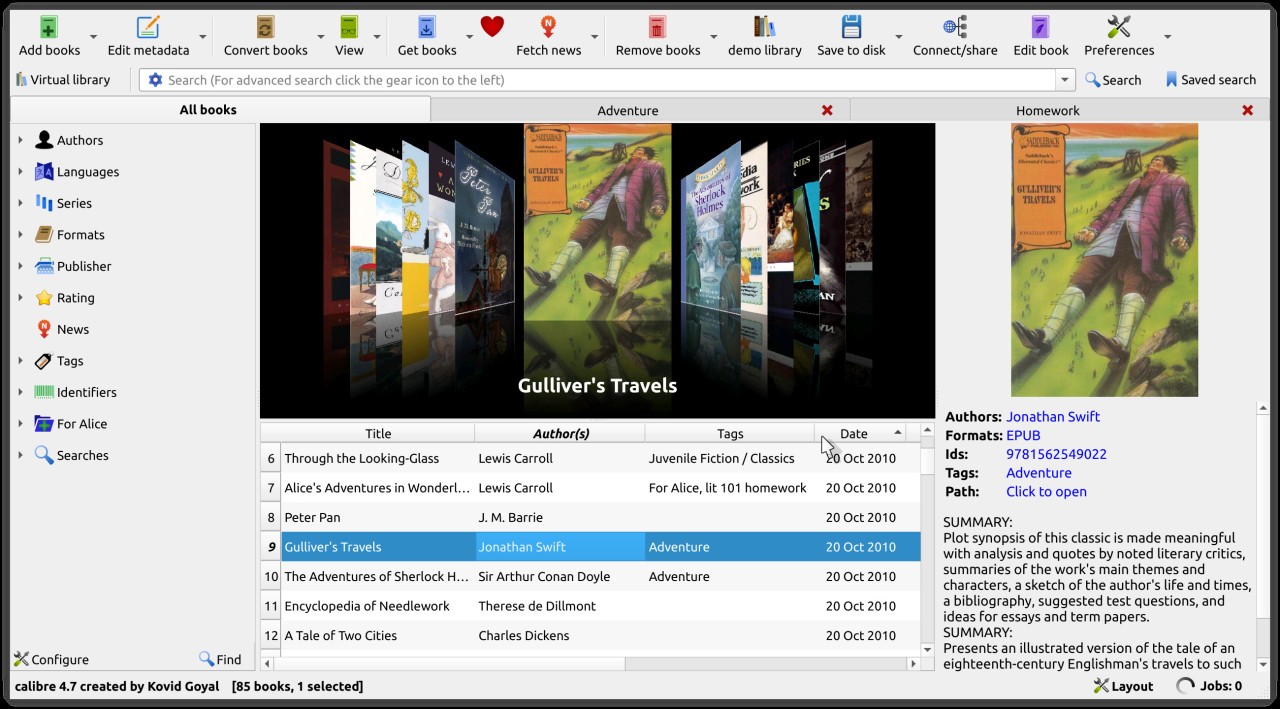
Calibre is open-source software that organizes the e-books stored on your computer into a single library. It allows you to import books in common formats such as EPUB, MOBI, PDF, and DOCX, search for them by author, title, series, or tag, and read them within the application or transfer them to an e-reader. Compatible with a wide range of devices, it can also convert books into formats suitable for your particular e-reader. The project has been around since 2006 and continues to be actively developed by a community of contributors, with regular updates.
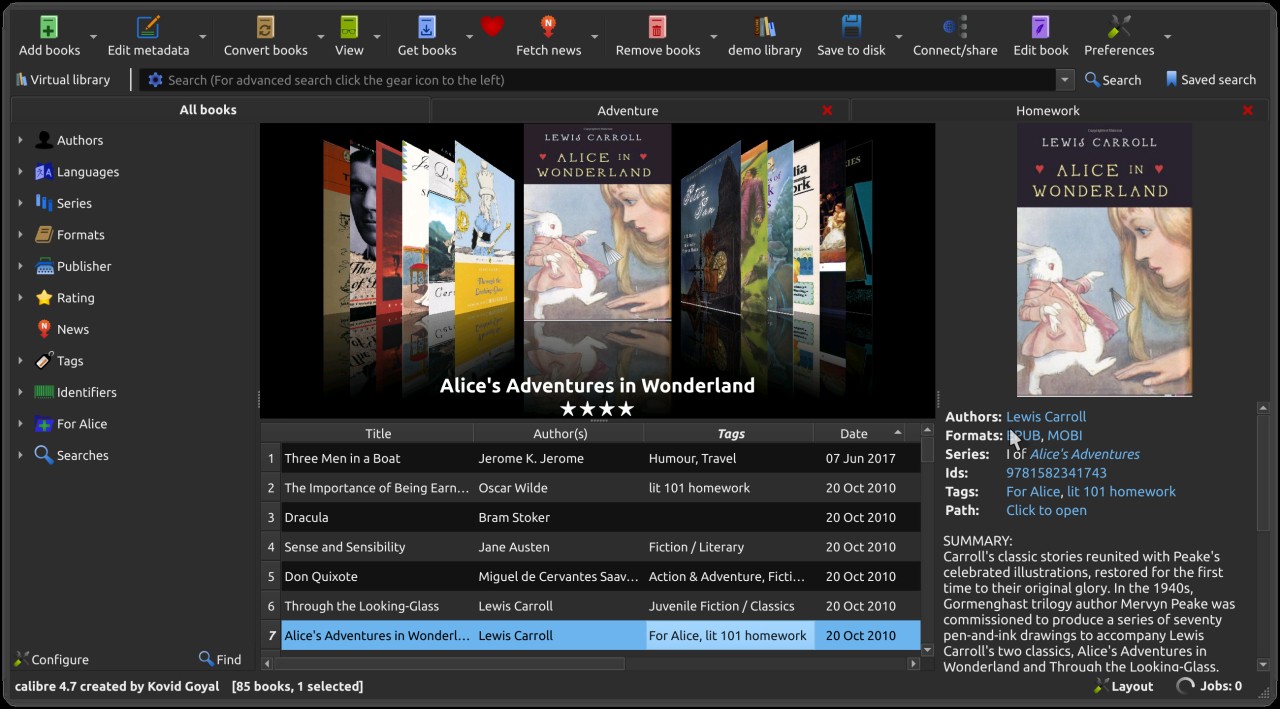
The interface is organized around a list of books, a search bar, and a details pane displaying the cover and information for each book. It may seem a little overwhelming at first, with its feature-rich toolbar, but the main controls are relatively easy to find. Calibre is available in French and many other languages. You can download it for free, with no ads or account required.
What Are the Key Features of Calibre?
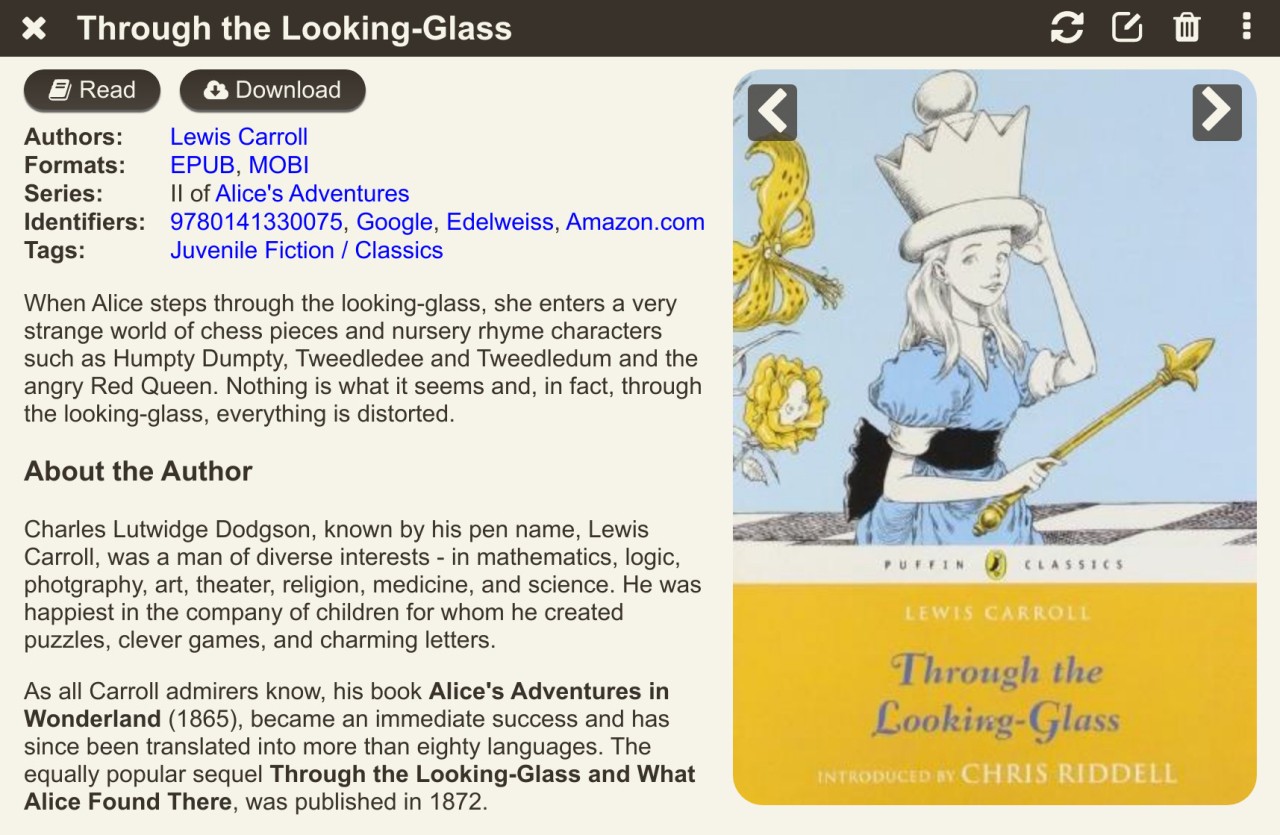
Calibre maintains an organized copy of your books in a dedicated folder on your computer, leaving the original files unchanged when you add them to your library. You can create multiple libraries to separate your collections, for example, by literary genre or document type. Each book is associated with metadata—that is, information describing it, such as its title, author, publisher, publication date, summary, language, or rating. The software can automatically retrieve some of this information from the Internet, including the cover image, or you can edit it manually. Search, sorting, and filtering tools make it easy to organize and browse even large collections.
Conversion is one of the software’s most useful features. Calibre lets you convert books from one format to another, for example, from PDF to EPUB or from EPUB to a format compatible with a Kindle e-reader. You select the output format from the conversion menu and then adjust the font, margins, or table of contents as needed. Keep in mind that the results depend heavily on the quality and structure of the original file: a PDF with a complex layout will generally convert less successfully than an EPUB.
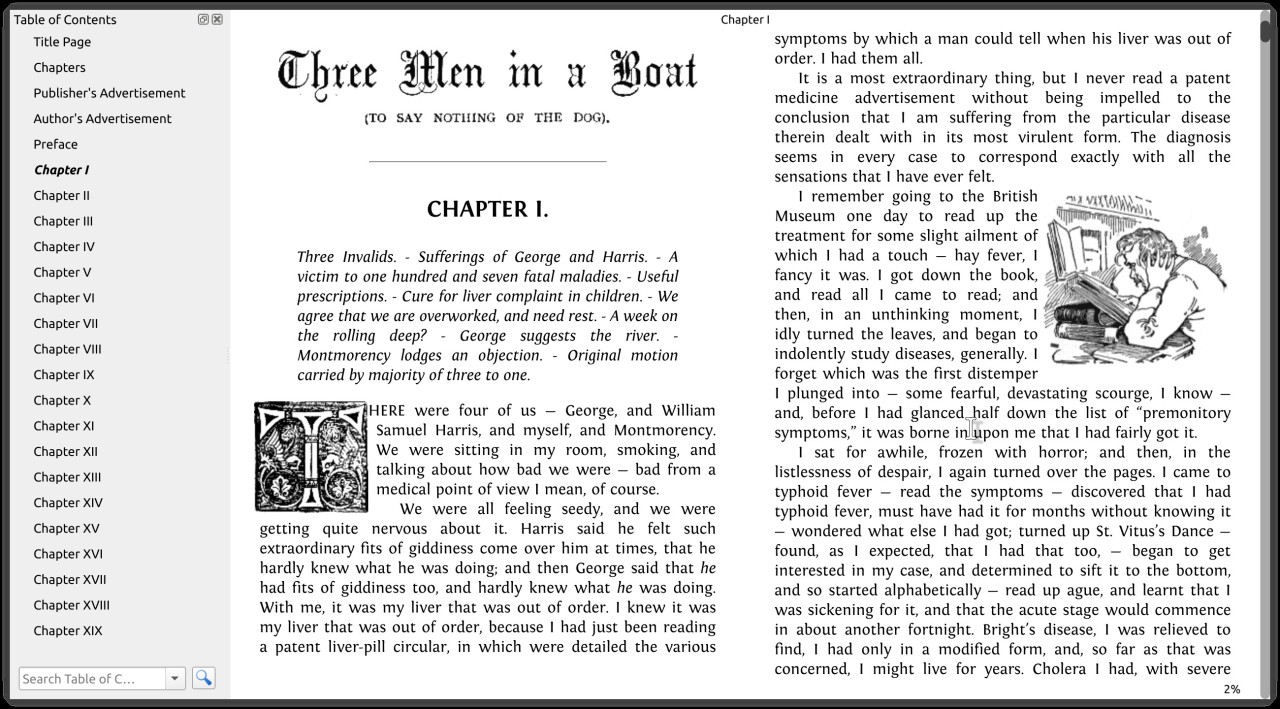
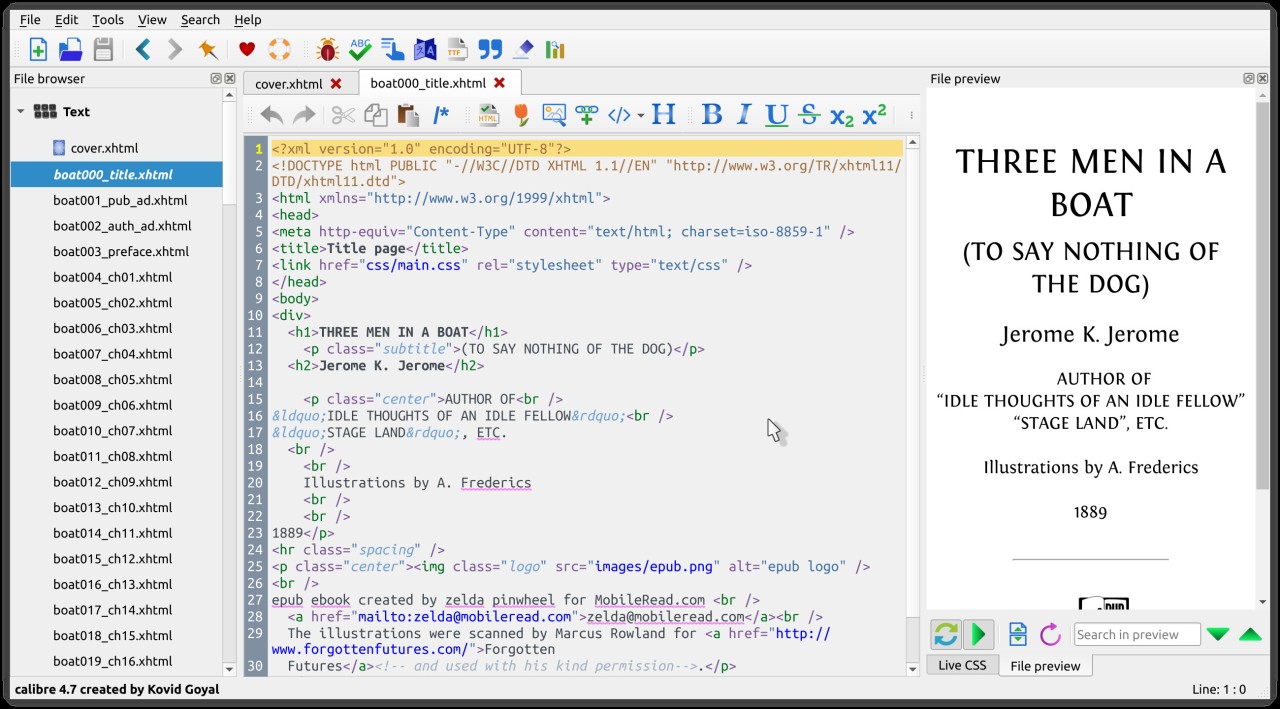
The software also includes a built-in reader that lets you read books directly on your screen, with options to customize the display, as well as an editor for modifying EPUB files and certain Kindle formats. The EPUB editor, in particular, allows you to work on a book’s structure and its HTML and CSS files, making it useful for anyone who wants to correct or customize a book’s layout. A news download feature can automatically retrieve articles from newspapers or blogs and compile them into an e-book.
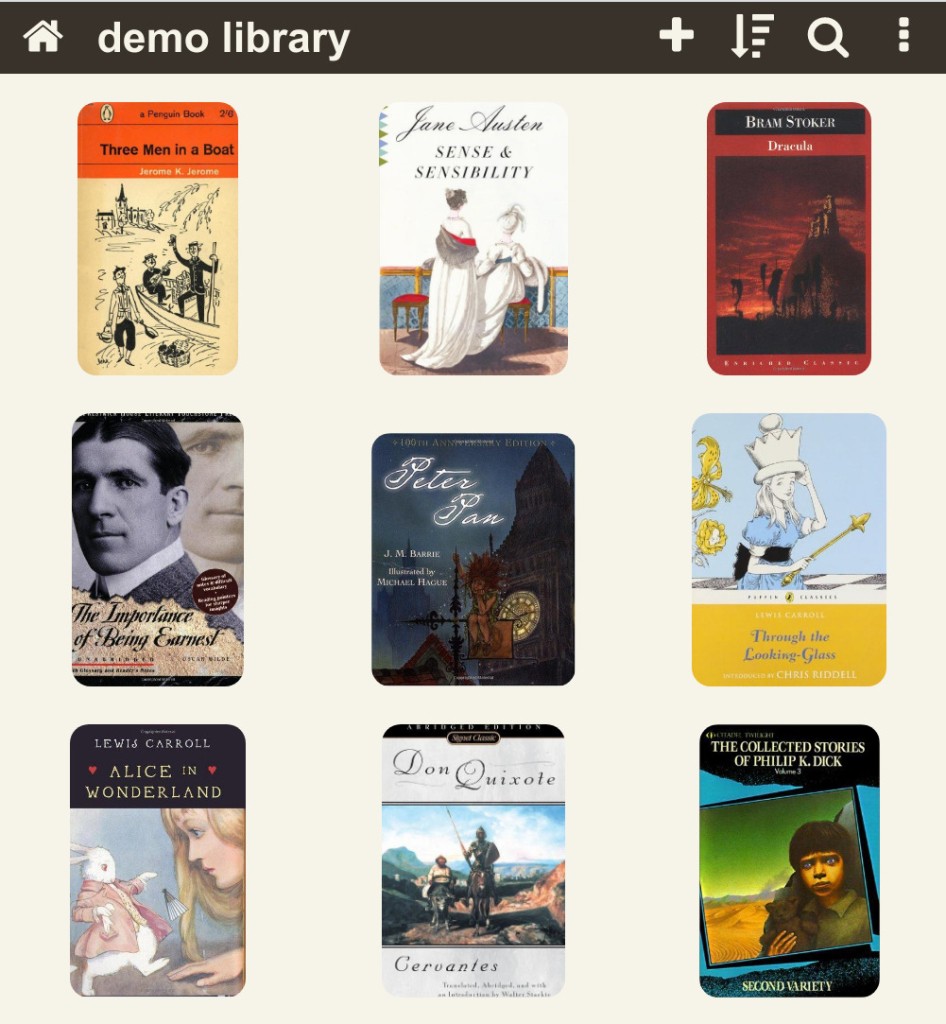
Finally, a built-in content server lets you access your library from other devices, such as a phone or tablet, through a web browser. Simply configure the server to browse your collection remotely, subject to your network configuration and security settings. Calibre can also send books by email to a configured address, including an Amazon Kindle address when the service is supported and properly configured. However, the software does not natively support reading or converting books protected by DRM (digital rights management).
Is Calibre Free to Use?
Yes. Calibre is completely free to download and use, and it is distributed under an open-source license. All its features are available without a premium version or trial period, and the software contains no advertisements. Its source code is publicly available, allowing anyone to review it, modify it, or contribute to its development.
Which Platforms Support Calibre?
You can download Calibre for Windows, macOS, and Linux. A portable version for Windows also lets you run the software from a USB drive without a conventional installation. Available versions and system requirements may vary depending on your operating system. You can download Calibre directly from the official website using our direct links.
What Are the Best Alternatives to Calibre?
No single tool offers exactly the same range of features as Calibre, but several alternatives meet some of the same needs.
Epubor Ultimate is a program focused on managing and converting e-books. It allows you to convert books between different formats and manage collections from compatible sources. Its interface is geared more toward conversion, whereas Calibre offers more extensive tools for organizing, searching, and managing your library.
Apple Books, formerly known as iBooks, is Apple's reading app. It lets you organize e-books and PDFs in a library, read them through a streamlined interface, and sync your reading progress across compatible Apple devices. It supports fewer file formats than Calibre and does not offer comparable conversion tools.
OpenAudible serves a different purpose, as it is dedicated to audiobooks. It lets you manage audiobooks from Audible and provides export and conversion features for supported formats. It is therefore primarily aimed at people who want to organize their audiobook collections, whereas Calibre is designed mainly for managing e-books.