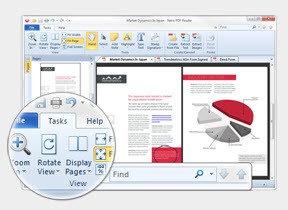
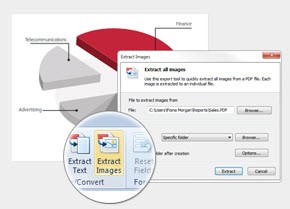
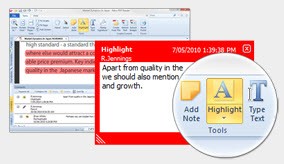
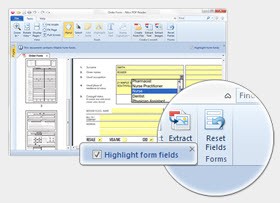
The creation of Nitro PDF began as a PDF viewer but has developed into a complete PDF Editor tool. Users select it to create, edit, merge, convert, or sign PDFs without the need to move to different applications. Nitro puts these tasks under one workspace. It is viewed as a more lightweight version of bloated suites such as Adobe Acrobat Pro by some, and a rapid file-sharing tool in an office by others.
Nitro has an eSign component, which incorporates digital signatures in the working process. It is utilized in businesses when they need to have agreements, HR forms, approvals, and purchase orders that travel between desks. It can be used daily and, at the same time, has the strength to do heavy document work. This is a blend that is valued by teams, but may be feature overloaded to the casual PDF reader.
What Are the Key Features of Nitro PDF?
Nitro PDF provides the basic functions of a professional package: inline text editing, image insertion, page rearrangement, creation of a new PDF, and conversion to Word or Excel. OCR is used in many offices, whereby scanned documents can be converted into usable text so that old or paper-based files can be reused.
Nitro also possesses an in-built electronic signage mechanism. The signing process remains in the same workflow instead of sending files to a different platform. When documents are required, users are able to send them to be signed, monitor their progress, and monitor eSign processes based on compliance, particularly in business or legal scenarios.
Nitro AI is a tool introduced by the company to automate routine work. It can get information, condense articles, and reduce the number of steps. The analytics tools are good at tracking the usage and recording the activity, which is more beneficial to the mid to large organizations compared to the casual personal users. The interface is not confusing to individuals who are used to other editors and alleviates the learning curve. On the whole, Nitro deals with editing, signatures, conversions, collaboration, and basic automation within a single system.
Is Nitro PDF Free to Use?
Nitro PDF is not free. People usually use it by paying subscription fees; however, they have a trial version that can be used to test the features. It also does not have a long-term free version, as some lightweight readers do and therefore serious editing or signing is needed under a subscription or license. The trial period can cover basic viewing or exploration, but ongoing use generally requires a paid plan.
Which Platforms Support Nitro PDF?
Nitro PDF is a Windows-based program; the company later integrated support for macOS and iOS platforms. Windows is the dominant platform, particularly in business settings where the Windows machines prevail. It also has similar editing capabilities to the macOS version, with some workflow differences that might vary based on machine and plan.
Nitro is accessed through iOS applications by mobile users, where they can read, sign, and do a limited amount of editing on it. Office teams can send files via a phone or tablet or give their signature on files that are not in the office. Cloud applications synchronize files between devices, but the desktop usage is most comprehensive.
Linux users are not very lucky to install Nitro since it does not have an official build. Web-based components have features of signature management and workspace, whereas editing and conversion are best in installed applications. In case cross-platform consistency is of great concern, users might be required to compare feature parity between systems. Nitro should be sufficient for day-to-day document work for anyone who uses Windows and macOS as their primary operating systems.
What Are the Best Alternatives to Nitro PDF?
PDF-Xchange Editor is an extensive tool used by those who want a high level of control and performance for a minimal price, or even for free. It offers editing, annotation, OCR, and document assembly without using many system resources. It has a technical feel and rich customization options that are valued by users, regardless of the interface, which may be traditional or busy. Numerous features can be unlocked in the free version, but some tasks might have watermarks. It is appropriate for individuals who require a fine editing mechanism without a cumbersome signature procedure. PDF-XChange is trusted by those who deal primarily with scanned paperwork, technical documents, manuals, or lengthy multi-page edits. You can easily download it when you want to test the workflow for heavy editing.
PDFelement is a useful Nitro-like tool with similar functionality. Its easy-to-use interface supports editing, conversion, form filling, OCR, and annotations. It is also offering eSign options, including, but not always, enterprise-level. Users who change to Adobe also find it a lot lighter and more direct. PDFelement provides templates, batch processing, and file-size optimization, useful in emailing documents. It is perfect when the user requires a powerful editing option without an advanced company platform. Some users prefer to download PDFelement for fast editing without extra setup.
The longest known PDF tool globally is Adobe Acrobat Pro, and this is because Adobe developed the PDF format. Acrobat provides professional editing, high precision OCR, robust signing, Creative Cloud, and wide industry compatibility. Nevertheless, it is bulky and based on subscriptions, and its cost usually puts off users who want to use substitutes such as Nitro. Professional publishing, legal firms, PDFs that are graphics-intensive, and businesses that need complete compliance normally use Acrobat as their first option. It is expensive and complicated, though full-fledged. This can be called the benchmark option by users who require the highest capabilities in terms of PDF and signing. People often download Acrobat when they need full-scale publishing and advanced PDF control.