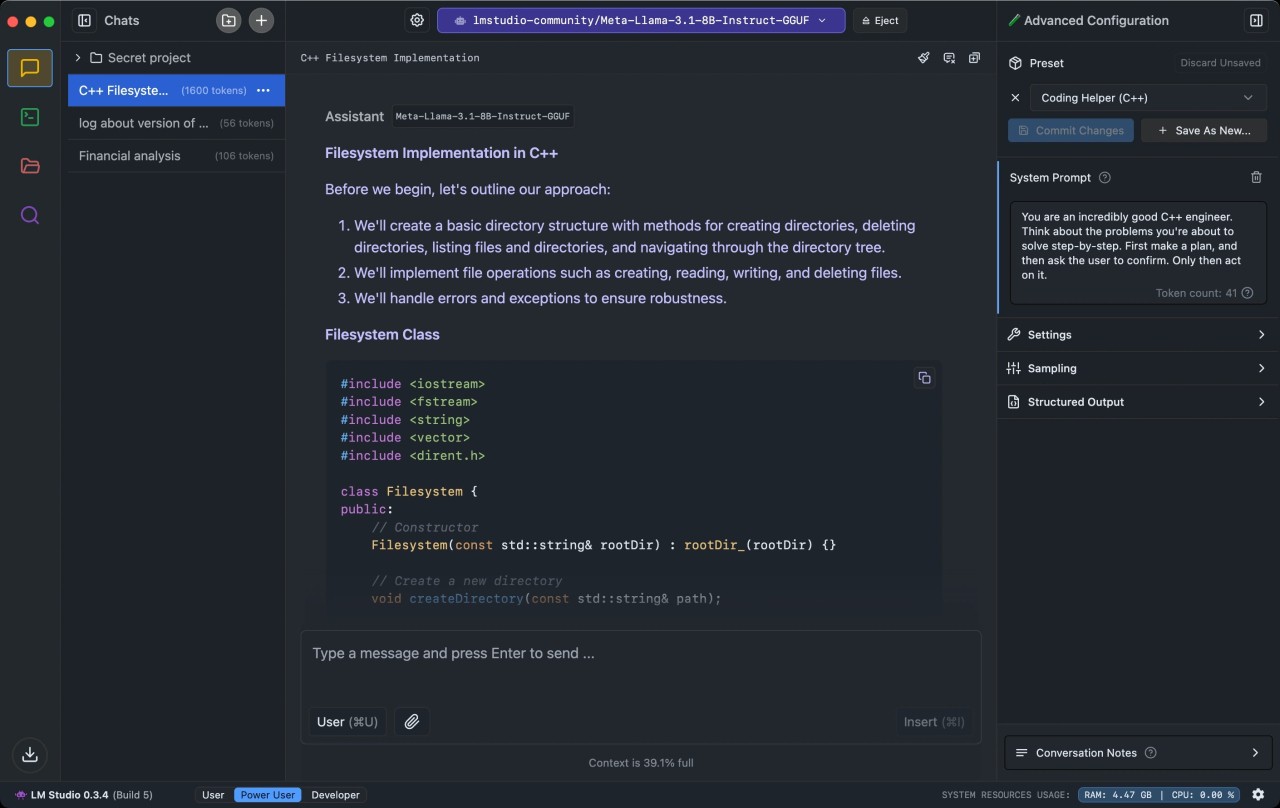
LM Studio is an application for managing large language models. The tool allows users to download and run LLMs locally, without an internet connection or data sharing. This way, you can turn your computer into an AI whiz that’s always at your fingertips.
There is a wide selection of LLMs like Gemma and Mistral through repositories like Hugging Face. You can even download multiple and test them to see if they are suitable for you. The app creates a chat interface that looks just like a regular online chatbot.
You can connect your AI tools to other apps through a local API server. There is a special upgrade called LM Studio Bionic that offers additional features. Those include coding and file editing capabilities, as well as voice transcriptions in real time.
What Are the Key Features of LM Studio?
LM Studio is an app that allows users to download large language models and use them locally on their personal computers. Once downloaded, the LLMs don’t need an internet connection to work, and they don’t share data through the cloud. The base features of the app are free.
The tool provides access to Hugging Face, which is a large LLM repository where you can browse through and download large language models like Gemma and Llama. Once you run the chosen model on your computer, you will be greeted with a user-friendly interface similar to that of ChatGPT online.
While some models are quite lightweight and compact, others can drain your computer resources. LM Studio runs hardware compatibility checks that let you know if a specific model is not fit for your computer. Each LLM can be tweaked and adjusted to fit your preferences, including temperature changes, for example. Developers and tech-savvy users will appreciate the ability to integrate LLMs with apps and scripts through a local server.
A great benefit of LM Studio is that it doesn’t share your data with the cloud, so you can upload personal documents into LLMs securely, with no risk of data leaks.
The application is compatible with Windows, macOS, and Linux computers.
Is LM Studio Free to Use?
Yes, LM Studio is a free desktop app. You don’t need a paid license regardless of whether you’re an individual or a business. You can spring for a paid version if you’d like to unlock features like cloud inference and team collaboration.
Which Platforms Support LM Studio?
LM Studio is available on Windows, Linux, and macOS computers. For macOS, you will need macOS 14.0 or later; the app does not support Intel-based Macs. Windows x64 and Linux x64 and ARM64 architectures are supported.
What Are the Best Alternatives to LM Studio?
LM Studio is a solid choice for all of your AI chatbot needs. However, you may find a better fit in terms of customization options and user interface among other options. Here are some to consider.
GPT4All is a computer app that allows you to run LLMs locally. The tool is compatible with most desktops and laptops, so you don’t need special hardware to run it. GPT4All doesn’t share your chat data with other cloud servers, so you can rest assured that your personal information will remain secure. One of its most attractive features is the ability to chat with your own files or entire folders.
Ollama is another tool for downloading and managing large language models locally on your PC. As with LM Studio, all of your data stays local and isn’t shared with external servers. That is very convenient for handling sensitive information that you would not want leaked. There are no fees associated with using Ollama or the LLMs offered. The tool offers offline access, which is not only safe but also incredibly convenient when you don’t have a stable internet connection. Some of the models you can run are Gemma, Mistral, DeepSeek, and Qwen.
NVIDIA Chat with RTX offers additional chatbot customization you may not find elsewhere. Much like other tools, it offers complete privacy and data security, as it runs locally without data sharing. You can chat with local files and find necessary information in seconds instead of having to read through files manually. Supported formats include PDF, Word, Excel, and even YouTube video URLs. The models available through NVIDIA include Llama, Mistral, and others.