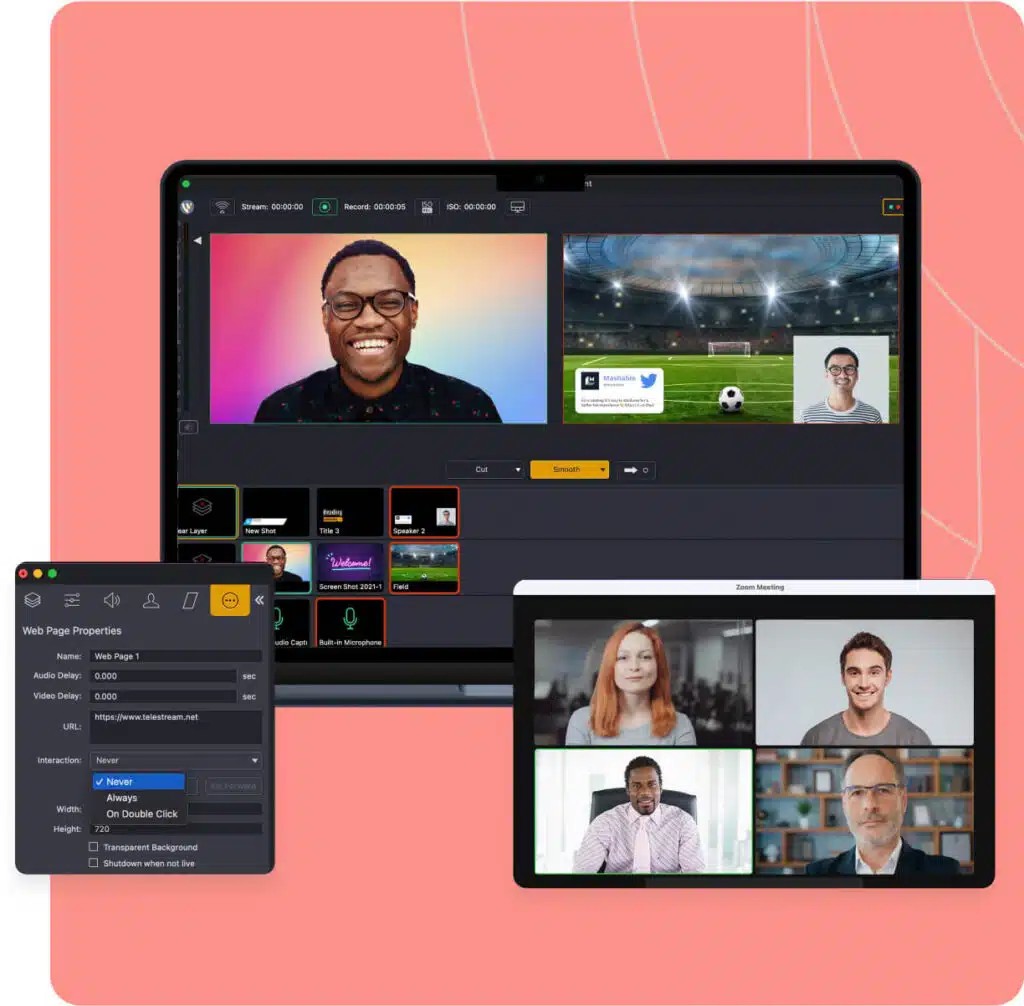
Wirecast is simply a professional-level live streaming and production tool that is designed to provide more control to individuals as compared to what a simple streaming application can offer. It is used to stream online productions, webinars, church services, sports streams, and conferences, and any other time you want a production that resembles a studio rather than a webcam production.
Wirecast does not think of your stream as a single feed, but instead thinks in layers and scenes and multiple input sources. Cameras, IP feeds, NDI, screen capture, audio tracks, animated graphics, overlays, and stock media are all mixable in a single workspace.
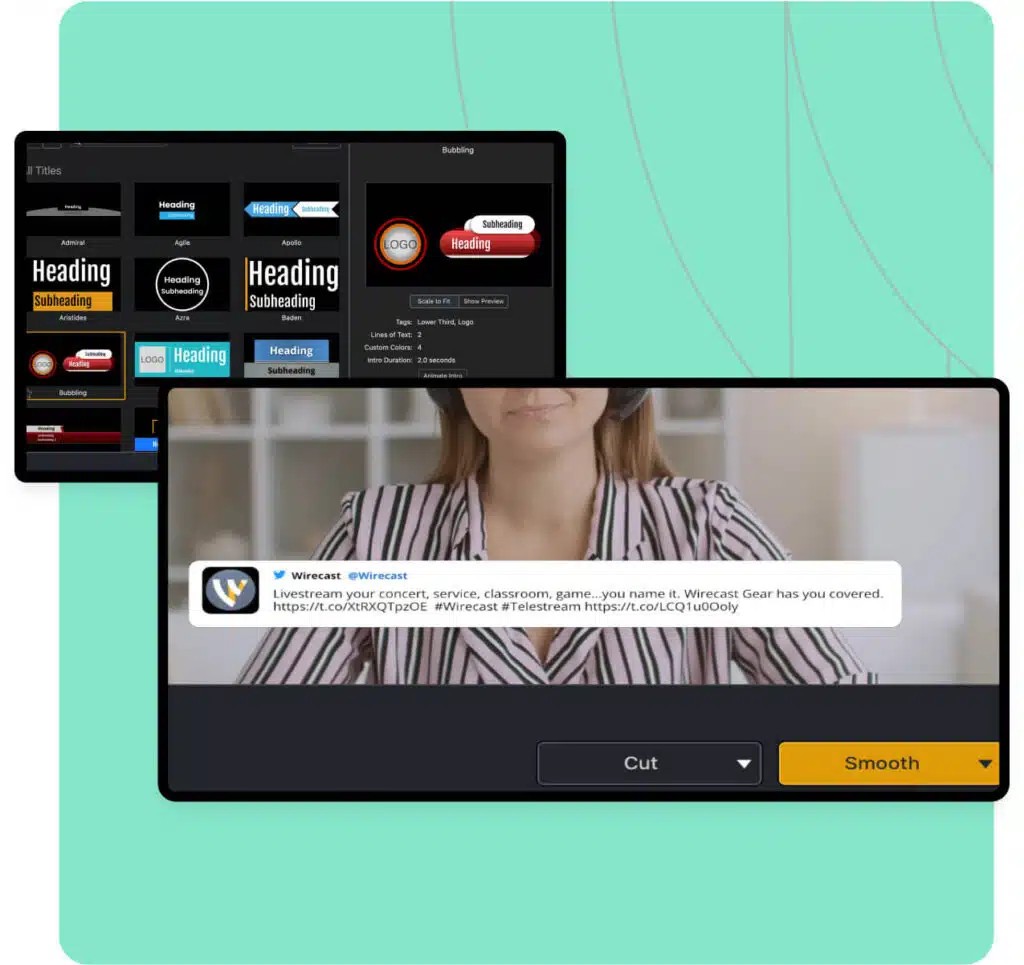
The concept of the software is to have a self-contained control room on your computer in order to alternate between sources, add graphics, introduce lower thirds or titles, and tweak all these in real time. It is not made to appear cute or simple; it is rather about providing you with the means to have a polished multi-camera broadcast without necessarily having to have physical hardware.
Wirecast can serve as a compromise between the simple software streamers and full-fledged hardware systems used by creators, teachers, churches, or production teams.
What Are the Key Features of Wirecast?
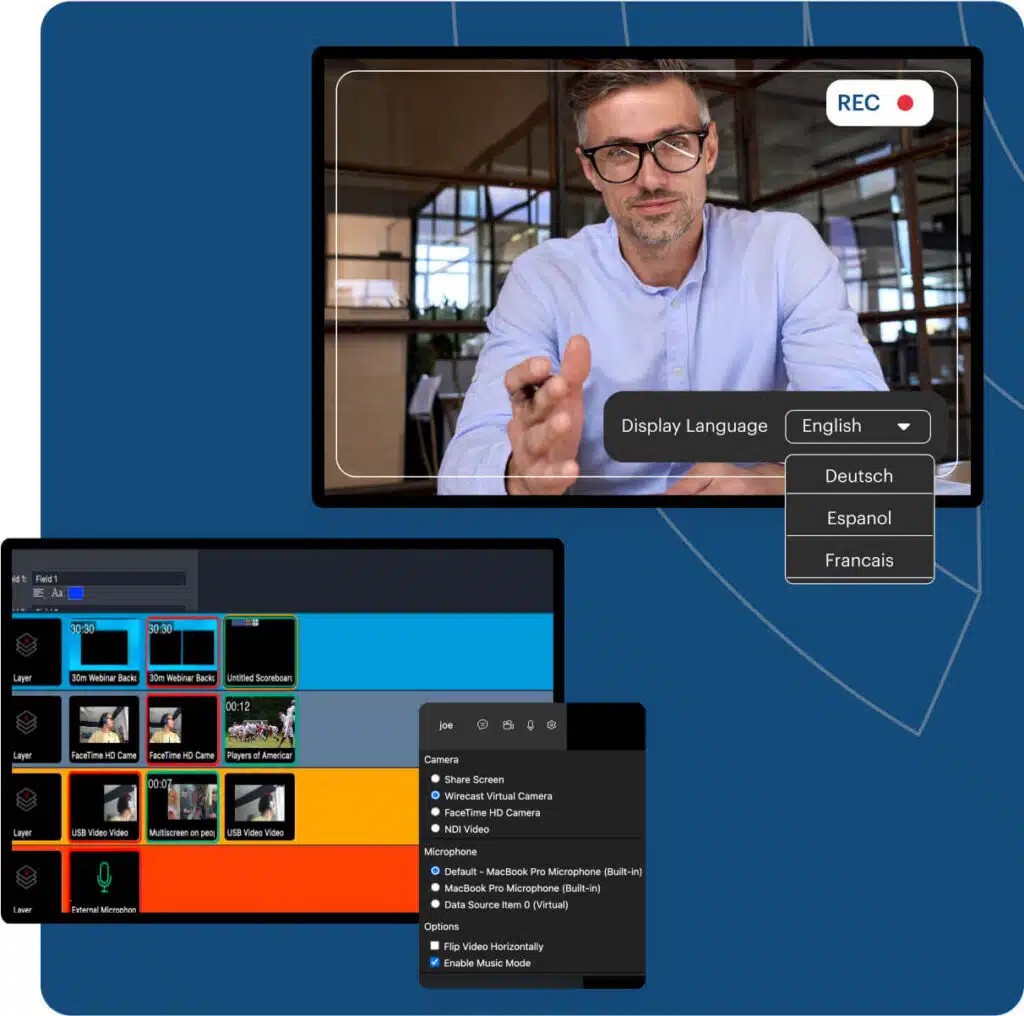
It has a layer-based compositing system, which is one of its major characteristics. You can also add media on it, such as videos, images, webcams, logos, animations, and organize them in any manner. This assists in developing TV-style overlays or transitions without having the assistance of separate editing software. Wirecast supports IP cameras, capture cards, RTMP streams, NDI sources, and screen capture, meaning you can add almost any video input.
Another significant characteristic is ISO recording. It allows recording of individual sources individually, and not the finished mixed output. This comes in handy during editing in future or during reusing the same video in other formats. Wirecast is also equipped with a virtual camera and microphone output that allows you to feed your setup into Zoom, Teams, or other meeting applications as an actual device.
Chroma key is built in, and as such, green screens can be implemented without the need to install third-party functionality. The use of animated graphics and overlays to form professional images is also assistive. Multistreaming is also enabled- users can stream directly to YouTube, Facebook, Twitch and any RTMP destination concurrently.
The Pro edition further includes additional features: PTZ camera control, allowing the use of remote cameras, multi-track audio recording, sports replay features, multistreaming to the cloud, and supporting up to seven remote guests. It also has the benefits of being able to support heavier workloads with the use of GPU-accelerated encoding, particularly when it is used in multi-camera productions.
Is Wirecast Free to Use?
Wirecast is not free to download. That said, it provides a trial, which adds watermarks, and is primarily used to test the interface, ensure compatibility or get familiar with the workflow before purchasing. The Wirecast Studio and Wirecast Pro (full versions) are based on subscriptions. Studio has the majority of features required to do basic streaming, and Pro has additional features to do bigger productions. In order to test it out, though, you will need a paid plan.
Which Platforms Support Wirecast?
Wirecast is compatible with both macOS and Windows, and both editions are developed based on the same production workflow. Being desktop-based, you do not require an internet connection to do local mixing or recording, but obviously, streaming requires one. The software is compatible with numerous video input protocols such as RTMP, RTSP, NDI, SRT, HLS, MMS, etc. It also identifies the USB webcams, HDMI/SDI capture cards, and IP cameras.
Due to the flexibility of Wirecast, it is also supported by GPU acceleration in both Windows and Mac systems, which facilitates the encoding performance. The virtual microphone and camera output are compatible with Zoom, Google Meet, Teams, and other videoconferencing applications. It is also integrated with multistreaming cloud services, based on the plan. It is not based on Linux or mobile operating systems. Wirecast is designed to support desktop computers that have sufficient CPU/GPU resources to support the process of real-time video layering and encoding.
What Are the Best Alternatives to Wirecast?
One of the most popular substitutes is OBS Studio since it is open-source and free of charge. It is compatible with enhanced scene configuration, multi-source composing, and live encoding like Wirecast. OBS also boasts of an extensive community of plugins, providing users with additional functionality, such as NDI, virtual camera output, filters and advanced audio routing. Although OBS does not have such premium features as ISO recordings and built-in stock media, it works very well as a streaming and recording tool. OBS is usually chosen by people who prefer customization, technical skills, or who prefer an absolutely cost-free option. It is particularly favored by game players, teachers and individual artistes who do not require anything of studio quality. Many users download OBS Studio for its flexibility, plugins, and completely free setup.
Camtasia Studio does not focus on streaming, yet it is generally popular in screen recording and editing. In comparison to the real-time production model employed by Wirecast, Camtasia is more about recording than editing. It captures the screen, webcam, microphone, and system audio on individual tracks to allow users to edit all aspects during the post-production process. It is more suitable in situations where the tutorial makers, teachers, and individuals who desire to make organized training videos or software demonstrations are involved. Camtasia has a drag-and-drop editing option, captions, cursor effects, templates, annotation options, and built-in text transcription to do text-based editing. Although it does not provide live production tools and multistreaming, it is an alternative to users who create polished videos instead of live broadcasts. People download Camtasia when they want clean screen recordings and easy editing tools.
Live streaming, recording, alerts, overlays, multistreaming and editing are all parts of one ecosystem at Streamlabs. It is easier to use than Wirecast and targets the more casual user who is interested in rapid installation, numerous included templates and automation. Although it does not offer such high-end production as Wirecast (such as ISO recording or multi-camera sports tools), Streamlabs is simpler to operate by a non-professional streamer, player, or individual seeking to live stream with a minimum of settings. It provides desktop and web-based applications, and mobile applications. There are numerous additions that are only available with the Streamlabs Ultra subscription, yet even the free version is powerful enough to stream basics. Many creators download Streamlabs for its templates, alerts, and beginner-friendly setup.