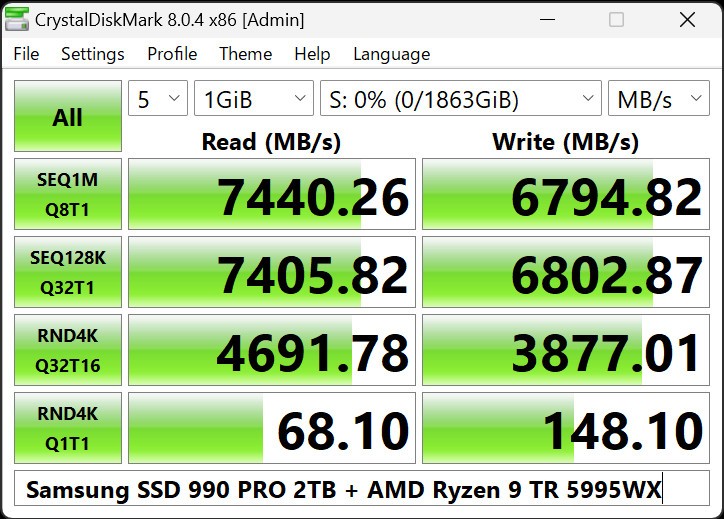
CrystalDiskMark is an effortless disk benchmarking utility that allows users to know the speed of their storage devices. It simply calculates read and write speed. It is usually run by users on SSDs, HDDs, USB drives, or NVMe drives. The program also runs short tests and reports the speed results.
It does not strive to correct mistakes, erase the disk, or make things efficient behind the scenes. CrystalDiskMark is just a performance tester that fills the results. Its focus is appreciated by the users who require a fast and simple response due to the speed of disks. It is frequently executed with the intent of running after putting in a new drive, checking the system health, or comparing the storage before and after upgrades.
The interface is easy to use and understandable. You select the size of the test, select the number of runs to be made in the test, and start. Then, the tool shows the speed after a small delay. Hardware, file size, type of controller, and load of the system will result differently, and therefore, the program does not assure the same score every time. It provides an overview of the present performance but does not show a conclusive rating.
What Are the Key Features of CrystalDiskMark?
Disk speed testing is the main characteristic of CrystalDiskMark. It determines serial as well as non-serial read and write throughput. Sequential tests can be used to discover the speed of large file transfers, and random tests can determine how the drive reads smaller pieces of data, which is used in everyday activities. This assists the user in understanding real-life behavior and top speed.
CrystalDiskMark has several test modes, with some simulating realistic workloads and others demonstrating maximum performance. The test file size can be configured, and many passes may be undertaken by the user to obtain a more consistent outcome of the test. The tool can also accommodate many languages, which is attractive to a global population.
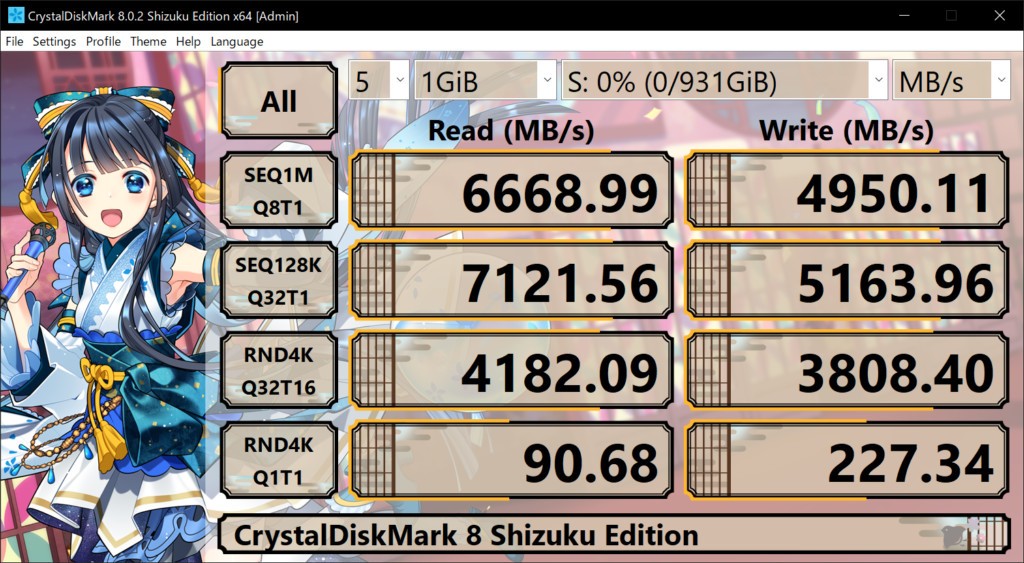
The other advantage is that it has a proper design. It does not have complicated charts and obscure instruments. Everything is displayed in one window, and it is not tough to be familiar with it as a beginner. Visual themes are also provided by the program, and it has special editions that do not alter the main functionality of the program.
CrystalDiskMark is better at presenting technical details, including units and limits of measurements. It specifies the distinction between GB and GiB and warns that it may change depending on the version. It also cautions that with continuous testing, SSDs, as well as USB memory, do not last long. Such instructions guide the users to make well-informed decisions rather than to run the benchmarks blindly.
Is CrystalDiskMark Free to Use?
CrystalDiskMark is a free download and installation. No paid level allows unlocking additional features and tools. There are also all the necessary benchmarking functions free of charge. Users can donate to aid in development, but these donations are not necessary to use the software. This makes it friendly to any casual user, students, and professionals.
Which Platforms Support CrystalDiskMark?
CrystalDiskMark is Windows-based. It is compatible with a vast variety of Windows versions, ranging from Windows XP to Windows 11. It is also compatible with a number of Windows Server releases, including both older versions and newer ones. It is compatible with different hardware and runs on ARM64, x86, and x64 architectures.
Nonetheless, more ancient systems cannot be supported in full. Windows XP and Windows Server 2003 are supported, but the installer and the 64-bit version are incompatible with these systems. Windows 2000, NT4, Windows 98, and Windows 95 do not take any type of support. This weakness is important to those users who are still on old machines.
CrystalDiskMark is used to test numerous kinds of storage interfaces, including SATA, RAID, SCSI, and NVMe. The hardware and processor speed are subject to variation, as well as the test conditions. Network drives may be invisible when they are launched using administrator privileges; when launched without administrator privileges, network drive tests can be run. These behaviors of platforms are explained by the software.
What Are the Best Alternatives to CrystalDiskMark?
AnTuTu Benchmark is used to test the overall system performance. AnTuTu does not test disk speed, but it tests CPU, GPU, memory, and storage jointly. This is useful to users who want to have a single performance measure rather than detailed storage measures. Its disk tests are generic; thus, it can be used in comparison of devices rather than actual read/write testing. Therefore, it is used more to do high-level comparisons. Many users choose to download AnTuTu when they want a quick snapshot of overall system performance in one place.
3DMark is mainly oriented towards graphics and gaming benchmarks. It also performs high-level visual benchmarks to consider the performance of the system regarding graphics-intensive activities and games. The tests are secondary, although some versions also contain storage tests. Gamers and owners of PCs are also using 3DMark to gauge system balance, not only storage. It does not work well with quick disk checks, but is used during the full system capability tests. People often download 3DMark when their focus is on gaming performance rather than simple disk speed results.
Maxon Cinebench measures the performance of the processor rather than storage speed. Cinebench executes rendering tasks that simulate real creative charges, e.g., 3D rendering. It does not bench disk,s but can be used well with storage benchmarks to compare the CPU performance to other parts. It is used by people in the design or video production to consider processing power more than file transfer speed. Creative professionals usually download Cinebench to understand how their CPU handles demanding workloads.