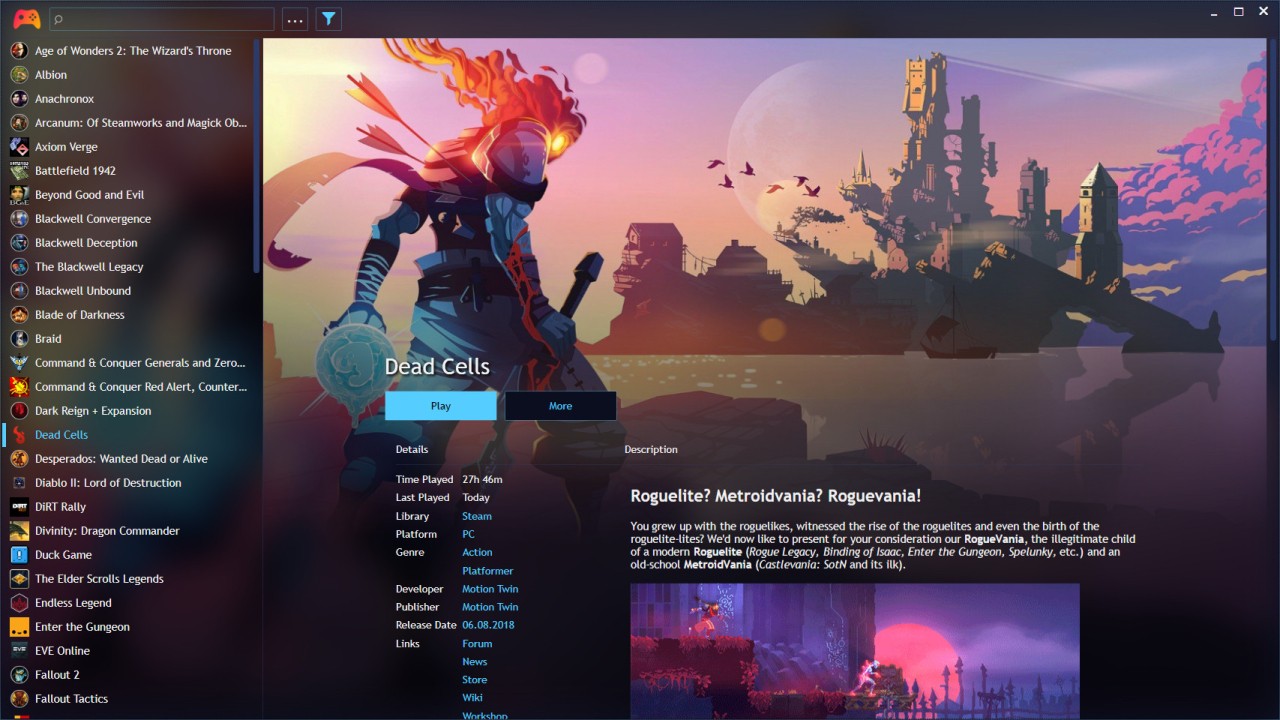
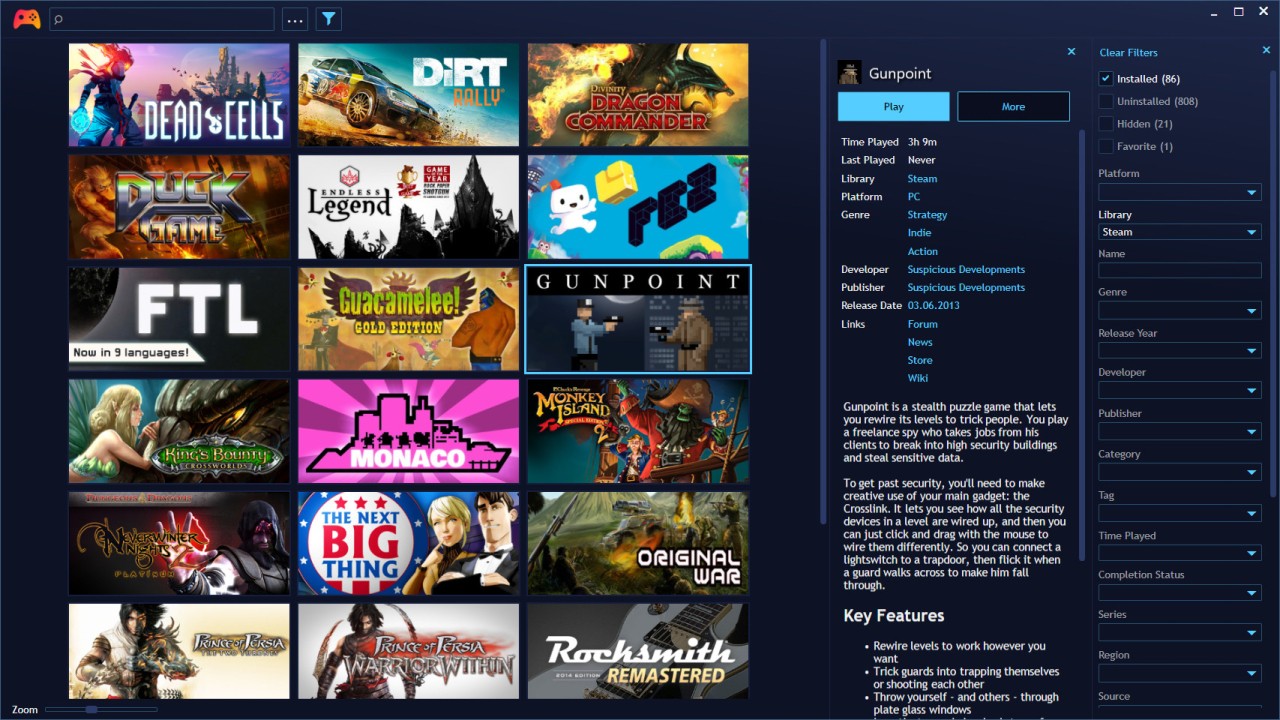
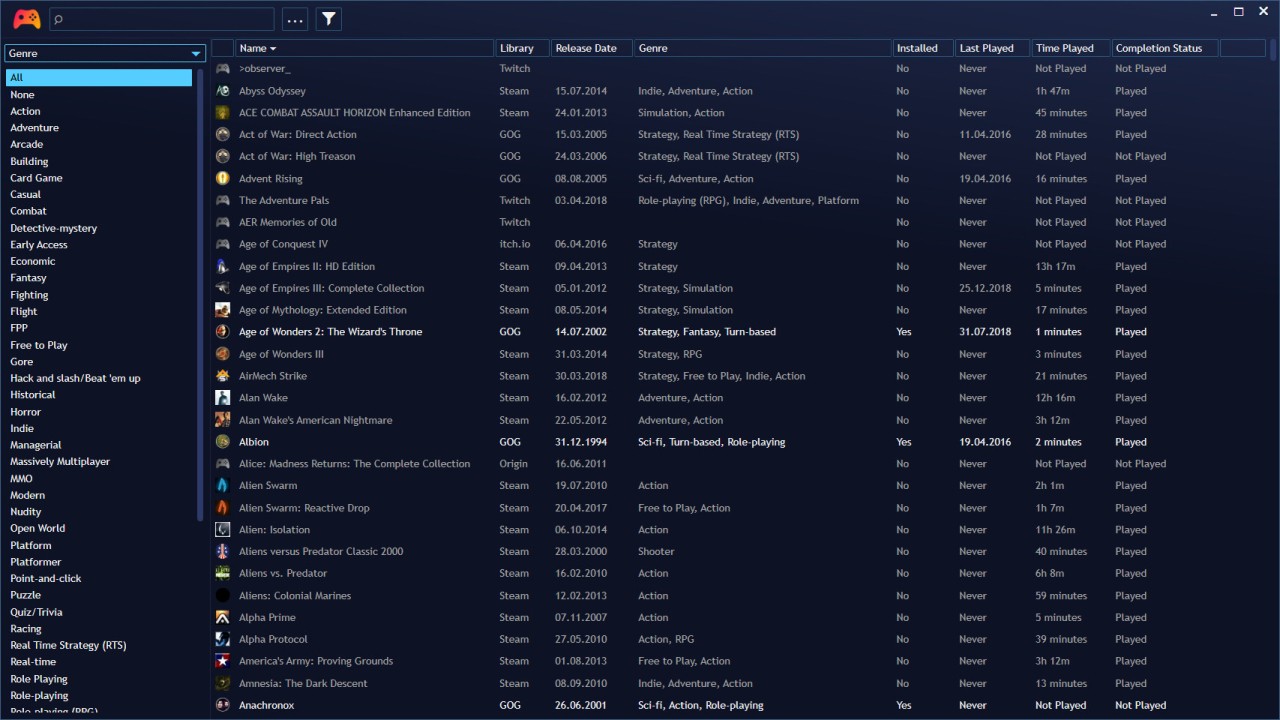
Playnite is about cleaning up the mess that happens once you’ve bought games everywhere. You install it on your PC, point it at your existing accounts, and it pulls in titles from Steam, Epic, GOG, EA App, Battle.net, Ubisoft Connect, and a long list of other services, including games that aren’t currently installed.
Emulation is included too: you can hook up console emulators and have ROMs sit alongside modern PC releases, all tagged and searchable in the same view. On top of that, Playnite talks to IGDB to download covers, descriptions, genres, and other metadata, then lets you reskin its desktop and fullscreen views with community themes and plugins until it looks and behaves like the launcher you wish the stores had shipped.
What Are the Key Features of Playnite?
The key idea is “one library, one launcher.” Playnite links to your accounts on popular stores, scans their libraries, and builds a single catalog where you can filter and sort by platform, store, genre, tags, or custom fields instead of bouncing between half a dozen separate clients. Games from emulators and manual installs can be added too, so old console ROMs, itch.io downloads, and DRM‑free folders all show up next to your usual Steam and Epic titles.
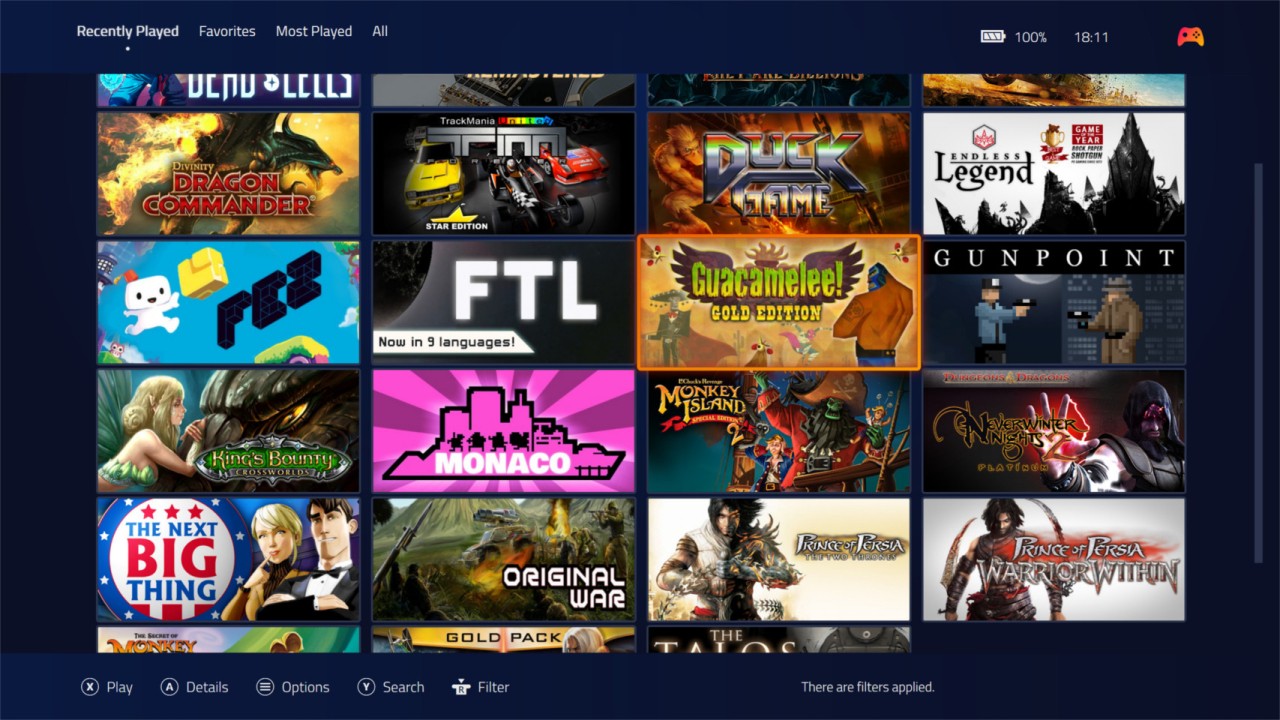
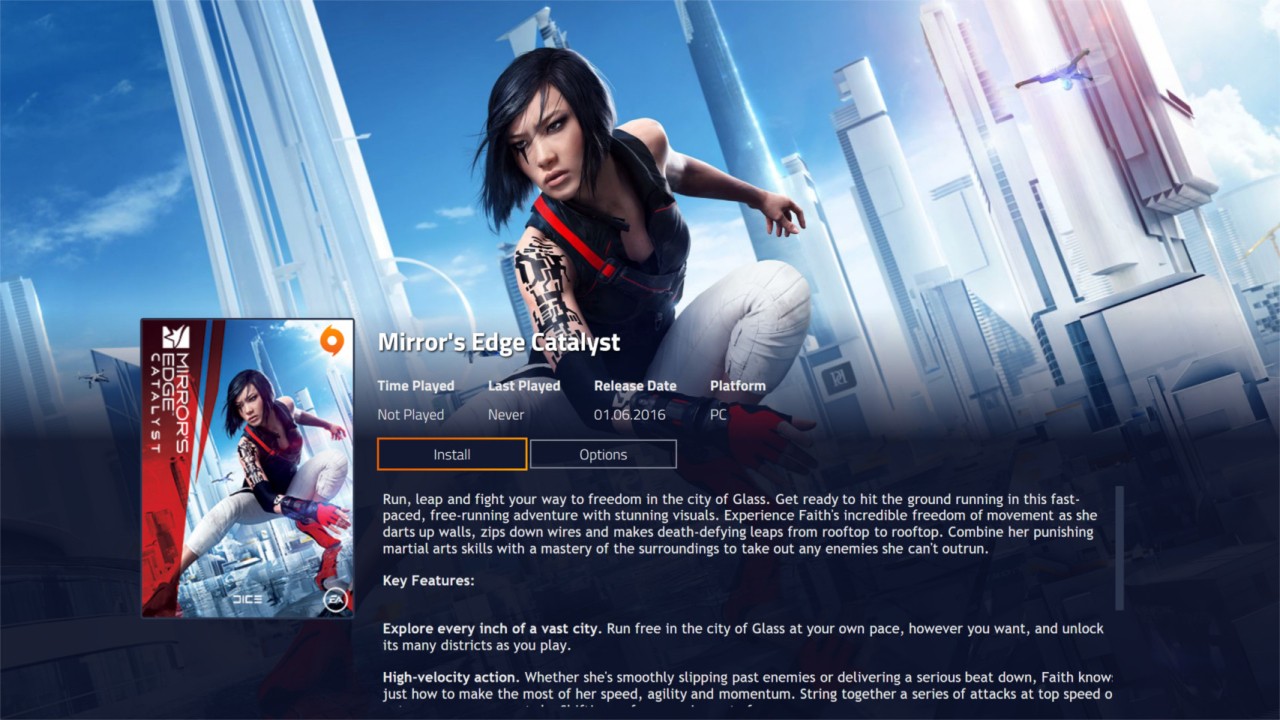
Once everything is in, Playnite handles launching the right thing for each entry and tracks playtime across the board, including emulated games. Themes let you change everything from colors to full layouts, while fullscreen mode gives a controller‑friendly, “big picture” view for living‑room setups. Extensions go further, adding plugins and scripts for extra integrations, automation, or custom views, and the IGDB integration automatically fills in artwork and descriptions, so the library feels like a proper media shelf rather than a list of filenames.
Is Playnite Free to Use?
Playnite is completely free and open source to download. There are no paid tiers, feature lockouts, or subscriptions; the full set of features, including store integrations, emulation, themes, extensions, fullscreen mode, and playtime tracking, is available without paying. The project is released under the MIT license, and the entire source code is public, which makes it easy for people to audit what it does, fork it, or build add‑ons without worrying about a proprietary lock‑in.
Donations do exist around the project, but they are optional support rather than a requirement to unlock functionality.
Which Platforms Support Playnite?
Playnite is currently a Windows‑focused application. Official builds target Windows PCs and can be run either as a standard install or in portable mode, where the whole setup lives on external storage and does not depend on system‑wide components.
Linux support has been announced, with the project’s maintainer stating that a native Linux release is planned for 2026. Until that lands, Playnite is best treated as a Windows launcher, with the usual workaround options, like running under compatibility layers, left to more experimental users. There is no macOS build listed, and the design assumes a PC with access to store clients, emulators, and local directories.
What Are the Best Alternatives to Playnite?
Pegasus is the closest alternative if you want a frontend that feels more like a console dashboard. It is a cross‑platform launcher designed to sit on top of emulators and PC games, offering a highly skinnable interface, metadata scraping, and controller‑friendly navigation aimed at living‑room setups and handheld devices. Compared with Playnite, Pegasus leans harder into being a frontend for emulation and media centres, while Playnite mixes that with deep store integrations and a more desktop‑style management view for big PC libraries.
Steam itself is an alternative if most of your digital collection lives there. Compared with Playnite, though, Steam is store‑specific: it works best if you buy everything in one ecosystem, whereas Playnite is explicitly about stitching together many ecosystems, including emulators and DRM‑free installs, into a neutral launcher that sits above them all.
LaunchBox is another strong option, especially if you care about a heavily decorated library and long‑tail retro support. It imports Steam and other PC games, integrates closely with DOSBox and emulators, scrapes metadata and images (including logos, banners, fan art, and screenshots), and presents everything with attractive cover‑art‑driven views. Compared with Playnite, LaunchBox has a polished, media‑heavy feel and a long history in the emulation community.