If you've spent any time building a retro gaming setup, you've probably run into this problem. You have one emulator for PlayStation games, another for Game Boy titles, and Steam set up on the side. Your collection quickly becomes spread across several programs, and launching a game becomes more complicated than it should be.
That's where Pegasus comes in. It isn't an emulator itself. It's a frontend that sits on top of your existing collection and gives you a single place to browse and launch games, whether they're coming from emulators, Steam, or other sources. The goal is to make everything feel like part of one library rather than a collection of separate tools.
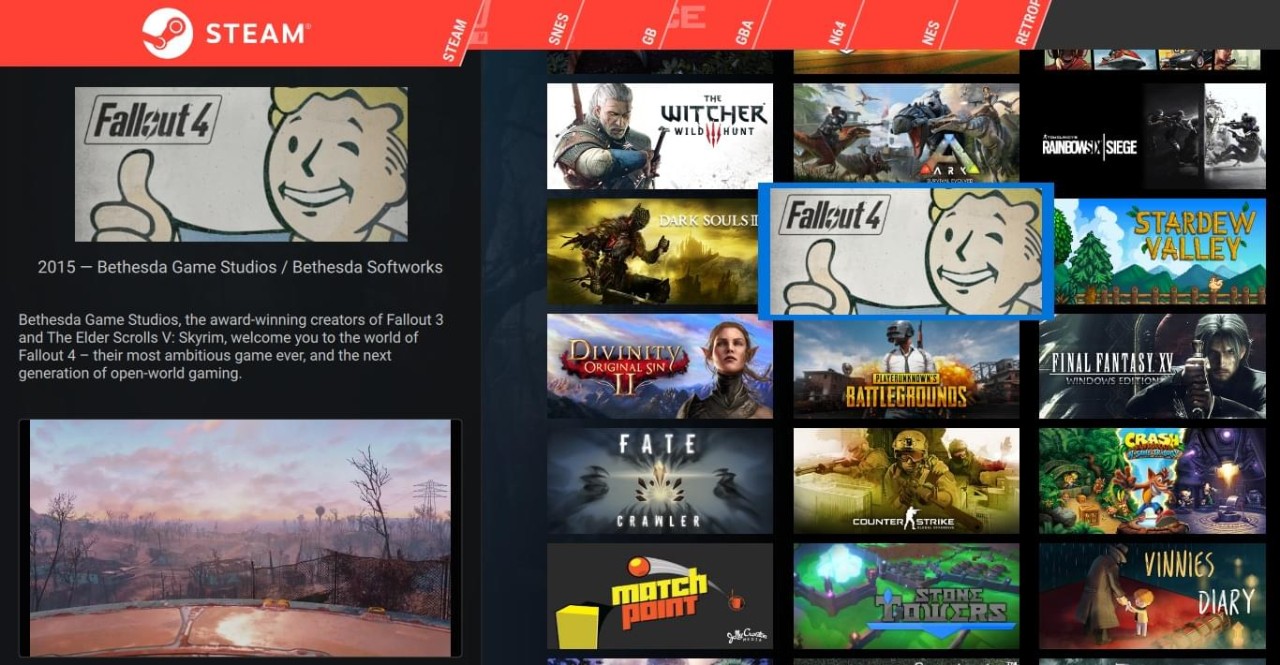
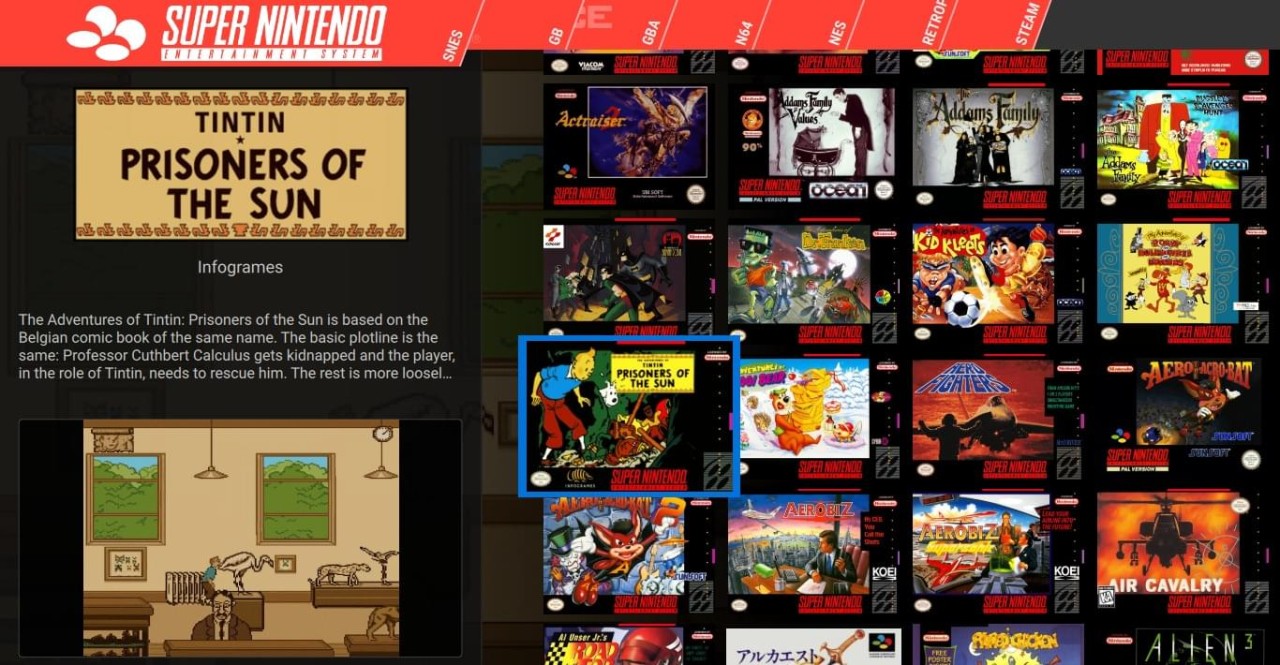
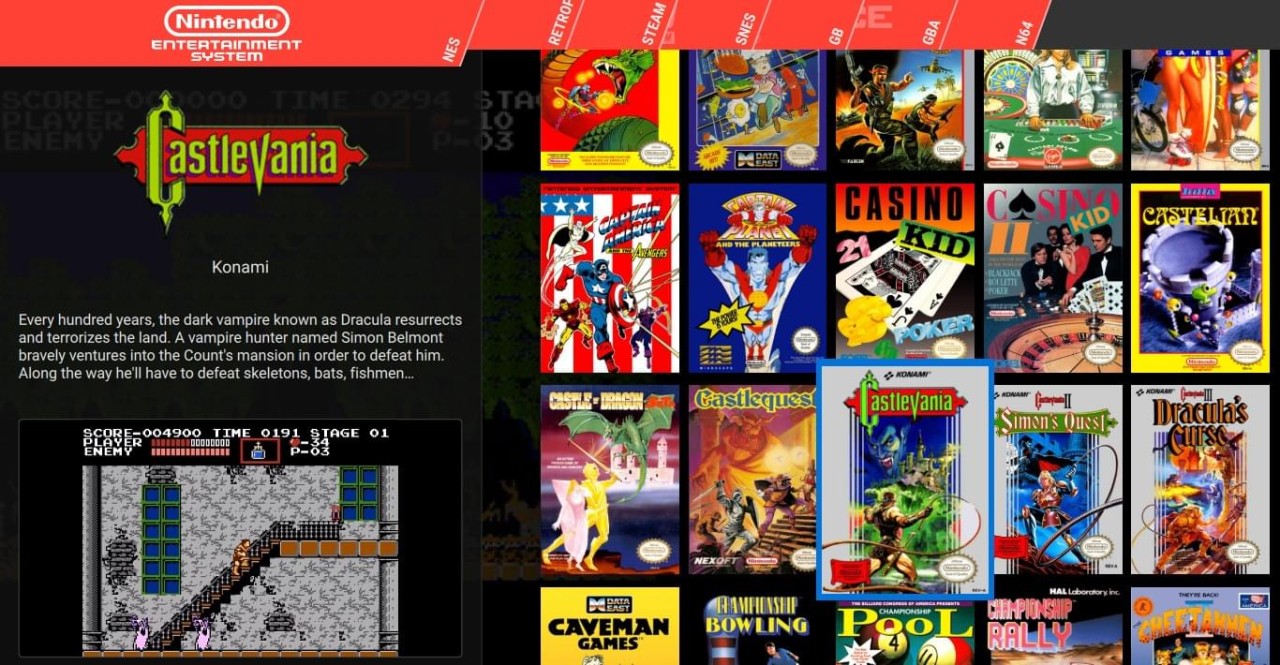
What tends to attract people to Pegasus is the amount of control you get. Pegasus can be customized to an almost ridiculous degree. Themes can completely transform the interface, changing everything from the menus and layouts to the animations and effects. Some setups look like modern console dashboards. Others resemble media centers or arcade machines.
It does require a bit more tinkering than some of the available alternatives. But that's also part of the fun. For many retro gaming fans, building the perfect setup is nearly as enjoyable as playing the games themselves.
What Are the Key Features of Pegasus?
Pegasus is all about bringing different game libraries together. Once everything is connected, you can browse your collection from a single interface instead of jumping between launchers and emulator programs.
Pegasus supports artwork, screenshots, logos, game descriptions, and even video previews. A basic game list can quickly start to feel more like browsing a streaming service. For people with large retro collections, that visual element can make a huge difference. It's simply easier to find things when you're looking at box art instead of filenames.
Then there's the customization side. Most launchers give you a handful of appearance settings and call it a day. Pegasus gives you a lot more. Community-created themes can completely change the experience, and users who enjoy experimenting can adjust layouts, animations, and interface elements. Some themes are minimalist. Others look like something you'd expect to find running on a dedicated arcade cabinet.
Pegasus also works well with existing tools. It supports EmulationStation metadata and gamelist files, which makes it easier for users who already have a retro gaming setup in place. Steam games can also be detected automatically, helping create a library that feels more unified.
The result is a launcher that feels less like a piece of software and more like a project you can gradually shape into exactly what you want.
Is Pegasus Free to Use?
Yes, Pegasus is completely free to use. It's an open-source project, which means anyone can download it and access all of its features without paying for a license or subscription. There aren't separate premium tiers, locked features, or paid upgrades to worry about.
The developers do accept donations from users who want to support the project, but that's entirely optional. The software works exactly the same whether you contribute or not.
Which Platforms Support Pegasus?
One of Pegasus's biggest strengths is how many devices it supports. It runs on Windows, macOS, and Linux, which covers most desktop users. There's also support for Android, making it possible to build portable gaming setups or connect devices to a television.
The software is also available for Raspberry Pi and Odroid systems, two platforms that have become favorites within the retro gaming community. If you've ever seen a homemade arcade cabinet or a dedicated retro gaming box, there's a good chance hardware like this was involved.
What Are the Best Alternatives to Pegasus?
Playnite is probably the closest alternative for people who want all their games under one roof. It pulls together libraries from services like Steam, GOG, Epic Games Store, and Xbox, creating a single launcher for modern PC gaming. Compared with Pegasus, it's generally easier to get running and requires less tweaking. Pegasus, on the other hand, tends to appeal more to users who enjoy building custom retro gaming setups and experimenting with themes.
LaunchBox is another favorite among retro gaming enthusiasts. Like Pegasus, it focuses on organizing large collections, displaying artwork, and creating a nice browsing experience. The difference is in the approach. LaunchBox provides more tools out of the box and tends to guide users through the setup process. Pegasus feels a little more hands-on. It asks for more involvement, but in return gives users considerably more freedom to create a setup that looks and behaves exactly the way they want.
Steam can also be seen as an alternative, even though that's not really its primary purpose. Most people think of it as a storefront first, but it also lets users organize libraries and add non-Steam games. For someone who mainly plays PC titles, Steam may already do enough. Pegasus offers much more flexibility, though, especially if your collection includes games from older consoles and multiple emulators.