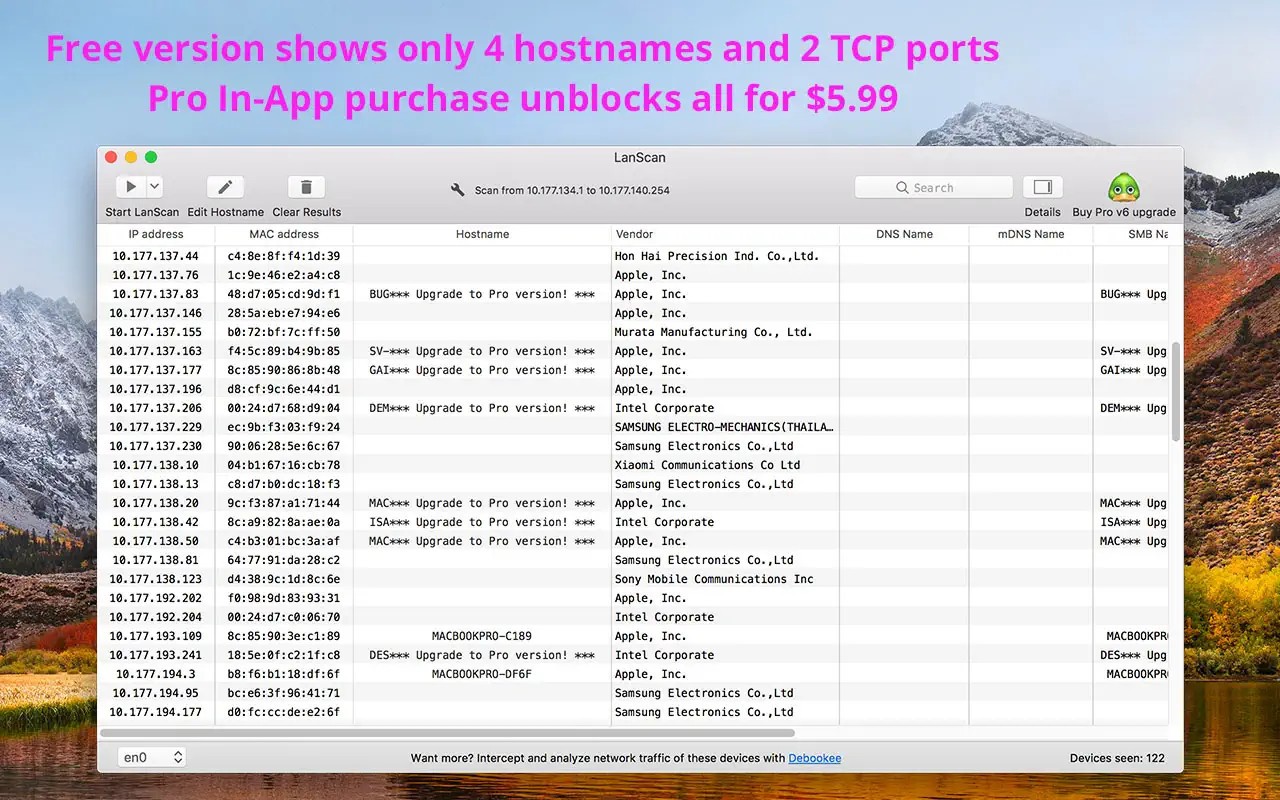
LanScan is a macOS network scanner. It is not a security suite or a firewall; it merely scans a local network and displays all devices that are connected to it. That includes any phones, laptops, smart devices, printers, virtual machines, and everything accessible in the subnet of the user. Open LanScan if you need to quickly inspect your network, rather than monitoring it over a long period of time.
LanScan is used frequently by users who encounter unfamiliar devices when setting up a home network or during troubleshooting their connections. The software identifies devices and provides significant data like IP address, MAC address, and vendor details where it has. It is not intended as a deep-analysis platform, such as enterprise monitoring suites, but as an ad hoc, fast, and easy-to-use discovery viewer.
LanScan has a GUI that makes it easy to use in case you are not fond of command-line applications or complicated utilities. It is still helpful in daily network visibility without confusing beginners because it involves scanning, but not management.
What Are the Key Features of LanScan?
The main feature of LanScan is device discovery. One scan will provide a list of all devices in your local network that are in operation. Each device displays the IP address, MAC address, vendor, and, in some cases, the hostname when responding to DNS. The scan is IPv4 and IPv6 compatible used with different settings.
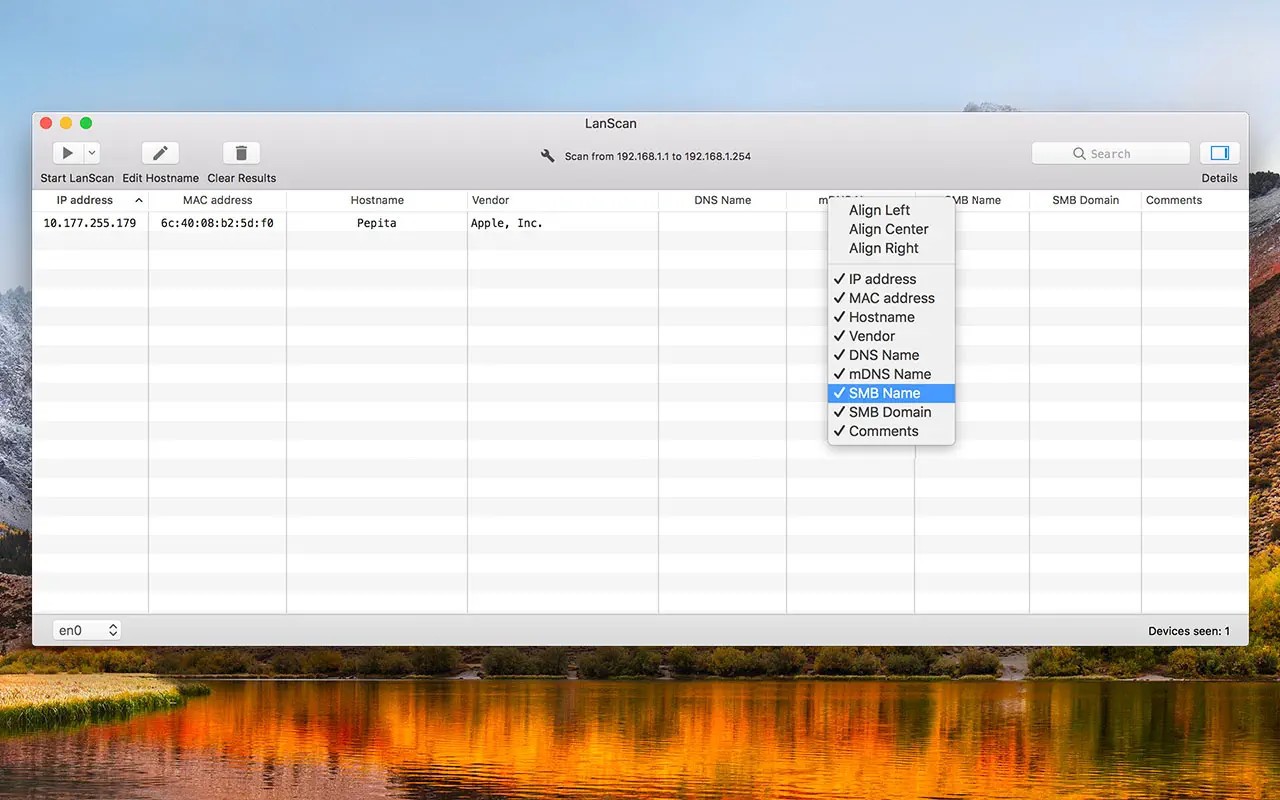
The interface is the simplest: there is a single screen with a list of the devices, basic network descriptors in columns, and buttons to rescan or export. This ease helps when one is setting up a network or performing routine network checks.
Vendor lookup is used to identify the brand or the maker of a found device. When you come across a device that you are not familiar with, you can display the name of the vendor to know whether it is a phone, router, or not.
LanScan can also export in CSV, allowing users to save logs that can be used to document or share. It is handy for IT technicians, small-office network engineers, or home users who desire a record. The scanning engine is rapid and does not consume a lot of system resources. It can also scan wide subnets, not only the default router range. Hostname resolution on DNS, mDNS, or SMB is also convenient.
LanScan lacks advanced penetration testing, port scanning, bandwidth monitoring, and security alerts. It remains dedicated to scanning the local networks and enumerating the connected devices.
Is LanScan Free to Use?
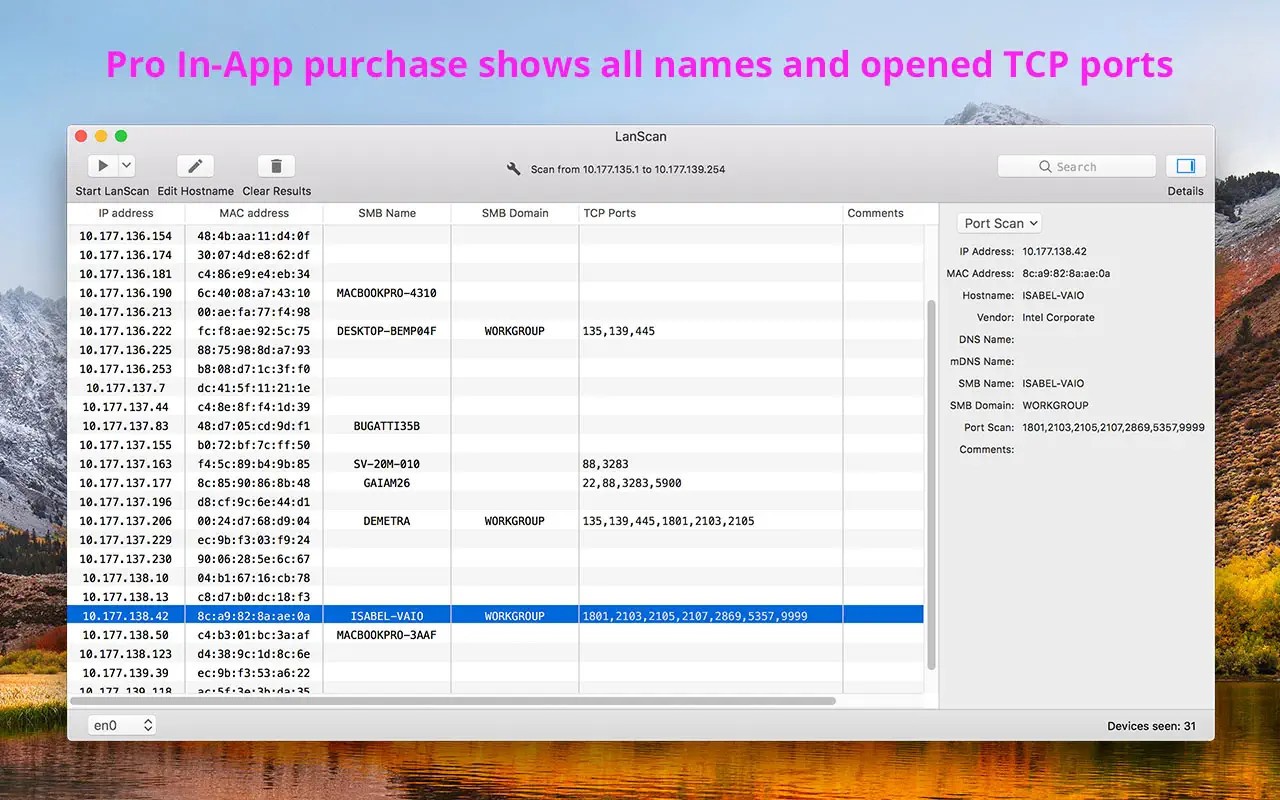
There is a free version of LanScan that offers basic scanning. It allows you to identify gadgets and see IP and MAC addresses. Certain enhanced capabilities, including full hostname resolution and unobfuscated IPv6 or TCP details rather than extended scan limits, are available as a Pro upgrade. The free version will be useful to casual users, and heavy-weight network workers might be required to pay additional money.
Which Platforms Support LanScan?
LanScan is developed for macOS, and it can be obtained via the Mac App Store. The tool is compatible with the Apple ecosystem, which is more appropriate in the hands of Mac users who handle home networks or technical processes. It does not have any Windows or Linux versions, and therefore, cross-platform users might require an alternative tool in case they change their operating system.
Since it is lightweight, LanScan does not require powerful hardware. It can also scan Wi-Fi or wired Ethernet and automatically identify interfaces on the Mac. VPN virtual adapters or sandbox testing is also known. LanScan will be convenient to MacBook, iMac, or Mac workstation users; they will not need third-party scripts or terminal commands to run the scans.
There is little integration of clouds, and the results are kept locally unless you export. This will attract privacy-sensitive users who will want such local listings apart from cloud reporting. To users who require basic LAN discovery on their computer, even without the need to install intricate suites on their computers, LanScan can even become part of their routine.
What Are the Best Alternatives to LanScan?
Another macOS-based tool is called IP Scanner. It performs a scan of the local networks and provides hostnames, MAC vendors, and, where available, open services of the devices connected to the network. It compiles familiar devices and new devices separately. The layout of IP Scanner is clean with color organization and will attract users who would like to have a visual structure. It can create custom fields, presets, and exports. Similar to LanScan, extra features or larger ranges require paid upgrades. IP Scanner is an excellent option that should be used by macOS users who require fast, well-structured scanning. Many macOS users download IP Scanner when they want visual grouping and device clarity.
Angry IP Scanner is cross-platform and can be used on macOS, Windows, and Linux. It is lightweight and fast, and it is open-source and capable of large subnets. It shows IP, hostname, ping response, and port availability in a unified format. Its simple port scanning enables it to be convenient to users who require more than the identification of devices. It is operating system-independent. The interface is more technical, therefore less user-friendly to beginners. Even so, Angry IP Scanner is more flexible for technicians who scan across various networks. Cross-platform technicians often download Angry IP Scanner for its speed and portable workflow.
SoftPerfect Network Scanner is more sophisticated on Mac and Windows. It does device discovery similar to LanScan, but with probing, port scanning, shared folders, SNMP, and scriptable automation. It is more of a small network-admin toolkit instead of a mere device list. This is suitable for IT workers and power users as well as businesses that want a more in-depth understanding. It presents running services and invisible shares. SoftPerfect is not as beginner-friendly due to its numerous panels and settings, although it also offers more power to users who require more than mere identification diagnostic functionality. Users who need deeper auditing features usually download SoftPerfect Network Scanner instead of basic viewers.