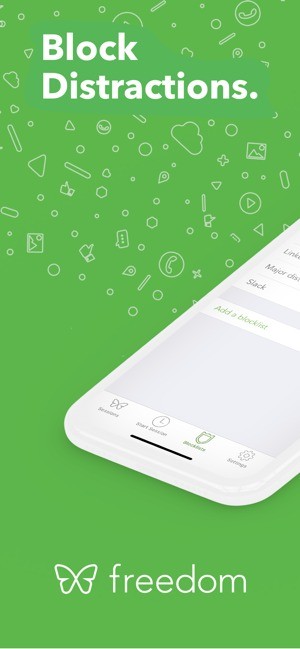
Freedom lets you block web content and apps that distract you. You choose what to block, then set the duration of your focus sessions. The restrictions can be applied to multiple devices linked to your account.
This tool can help you organize your work, study, or digital detox time. You can start sessions manually or schedule them in advance, depending on your needs.
To adapt the blocking feature to your habits, Freedom offers custom lists and a locked mode that limits the ability to interrupt a current session. The service also includes ambient sounds, such as coffee or nature sounds, to help you stay focused.
What Are the Key Features of Freedom?
Freedom uses a system of blocking sessions. To create one, choose the devices you want to apply it to, then select the apps and websites to block. You can also block Internet access entirely. Once the session starts, the selected items become inaccessible for the specified duration.
To save time, you can prepare multiple block lists. Freedom offers predefined lists and also lets you create your own by grouping together multiple websites and apps. This allows you to tailor the restrictions to different situations, such as working, studying, or limiting distractions during a break.
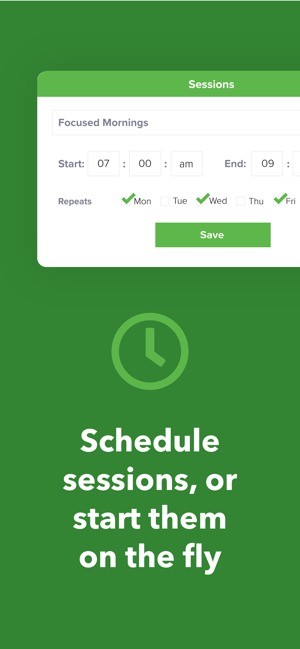
Scheduling allows you to automate these periods of focus. You can set specific days and times, then configure recurring sessions to apply the same restrictions on a regular basis, without having to start them manually each time.
Locked mode tightens restrictions by limiting the ability to interrupt a session before it ends. This option can be useful when you want to avoid disabling the lock as soon as a distraction arises.
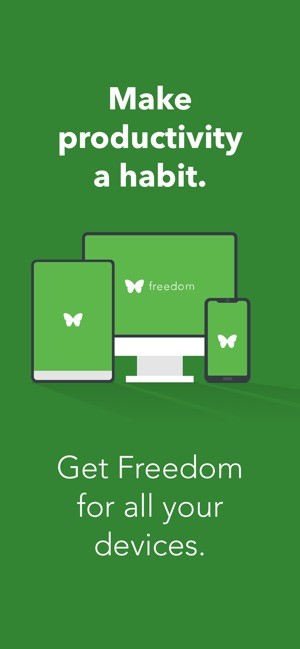
Freedom can also sync sessions across multiple devices linked to your account. This allows you to apply your restrictions to different devices—such as a computer and a mobile device—by selecting the relevant devices during setup.
Finally, the service includes ambient sounds to help you focus. Several sound environments are available, including café, library, and nature sounds.
Is Freedom Free to Use?
Freedom offers a free plan that lets you block apps, websites, or the entire Internet. It also supports custom block lists, focus sounds, and use across multiple devices. Sessions are limited to two hours, however, and must be started manually.
The Premium plan adds features such as scheduling sessions—including recurring sessions—the ability to start blocks in advance, and Lockdown Mode. It also allows you to create longer sessions and includes a session history. You’ll also be able to make annotations, use the “Block Everything Except” feature, and access additional benefits.
Freedom can therefore be used for free for everyday blocking needs. The Premium subscription is better suited for people who want to automate their focus periods or apply stricter restrictions.
Which Platforms Support Freedom?
You can download Freedom on Windows, macOS, iOS, and Android. The service also supports ChromeOS and Linux through its Google Chrome extension.
On Windows and macOS, Freedom offers a desktop app supplemented by a browser extension. The extension does not work on its own on these two systems: the desktop app must be installed to enable blocking.
On Android and iOS, the app lets you block entire apps in addition to websites, as well as create custom lists and sync sessions with other devices linked to the same account.
On ChromeOS and Linux, the Chrome extension lets you block websites directly in the browser, but it doesn’t offer all the controls available in the desktop apps.
What Are the Best Alternatives to Freedom?
AppBlock is a blocking solution that lets you restrict access to apps and websites that might distract you. You can create custom profiles, set restriction schedules, and block specific URLs or keywords. Available on Android and iOS, the service also offers extensions for desktop browsers. Its strict mode tightens restrictions and makes it harder to disable them. AppBlock is thus an attractive alternative to Freedom for organizing your work or study sessions and limiting distractions across your various devices.
StayFocusd is a Chrome extension designed to reduce the time spent on distracting websites. It allows you to set usage limits, restrict access to certain pages, and better control the time you spend browsing. Once the limits are set, you can devote more time to your priority tasks without being constantly tempted to visit the same sites. Unlike Freedom, StayFocusd focuses primarily on the Chrome browser and is therefore particularly well-suited for users who want to limit distractions directly from their computer, without installing a full-fledged blocking program.
Time Snatch is another alternative to Freedom, available as a Chrome extension. It allows you to limit access to certain websites using timers and user-defined blocking durations. This approach is ideal for people who want to manage their browsing without using a dedicated, cross-platform app. By setting restrictions directly from your browser, you can better manage the time you spend on distracting websites and carve out blocks of time to focus on your main tasks.