Game Booster 4x Faster is an Android optimization application designed for gamers who often complain about lagging, high frame drops, and thermal stuttering during long games. It is not a game or emulator, but rather a management layer that reduces system stress, enabling the device to allocate more power to gameplay rather than background processes. This tool is typically used by gamers when their competitive titles crash or require older hardware to play current games. It is not only a general utility but also a mobile performance-tuning application.
The app itself does some ordinary things, cleaning the RAM, prioritizing the CPU, and reconfiguring graphics settings. There is a mixed reaction among users who report improved results (some with a significant one), while others report slight improvements. This is highly contingent on the level of busyness of the phone. The boost is noticeable on a mid-range device with plenty of active applications, especially in shooters or open-world games. In more recent hardware, the author's decreases are less dramatic since a lot of the optimization is already done by the device.
The interface is easy to use, requires no expert knowledge, and does not require the user to edit system files. It is user-friendly and can be used by any phone user who seeks to reduce stuttering without going through development settings.
What Are the Key Features of Game Booster 4x Faster?
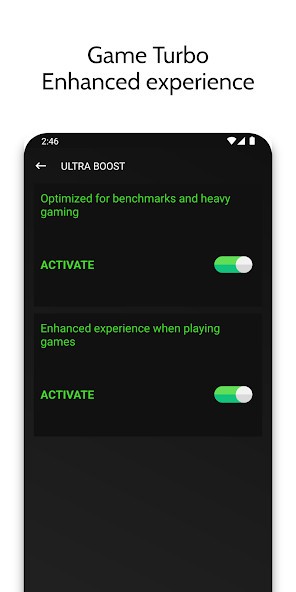
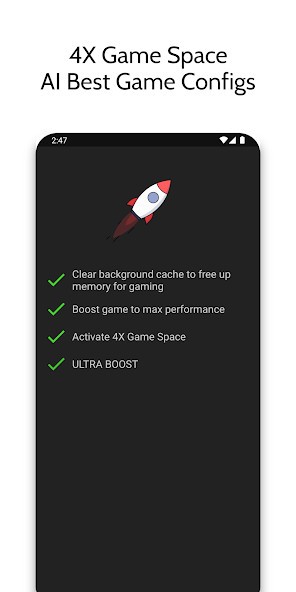
The functions are oriented around three essential functions: one-tap boost, graphics control, and live monitoring. The boost will clear background applications, cut the idle RAM, and allocate additional performance to the running game. Another feature of the app is the Game Turbo mode that provides a performance-focused environment by tuning rendering and frame pacing smoothing. It mentions AI optimization, but it is not stated whether it refers to machine learning or simply to preconfigurations for some games. This is aimed at auto-adapting resources and eliminating manual adjustments.
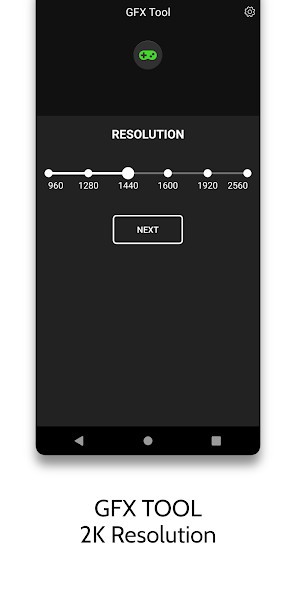
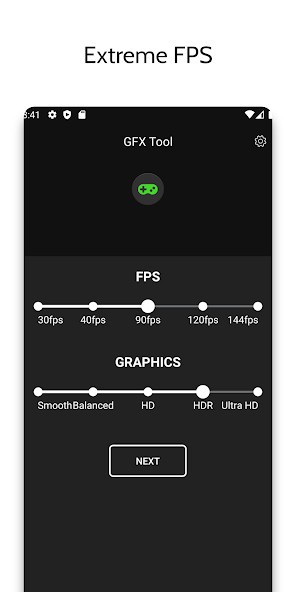
An integrated graphics effects tool allows players to make images sharper or close the FPS ceiling, which is otherwise capped by the game. Users can increase resolution to 1080p and beyond, enable HDR graphics on lower-end devices, specify drastic frame-cap values (when supported), and use visual tone presets. Although not everyone uses this feature, higher FPS is usually beneficial in shooters and fast-paced games.
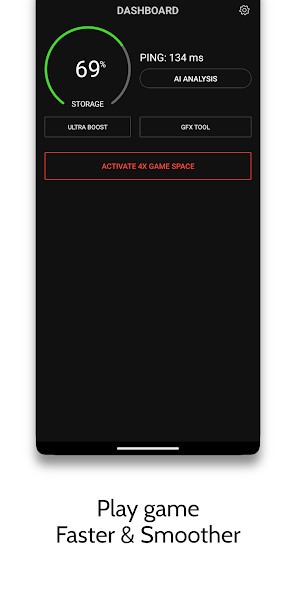
Other minor tools provide real-time HUD monitoring of storage pressure and network latency. Zero Lag Mode activates the device to full performance mode by killing background applications and reducing system overhead. Quick Launch enables users to access games without going through normal menus, but can directly open the game from the booster. None of these features is revolutionary, but they all work together to make a gameplay that is more fluid out of a phone that is already on its knees.
Is Game Booster 4x Faster Free to Use?
The application can be downloaded using Google Play, and the essential optimization options are free of charge. Ads or optional premium upgrades may contain some advanced features or higher speeds of execution, depending on the region. It allows users to improve performance, customize graphics, and monitor device load at no cost, so they can experiment with its effects without committing to anything. There is no need to purchase it to test its efficiency.
Which Platforms Support Game Booster 4x Faster?
Game Booster 4x Faster is an Android-only application. No Windows PC, iPhone, or other platform version exists, and its functionality depends on how Android is implemented in background processing. This is what makes such boosters mostly Android-only; the operating system has allowed third-party applications to alter system behavior in ways iOS does not.
The app is usually available on Android 5.0 and above devices and is most useful on those devices that have bottlenecks in their gameplay. Mobile phones with 2-3 GB of RAM or having numerous applications running at once are also likely to experience memory freeing, showing a decrease in lag. In newer flagship models, the OS already does scheduling and optimization, so improvements can be negligible or nonexistent. Some users install boosters because of the commodity; others enjoy making graphics changes by hand.
It is easy to install through the Play Store. Upon installation, the app prompts the user to grant permissions to clear memory, network, and storage access to monitor the HUD and kill background processes. Subsequently, clicking a game in the interface enables performance mode without any technical configuration.
What Are the Best Alternatives to Game Booster 4x Faster?
Game Booster X is an optimization application that focuses not on maximizing FPS but on stability and minimizing random frame spikes. It has a sparse interface that is straightforward to use, without having a slew of sliders. It frees up RAM, reduces network usage, terminates apps running in the background, and sets out to find a less stuttery frame rate with less vigorous tuning. Most users who have mid-level devices also report that the long sessions are more consistent as thermal strain reduces. It is not the most violent booster, but it does not make noise and is effective and reliable. Many users simply download it, test the impact for a few matches, and then decide whether to keep it installed.
Whereas Game Booster 4x Faster emphasizes graphics and performance boosting, Gaming Mode PRO focuses on interruption removal. It also allows players to add per-game profiles controlling the brightness, network routing, notification blocking, network background activity restrictions, and other automated policies. It is aimed not at increasing FPS but at providing a continuous experience. Competitive players and streamers tend to choose this tool since it does not seem like a performance tool but a custom game setting. People who like automation often download this app just to keep gameplay interruption-free and distraction-proof.
Game Turbo APK is an independent performance interface similar to MIUI, the built-in Xiaomi app. It is not on Google Play but is downloaded from APK repositories. It is more functional than the majority of boosters, when compatible, having FPS overlays, graphics utilities, game shortcuts, touch responsiveness, and sometimes built-in voice changers or screen recorders. The weakness is a lack of compatibility. Some work with it perfectly, while others experience UI conflicts or system instability. It is potent but experimental, suited to users who prefer to tweak settings to an extent that stock Android does not offer, rather than simply pushing a single boost button. Still, many tech-curious players download it purely to explore deeper optimization controls beyond Google Play options.