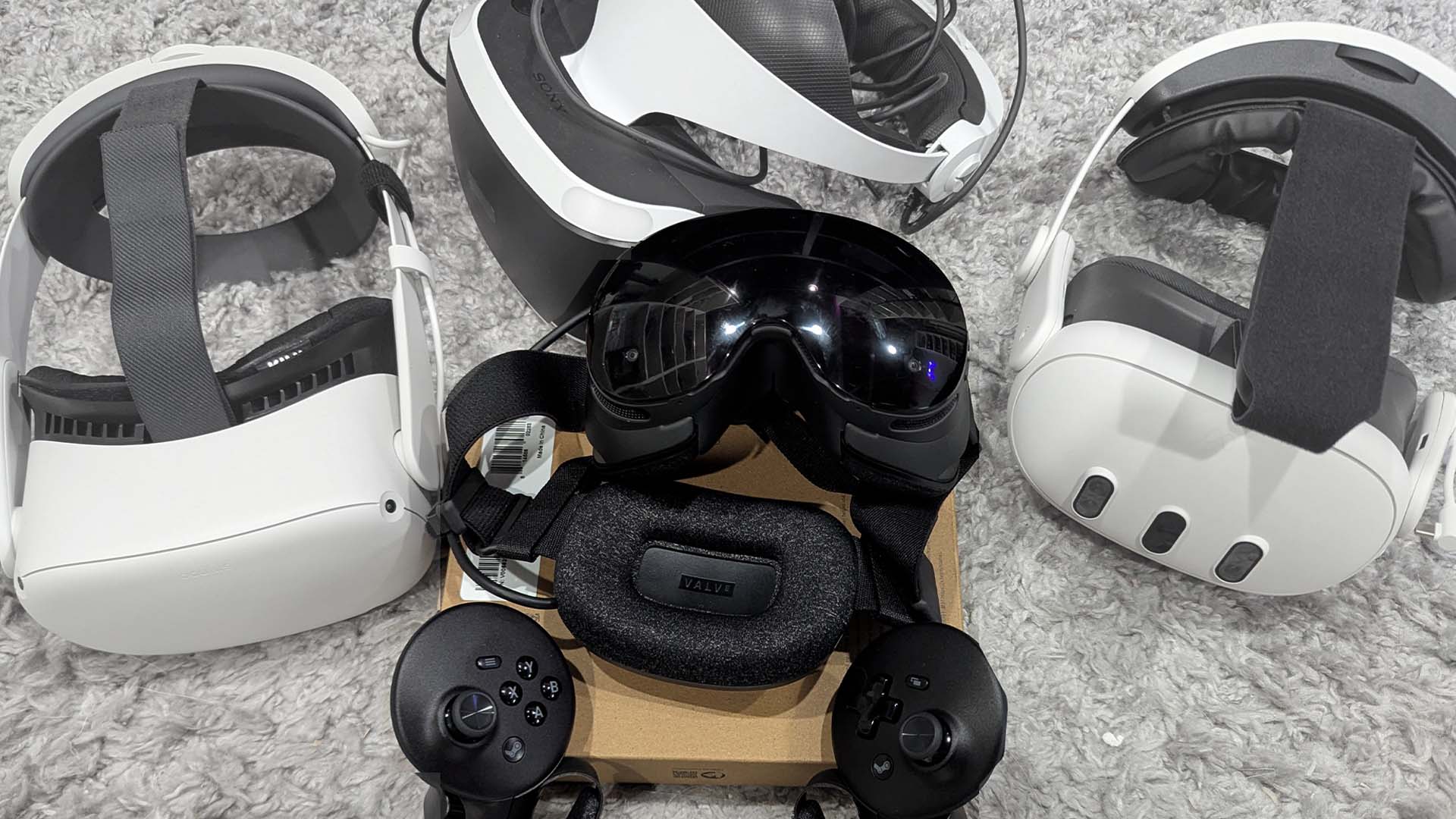
Valve’s third and final new piece of hardware shipping this year is the Steam Frame, a standalone virtual reality headset that at times feels like having a Steam Deck attached to your face…but in a good way. However, while the Steam Controller was a great product at a fair price and the Steam Machine was an interesting idea priced too high, the Steam Frame is a confusing creation with a very large price tag that makes it almost impossible to recommend in a world where a Meta Quest 3 is $600 or less.
The Steam Frame is meant to replace Valve’s last VR headset, the Index, as its flagship virtual reality product. Starting today (and ending September 17), you can register for the opportunity to buy one in the near future as part of Valve’s pre-registration and pre-order process. The device comes in two different flavors: A 256GB model that costs $1,060 and a 1TB version that costs $1,300. Valve is also selling an Ergonomics Kit for $60 that includes some controller straps and a top support strap for the headset itself. Based on my experience, you are going to want these items.
I’ve been playing around with the Steam Frame for just over a week now after Valve sent me one to review. As someone who has played a lot of VR games and used many headsets, including (but not limited to) the PSVR, Index, HTC Vive, and Quest 3, I was curious how Valve’s pricey new virtual-reality device would compare. The good news: Valve’s Steam Frame compares favorably to every headset I’ve ever owned or worn in the last decade. The bad news: It doesn’t blow the current competition away, which is a problem when it costs this much.
The design and feel of the Frame
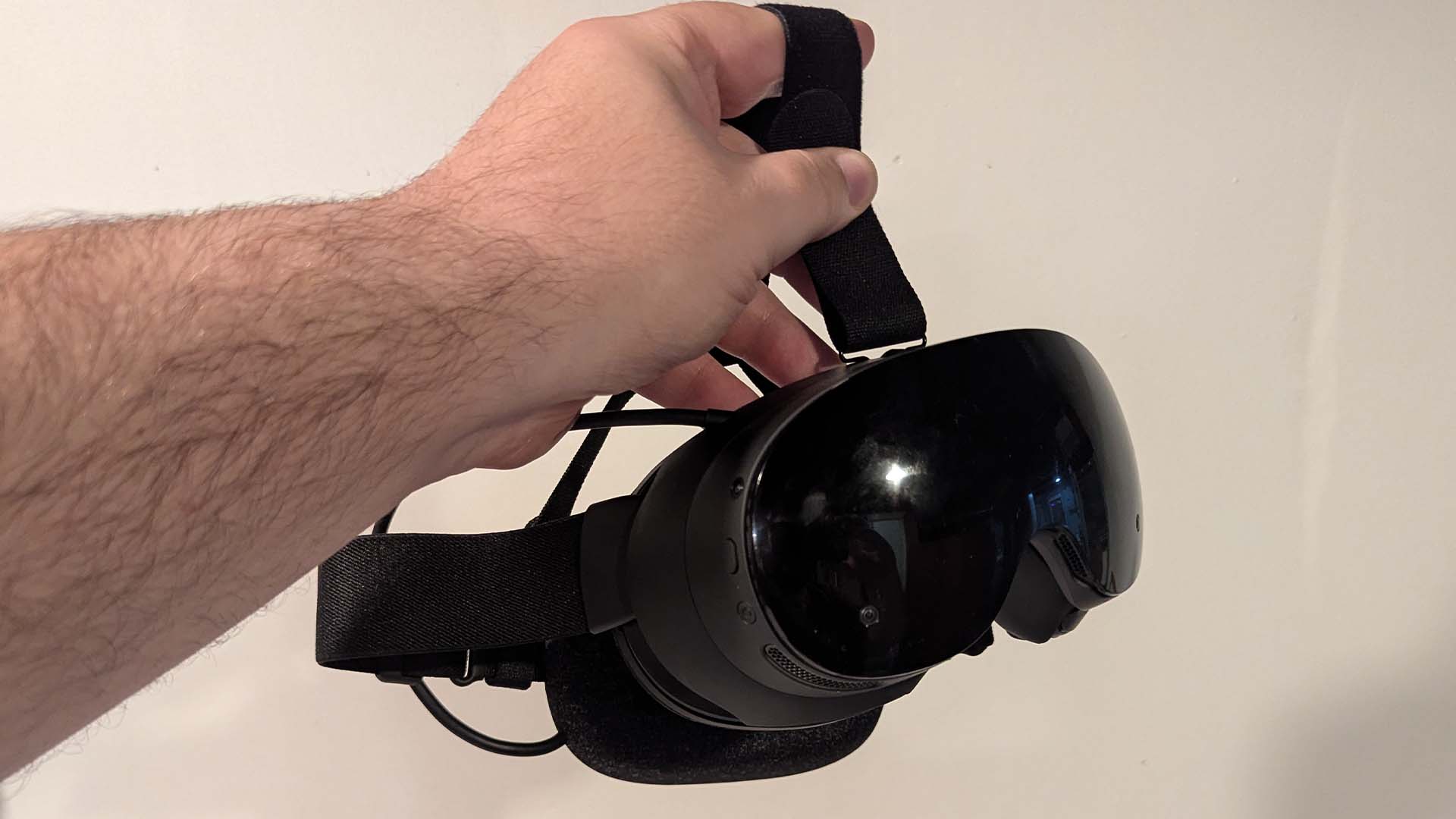
Right away, picking up the Steam Frame for the first time felt bad. Valve’s device is basically just a pair of thick plastic goggles, and the rest of the “Frame” is just cloth straps and a rubbery battery pack that also functions as a comforting support pad for the back of your skull. This design makes the device lightweight, but also makes it feel very clumsy and delicate to pick up. The device also has a super-shiny black plastic-y finish on the front, which makes every fingerprint and smudge show up. The Frame also uses magnets to keep its faceplate and cushion guard attached to the device, which is handy in theory. But in practice, it meant that every time I picked up the Frame, it made various creaking and cracking noises as the magnets declicked a bit from pressure. It doesn’t really feel like a sturdy, $1300 device.
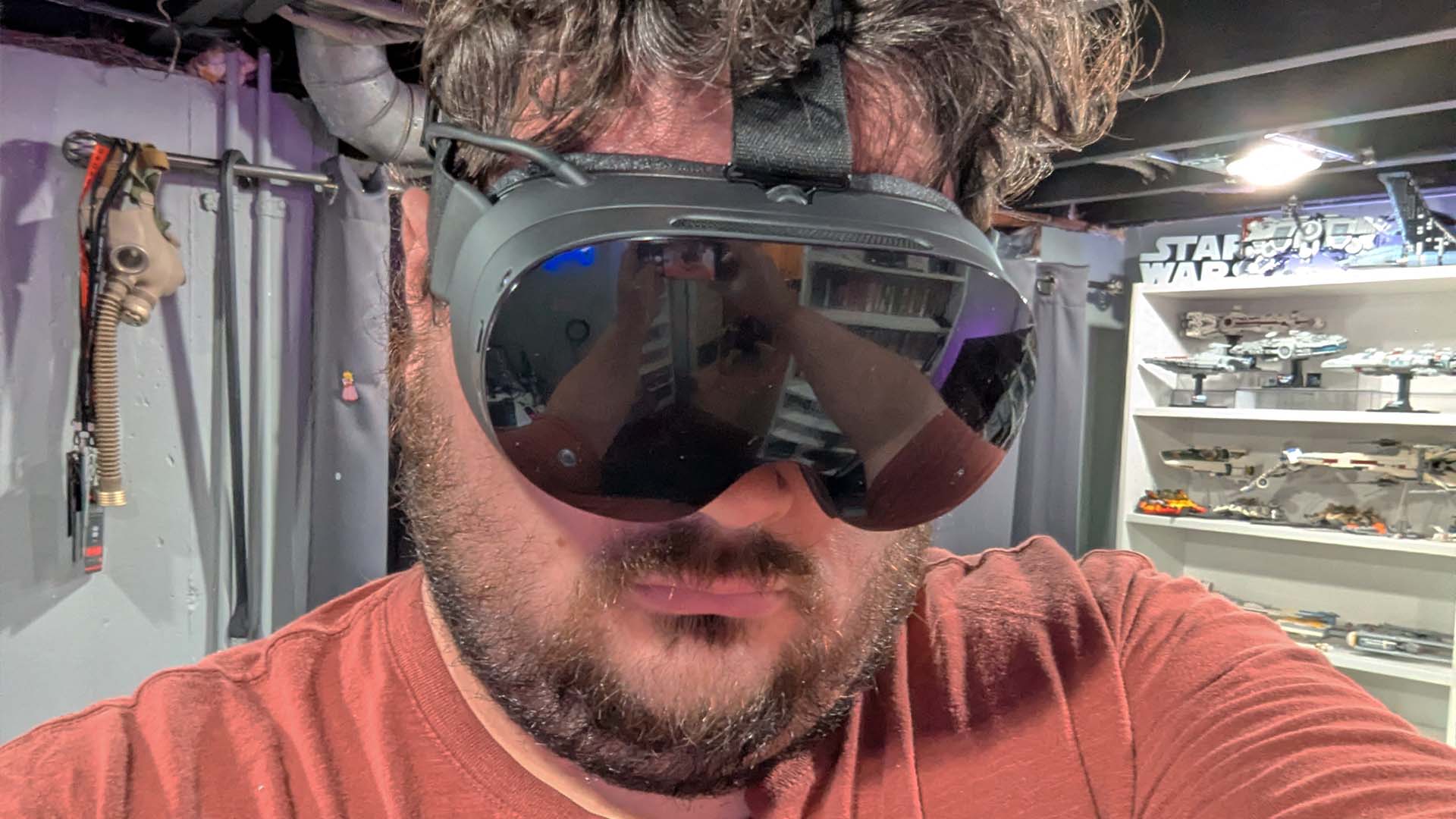
Once on my face, the Steam Frame’s lightweight design and build became a huge advantage. It might be one of the most comfortable headsets I’ve worn, even without the extra $60 headset strap. The screen and lenses are super nice, and when I was zipping around the menus, the text was so clear and sharp that I let out a “wow” upon first glance, and I’ve spent many, many hours in VR menus.
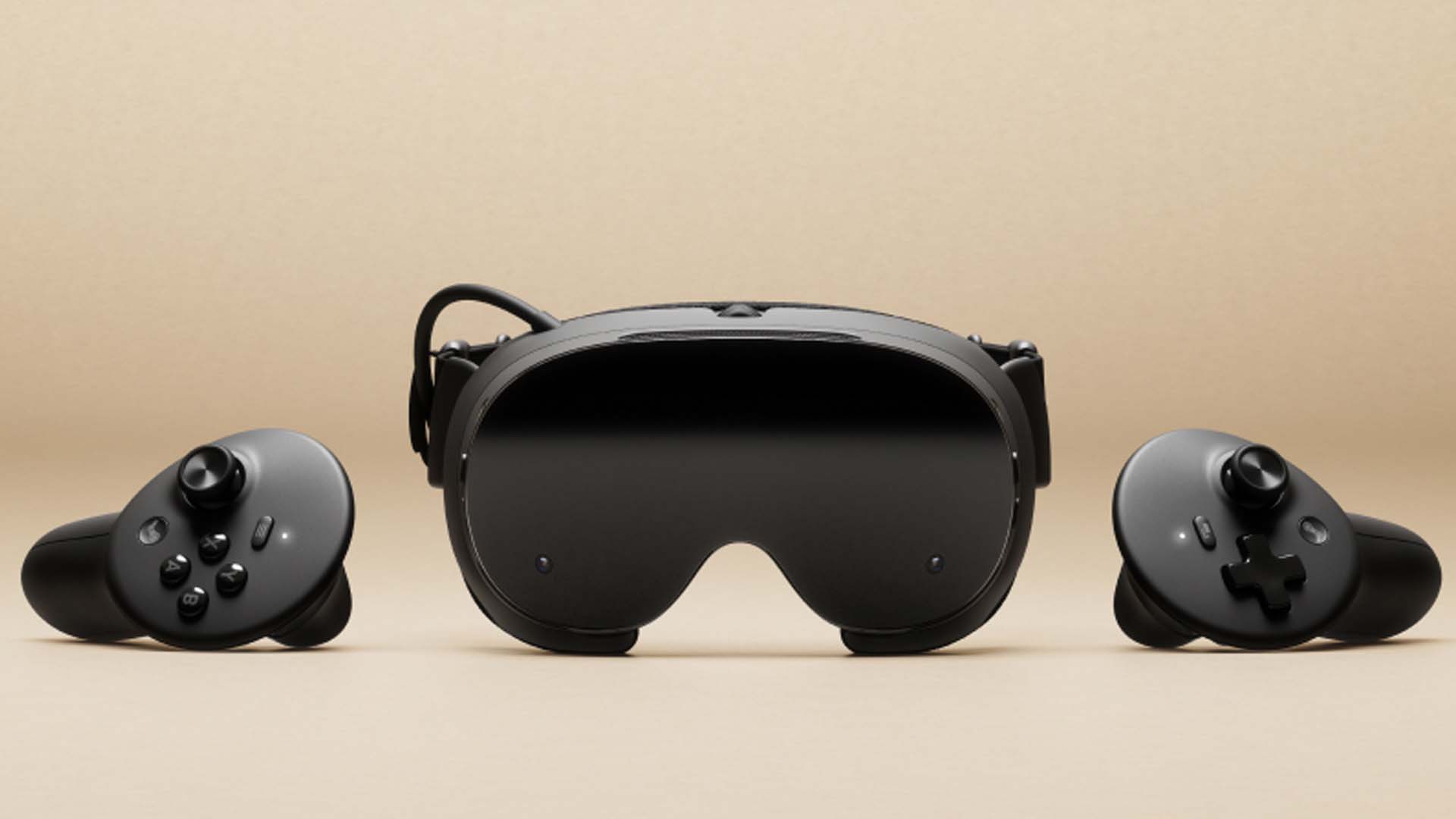
On the flip side, Valve’s new controllers for this thing are a big disappointment. Don’t get me wrong, they work fine and are similar in shape and function to almost every other modern VR controller on the market. In particular, they seem directly inspired by the Quest’s controllers, which makes sense as that’s become sort of the standard design for VR motion controllers over the last few years. It just bums me out that Valve has gone this route instead of expanding on and perfecting the company’s far superior Index controllers, which were bigger, felt more advanced, and were just more comfortable to use.
Without the $60 kit I mentioned already, the Frame’s controllers are just short plastic wands you have to hold on to at all times, which ain’t great. With the hand straps, they become better, but I still found the placement of some buttons to be off, and the grip trigger on the handle feels like a step down from what Valve was doing with the Index’s controllers years ago.
Using the Steam Frame
Once the Steam Frame was on my face and the controllers were in my hands, I began messing around with the device and quickly discovered that, just like with the Steam Machine, Valve has mostly ported the Steam Deck experience over to the Steam Frame. There are more changes here because its a VR device, but if you’ve used a Steam Deck or booted up Steam on a PC in the last few years, you’ll be able to navigate the Steam Frame’s interface easily.
On paper, the big appeal of the Steam Frame is that, unlike some other headsets that require finagling to play nice with Steam on PC, the Frame offers a pure, easy-to-access Steam experience in a self-contained headset. Just install any VR game onto the device directly, no PC needed, and start playing. However, reality proved to be a bit more complicated and messy than that.
I experienced all sorts of problems trying to use the Frame. One really annoying issue involved getting the damn thing to connect to the internet. It required three restarts before it would finally connect to my wifi. Later on, I had to disconnect and reconnect the wifi on three different occasions to get it to start downloading games again.
Keep in mind that Valve was pushing out updates for the Steam Frame frequently during my review period, with some parts of the device and its OS improving as a result. But the wifi issue happened again, even after the most recent Valve update. Other problems I experienced happened while playing games in the Steam Frame. These included random cuts to black when playing standalone games directly installed to the headset, bad controller tracking, and performance hitching on both Steam Frame–verified and non-verified games.
Valve’s big flagship VR game, Half-Life: Alyx, is playable on the Steam Frame, something Valve explained took a lot of work to pull off.
“While we initially didn’t think Alyx running natively on the Steam Frame was likely to be possible, the combination of Foveated Rendering & Eye Tracking turned out to be a silver bullet that enabled us to make it work,” explained Valve. “The Steam Frame’s 16GB VRAM was also a critical piece, allowing us to avoid having to change any assets, or needing to degrade the gameplay experience.” And yet, it still took another year to get Alyx running on the Frame.
And Valve pulled it off. Alyx is fully playable on the Frame, which is impressive. The problem is, this is a poor way to play Half-Life: Alyx. To get the game to run at a steady framerate, I had to lower the graphics fidelity down to low. And even then, I still had hitching and freezing during big fights or when barrels started blowing up. If you’ve never played Half-Life: Alyx before and don’t mind some visual downgrades compared to the game running on a nice PC, this will do fine. And every Frame ships with a copy of Alyx included, so you might as well try out what I consider to be one of the best VR games ever made. And maybe a later update will help improve the experience.
I also had a terrible time trying to play some other VR stalwarts on the Steam Frame.
The Walking Dead: Saints & Sinners wouldn’t even start, instead trapping me at a screen asking me to reset my position by holding a combo of buttons. After numerous restarts and swapping out community control schemes, a feature directly ported over from the Steam Deck and Machine, I gave up on that one. Next up: Beat Saber! A true VR classic and another game that didn’t play nice with the Steam Frame. The first few times I tried to play it, the game would randomly freeze. And then, after a bit, the headset would crash and reset entirely. Eventually, after a recent update to the Steam Frame and after turning down visual options in Beat Saber, I was able to get it working.
It wasn’t all bad news. Half-Life 2 VR, a fan-made virtual reality port of Valve’s classic FPS, ran very well on the Steam Frame and ended up being a highlight. The less demanding visuals likely helped a lot, but I had a great time re-exploring City 17 in VR. Another highlight was Arizona Sunshine Remake, which ran perfectly on the Steam Frame. I ended up spending a lot of time in the game, well, until the battery died. Which didn’t take long.
Streaming games is (almost) like magic
In my testing with the Steam Frame, I found that while playing games on the headset I could get about an hour to 90 minutes of playtime out of a full charge. This varied a lot depending on the game. Half-Life: Alyx, for example, really drained the headset fast, as did other visually intensive VR experiences. Meanwhile, Beat Saber wouldn’t suck the battery dry quite as fast, letting me play plenty of songs before I needed to recharge.
One way to extend battery life and also play games without having to deal with downgraded visuals is to use Valve’s streaming tech to play VR games that are installed on your PC on the Frame remotely without any cables. This was easily the thing that impressed me the most about the Steam Frame.
In the past, I’ve tried streaming games from my PC to the Quest 2 and Quest 3 and it never worked well enough to replace the fancy cable I have dangling from my office ceiling that runs back into my PC. They had noticeable lag, limitations, and artifacting. That hasn’t been the case at all with Steam Frame’s streaming. Valve uses both an included wireless puck plugged into your PC as well as your home’s wifi network to offer a powerful streaming solution that worked flawlessly in my testing.
I played everything using this setup and it worked without fail. It was so seamless and perfect that I quickly forgot I wasn’t connected to a cable. Being able to play a high-end VR game without any wires attached to me or any noticeable lag or streaming errors was revelatory, and its easily Valve’s biggest win with the Steam Frame.
And bonus: When streaming, I noticed I was able to extend the Frame’s battery life beyond the 60 to 90 minutes I experienced while playing games directly installed on the headset. Streaming isn’t a miracle, though, so I did eventually have to take the headset off and charge it. And it was during these charging times that I started to ponder who the Steam Frame is for. I’m not really sure.
Who is this for in 2026?
If you’re someone who isn’t really invested already in virtual reality and you want to hop in, the Steam Frame isn’t the headset I’d recommend. Is it easy to set up and use with a PC that already has Steam installed on it? Sure. But $1000+ is a lot of money to pay for a headset if you aren’t even convinced VR is something you’ll enjoy. Instead, I’d suggest buying an officially refurbished Meta Quest 3 for under $600. This is a headset I really like and which feels more substantial and sturdy in the hand while also offering a responsive and stable experience. Are the Quest 3 specs as good as the Frame’s? Not quite, but it’s close enough in most ways that I think a lot of people, especially VR newbies, won’t really mind the difference. You can get an older Quest 2 for even less, though it is a far less capable headset.
Meanwhile, if you’re someone who plays a lot of virtual reality already, I’m not sure the Frame offers a meaningful upgrade. If you already have a great setup with a Quest 3 or Pimax headset, the Steam Frame isn’t likely to be worth the money. The only exception to that would be if you really want a standalone headset powered by Steam. But again, if you’ve been playing VR for some time now, you’ve likely figured out solutions to any Steam-related headaches, and/or have invested heavily in the Meta Quest ecosystem and modding scene. And if you own a badass PC but no VR headset, well, there are cheaper options out there that will offer you a similar or better experience if you have no plans to ever play VR away from your PC and its cable.
Even if the Steam Frame had a better battery life, didn’t feel as flimsy to pick up, and had more reliable software, its $1000+ price tag makes it hard to recommend it to anyone. That’s doubly true in 2026, when it feels like VR gaming has become a much smaller, less exciting space than ever before.
Any time I talk to people about VR headsets, the two main games they care about playing are Beat Saber, released in 2018, and Half-Life: Alyx, released in 2020. New games are coming out and some of them are cool, but VR gaming just feels so stagnant these days. Everything is a gallery shooter, puzzle game, or weird physics playground. VR feels more and more like a dead end, and even an incredible headset can’t get around that fact.
The Steam Frame doesn’t feel like a VR headset that’s ready for primetime, and it arrives at the worst moment, when tech prices are higher than ever and VR isn’t in a good place. It’s a device that feels like it exists solely because Valve’s Index was nearly six years old and the company wanted to ensure it had something on the market to support all the virtual-reality content that exists on Steam, something it controls and which is high quality. And the Stream Frame checks those boxes, but after nearly two weeks with it, I’m just not sure about it. If someone asked me what I thought, it would get a big “shoulder shrug and grimace face” from me.