Where Are My Cards?
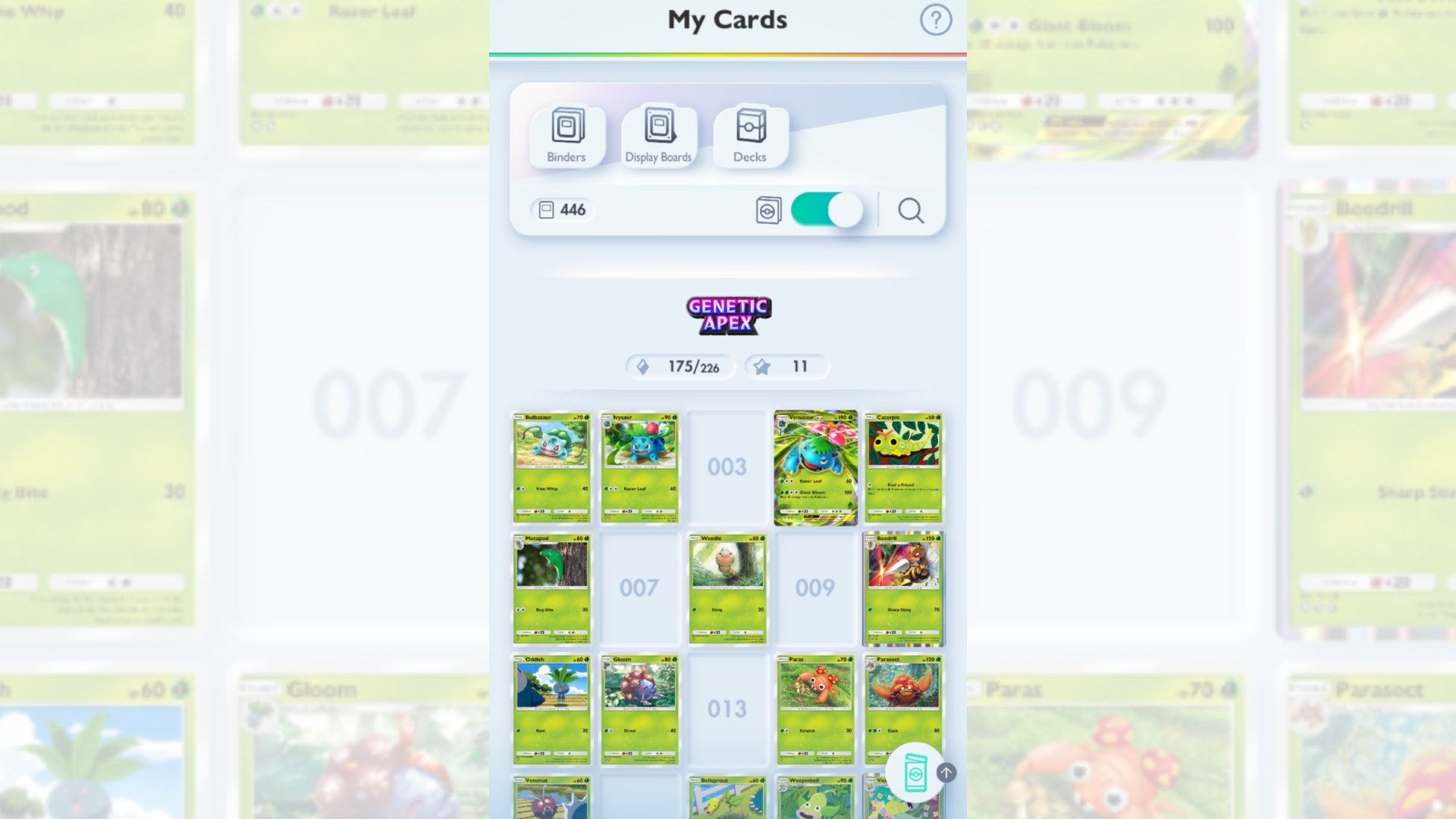
When you open a pack, your cards are automatically added to the “My Cards” section, which can be viewed by pressing the second button from the left on the bottom of the screen. From here, you can create specific binders to show off cards from your collection, or build a display board to highlight a favorite card. This section also lets you add “Flair” to individual cards, which is just a cosmetic effect such as sparkles or bubbles, by consuming duplicates and Shine Dust. If you are having trouble adding flair to a card you have multiples of, make sure you have the correct quantity of copies of the card and ensure you will still have at least two remaining after the flair is purchased. Also note that Shine Dust is only used to add flair, so don’t worry about hoarding it.
By pressing a tab near the top of the screen, you can also toggle between recently added cards and their quantities, or have the cards organized by their placement in the expansion. The former is useful in quickly searching if you have enough duplicates to add flair, while the latter can be incredibly helpful in determining what is needed to fill holes in your collection.