8BitDo Ultimate Wired Controller – For The Homesick PlayStation Fans
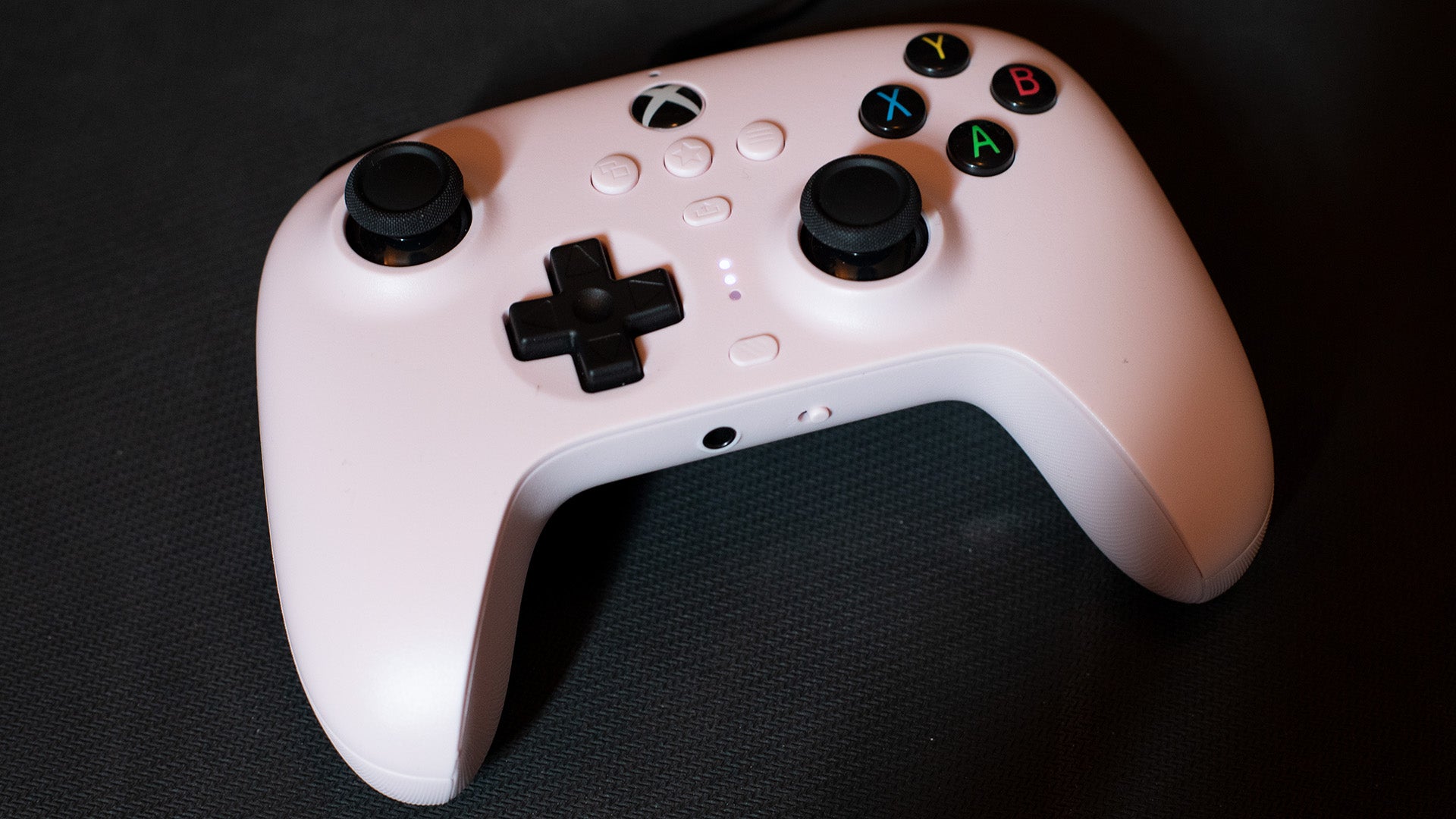
If you’re looking for a comfortable controller with a different shoulder button layout from standard Xbox “bumpers,” and don’t mind a non-detachable cable, the 8BitDo Ultimate Wired controller is a pretty sweet choice. And it’s the one I gravitated toward the most when testing all of these out.
The first thing that struck me about the 8BitDo Ultimate was how its shoulder buttons are basically what you’d get if you crossed a DualShock 4 with the PS5’s DualSense (minus the special triggers in the DualSense of course). It also sits in a controller housing that’s more akin to a Nintendo Switch Pro shape than an Xbox controller, but it’s not a one-to-one clone of the Nintendo form.
The shoulder buttons encourage you to grip the controller a bit differently, likely using your index fingers for RB and LB (or R1 and L1, as you might be more used to). This is a bit different from most standard Xbox controllers, where you’re usually using the edge of your index finger to activate the bumpers. You can still sort of do that here in the same way you could sort of do that on a DualShock 4 or something.
It still has asymmetrical sticks, so it’s not a total replication of a Sony experience, but the buttons feel great, and the top and rear textures just feel very pleasant to hold. Of all of the controllers on this list, I find myself reaching for this one the most, and not necessarily because of the shoulder buttons. It also has two rear-buttons that you can program with software, with three profiles you can switch to with a single button press.
You will need a PC or some way to connect this to an Android or iOS device to program the rear buttons, but since you get three profiles, you could set them all to the most common setups you’re likely to use. There’s also a neat “button swap” option that lets you hold down any two buttons and swap them with a press of the “Star Button.” So you could quickly get Nintendo-style confirm/cancel locations. To be honest, I found this a little finicky, since you’re relying on the controller’s blinking lights to let you know you’ve successfully swapped them, but I imagine anyone who’d use this feature regularly would develop a sense for it.
This is far and away the most comfortable controller for me out of this list. And I would tell you that maybe this is the best budget controller for Xbox and PC…but then I’d be neglecting the most frustrating element of it:
You cannot detach the damn cable from the unit. Sure, it’s got another one of those quick-breakaways that make me feel like it’s 2004 again, and that’ll save you in an emergency, but it’s still kinda stupid. The cable also just slumps out of the device in a way that screams “connection failure” in a couple of years. Though I’m sure the Drift will get to this before that happens.
That said, this was the controller I found myself playing with the most out of this list, so it’s a caveat to an otherwise excellent budget controller.
It also has a sibling, the Pro 2. This one has the buttons sitting on a much flatter surface, and feels distinctly more “Sony.” That’s mostly because it has one important thing if you’re a PlayStation-style diehard: symmetrical sticks.
While it reminds me of the classic PlayStation 1 Analog controller (not DualShock, the rumbleless one that preceded it in the States), it’s noticeably of poorer build quality than the Ultimate, and there might be some compatibility issues as the box only says Xbox Series X and Xbox One on it, whereas the Ultimate supports both Series consoles, the One, and Windows 10/11.
The Pro 2 controller nearly made the list as a possible option, but unless you feel that you absolutely need symmetrical sticks for some pseudo-scientific reason having to do with “ergonomics” or something (don’t email me about it, please), you’re much better off going with The Ultimate controller as the overall build quality feels far better.