Hyperkin X91 Ice – For The Nostalgia Junkies (And Parents)
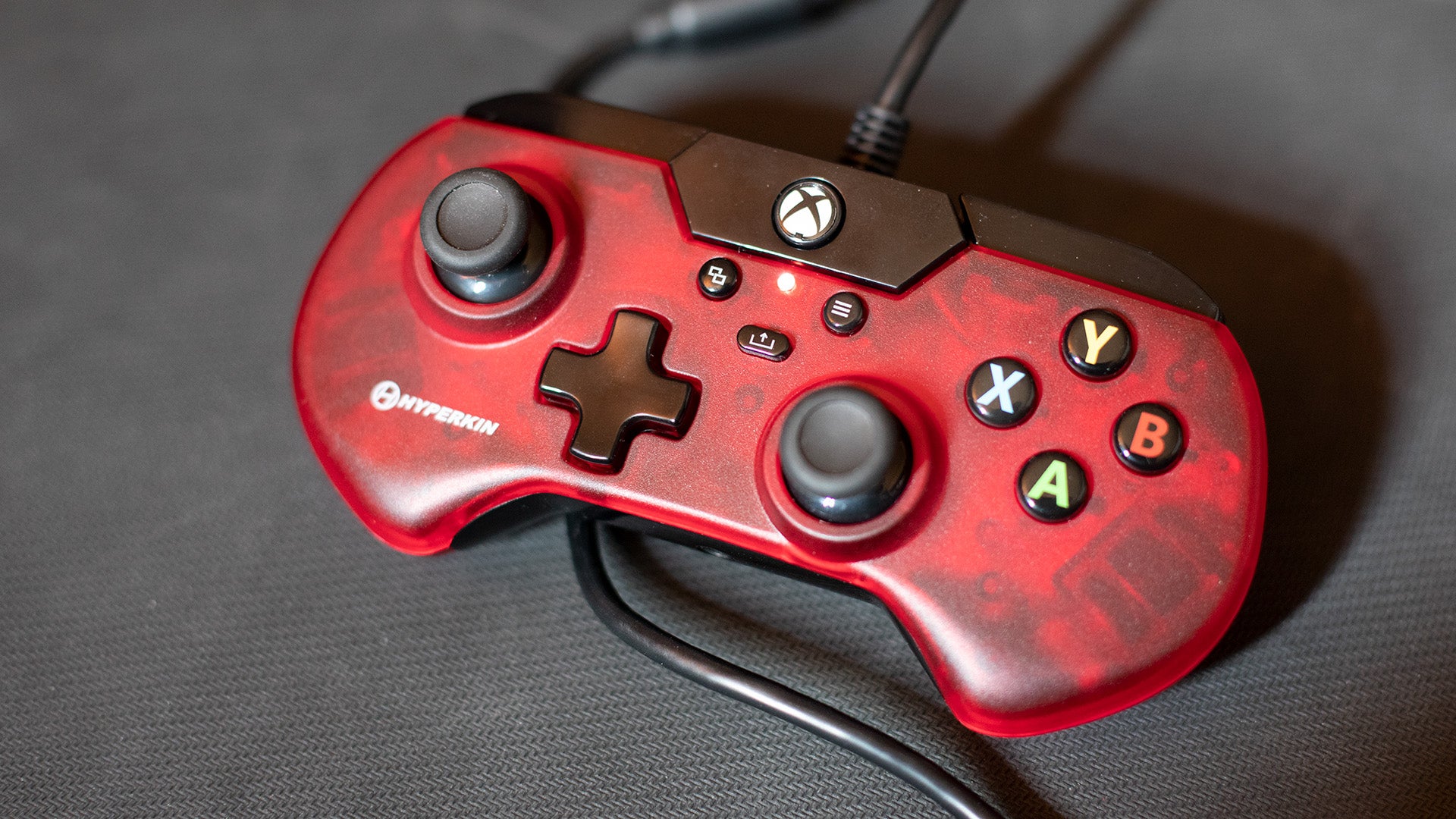
If you mostly play indie games, run emulators, or need something with a smaller, more classic form factor that doesn’t sacrifice modern button configurations, the Hyperkin X91 Ice might be quirky enough to fit those needs.
The Hyperkin Ice controller bends the rules of this list a bit, but it’s for good reason. It’s the only controller here that wildly deviates from the standard gamepad shape that we’ve more or less become accustomed to since the late 2000s. It’s a smaller size and definitely isn’t something you want to use in sweaty competitive matches, but if you’re looking for a bite-sized controller to enjoy chill indie games with, or you have a child or younger sibling who’s yet to grow into a full controller, definitely check this one out.
Most modern controllers are designed for you to wrap your hands around them in a death grip as you mow down the opposition with triggers designed for rapid fire. The Hyperkin Ice is a more retro style, allowing for a gentler grip. You can just sort of cradle it in your hands, and if you’re not a caffeine junky looking to scream your way to the top of a multiplayer board, you might find this one to be more your style. And for a person with smaller hands, like a child, or a teeny grown-up, this might be perfect.
It has all the necessary features of a modern controller: two asymmetrical analog sticks, a d-pad, four face buttons in Xbox configuration, bumpers, and triggers. The vibration is also very generous for something so small. There are no pro-style rear buttons here.
The triggers sort of push the limit on this form factor, and they’re quite stiff out of the box. Honestly, if they were designed or shaped a bit differently, I could see using it in a competitive shooter. However, you might only need a controller to play indie games which maybe don’t rely on triggers as often. If you don’t care about modern form factors, this isn’t a bad gamepad to consider.
Perhaps its biggest flaw is that it does not have a detachable USB cable…sort of. While you can’t pull the cable out of the base of the gamepad itself, it does have that “break away” cable feature that original Xbox controllers had.
I also had some compatibility issues when I first plugged it in. Certain buttons wouldn’t work at first, and then they all of a sudden did as if the controller finally had its morning coffee. Haven’t noticed this since, however.