When I sat down for my interview with two people from Valve, engineer Jeremy Slocum and designer Lawrence Yang, to talk about the company’s upcoming Steam Controller, I had one important question to ask: Why couldn’t I see the controller’s battery life in Steam when connected wirelessly? They laughed before Yang explained that players will be able to see the battery life when the controller ships. That feature just wasn’t available to me in the current Steam beta branch.
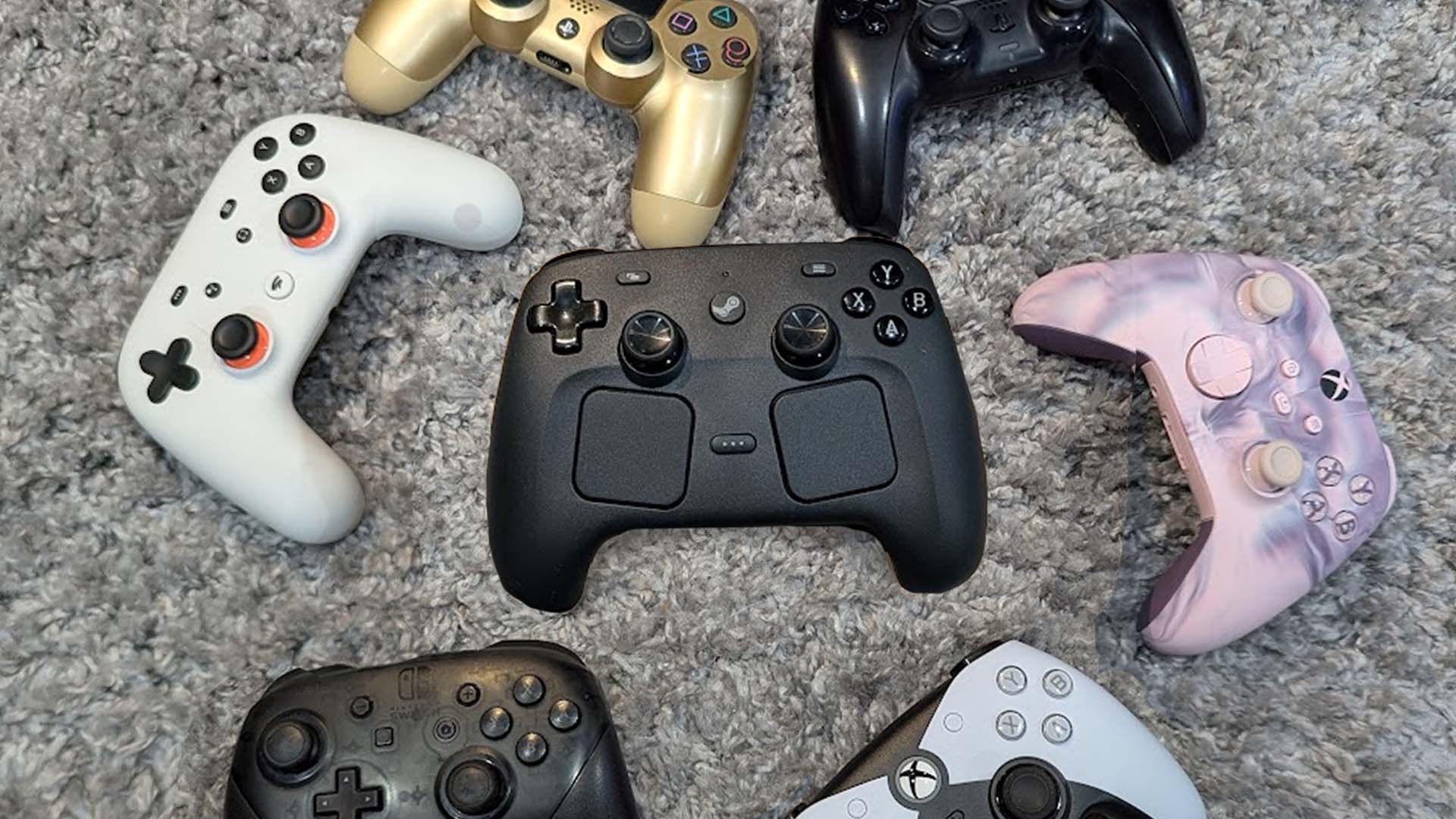
I nearly ended the interview there, as my one major question had been answered, but figured folks like you (and my boss) would want me to go on, so I asked some more questions about Valve’s next hardware release: The $100 Steam Controller, launching May 4. I’ve been using it for a few weeks now, and it’s quickly become one of my favorite controllers ever thanks to its comfortable design, useful back buttons, and USB-powered puck that both charges the controller (without ever overcharging it) while also being a wireless dongle that makes it so users never have to mess with the horrific tech that is Bluetooth again. (The Steam Controller does support Bluetooth, though, if you so desire.) Overall, it’s a fantastic controller that has become my primary way to play games on PC.
But I was curious why Valve was even making a controller in an era where PC gamers have more than plenty of other, often cheaper, options.
Valve explained that after shipping the Steam Deck and seeing how people loved the controls—including the touch pads and back buttons—and were playing nearly every kind of game on the handheld PC, the team was confident it had cracked the problem it set out to solve with the original Steam Controller back in 2015. But as people began docking the Steam Deck to play PC games on their TV, a new problem became apparent.
“People were playing all sorts of different games on their Steam Decks,” said Yang. “And then we saw a lot of people were docking their Steam Decks and finding that they had to compromise with other controllers because when you’re docking, when your Steam Deck’s over there, you have to use a different controller to play when it’s on the TV. So we thought this is a really great time to take the learnings we have from the Steam Deck and make a Steam Controller that will address all of these needs.”
Valve also knows people are sometimes just using whatever controller they have near them on PC, and it might lack all the useful inputs of the Steam Deck. And Valve wanted to ship the Steam Machine with its own controller and, well, it just felt like “all of the stars aligned, and it just made sense for us to ship it,” said Yang. Meanwhile, Valve confirmed the Steam Machine and Steam Frame VR headset are affected by RAM shortage. When these devices will launch is still unknown beyond the promise of 2026.
Steam Controller…2?
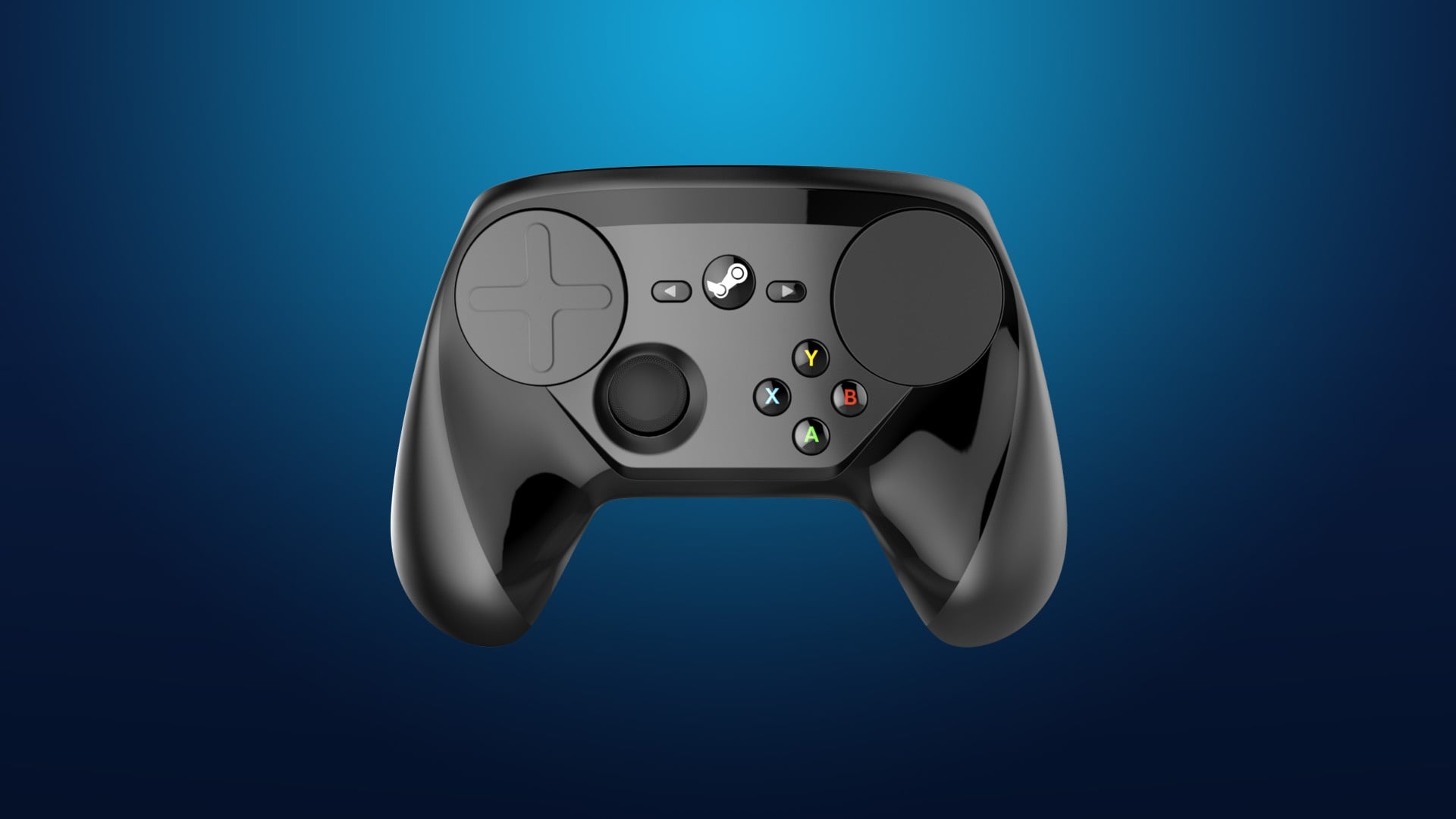
As mentioned already, this isn’t the first time Valve has tried to build and ship a PC gaming controller. The first time happened back in 2015 with…the Steam Controller. It was an odd duck of a game pad, featuring only one thumbstick and two large, differently shaped touch pads.
“When we shipped the original Steam controller, we had a problem that we wanted to solve, which is we wanted people to be able to play all their PC games…even if the game wasn’t made for a traditional game pad, which is why [the original Steam Controller] had these cool track pads that let you emulate basically mouse and keyboard actions,” explained Yang as he pulled out an original Steam Controller to demonstrate over Zoom.
It was a cool idea, but it didn’t really catch on with most players, as many people, myself included, found the original Steam Controller to be strange to hold and not easy to just pick up and use. I asked if Valve learned that it needed to make its next controller less strange after the reaction to the 2015 Steam Controller.
“Yes,” said Slocum. “It’s very important that when you look at it, it’s familiar, and you know how to use it. If not, there’s some hesitation there [with] people trying new things. It’s like, ‘I don’t know what this is. I don’t know how to use it. I don’t want to mess with it. I’ll use this other thing instead.'” But as Valve also pointed out, it learned a lot from the Steam Deck, which itself was informed by how people reacted to the old Steam Controller. And Valve took all of those learnings and applied them to the new Steam Controller.
“With the design of [the new Steam Controller], we wanted people to pick it up and have it feel familiar to a traditional controller,” said Slocum. “If you want to display a simple gamepad game, you can pick it up and use it, and you don’t have to think about how to use it. You have the muscle memory and everything that allows you to play it.”
And given that I have to keep referring to these controllers as “the old” Steam Controller and “the new” one to avoid confusion, you might also wonder if Valve ever planned to name this new gamepad something else. I was curious and asked if Valve had done any brainstorming for a fresh name.
“We hadn’t,” said Yang. “I mean, you know, it was either going to be Steam Controller or Steam Controller 2.”
“We just basically came to a consensus that ‘Steam Controller’ made a lot more sense. This is like a completely new product with a different suite of inputs, and while it is the spiritual successor of the original Steam Controller, we do see it as, you know, kind of a fresh leaf with all of the other hardware that we have been shipping in the coming year and in the past few years.”
No 3.5mm jack, but easily repairable
One of the first things I noticed when I picked up the new Steam Controller for the first time was that it lacked a 3.5mm headphone jack. On my PlayStation and Xbox controllers, I use the 3.5 jack a lot for chatting with friends and playing games with my trusty pair of wired headphones. I was curious why this feature wasn’t included in the $100 Steam Controller.
“It’s definitely something we talked about,” said Slocum. “Considering all the different trade-offs, we thought, you know, a lot of people are using other types of technology with PCs other than a 3.5, they’re using either some kind of Bluetooth headset or a gaming headset that comes with its own dongle.”
Slocum further explained that Valve felt like there were “a lot of things that satisfied that need for game audio with PCs that we didn’t necessarily need to encumber this device with the complexity of trying to do that kind of audio as well.”
While you can’t just plug your old headset into the Steam Controller when it arrives next month, you will be able to easily modify and repair it. Valve explained this was an important and key part of the controller’s design.
“[The Steam Controller] is really easy to open up,” said Yang. “It has seven Torx screws on the back. There’s no tabs. You don’t have to use a spudger for anything…you can just get inside. So people who want to customize different colored buttons or whatever, it’s there. Or if they want to service their own controller, they can.”
Slocum further added: “If you take [the controller] apart, you can see, like, for example, if someone needs to replace their battery—which we don’t anticipate them needing to do—you just unscrew it, take it off, and you just pop the battery out and put a new one right in.”
Making the controller easy to open and work on wasn’t just for repairability, but as mentioned, it will also let people easily and drastically mod the Steam Controller. And to help with that effort, Valve told Kotaku that it plans to share 3D scans and schematics of the controller’s outside casing and plastic shell, as well as scans of its wired dongle, to let modders print and create all sorts of modifications.
“We’re going to be excited to see what people do when they actually get it in their hands and make it more for them,” said Yang. Perhaps some talented modder with a desire for a 3.5mm headphone jack will step in and be my hero.
Making Steam work better with a controller
With the announcement of the Steam Machine and Steam Controller last year and the previous release of the Steam Deck, it’s clear that Valve is trying to expand PC gaming beyond your desktop computer or laptop. But while creating a new controller and TV-based device will help bring PC games to more people, Steam is still not a great experience to use without a mouse and keyboard. Stuff like navigating a game’s Workshop page or scrolling Steam forums still feel mainly designed for keyboard and mouse, not a controller. But Valve says it’s planning and working to improve all of Steam’s pages and features to better work with not just the Steam Controller, but any gamepad.
There’s a large number of pages that do need to have a better [experience] in gamepad mode, and it’s ongoing,” said Yang. “We’re actually working on it right now, so…you’ll see those updates roll out as time goes on. It is in our plan. You might have noticed some of the recent updates we’ve made to the Steam Store itself have already been making it more gamepad-friendly, and we’re just going to continue doing that throughout the rest of Steam.”
Valve also wants to make sure that features of Steam that have become more popular since the launch of the Steam Deck are working great day one on the Steam Controller.
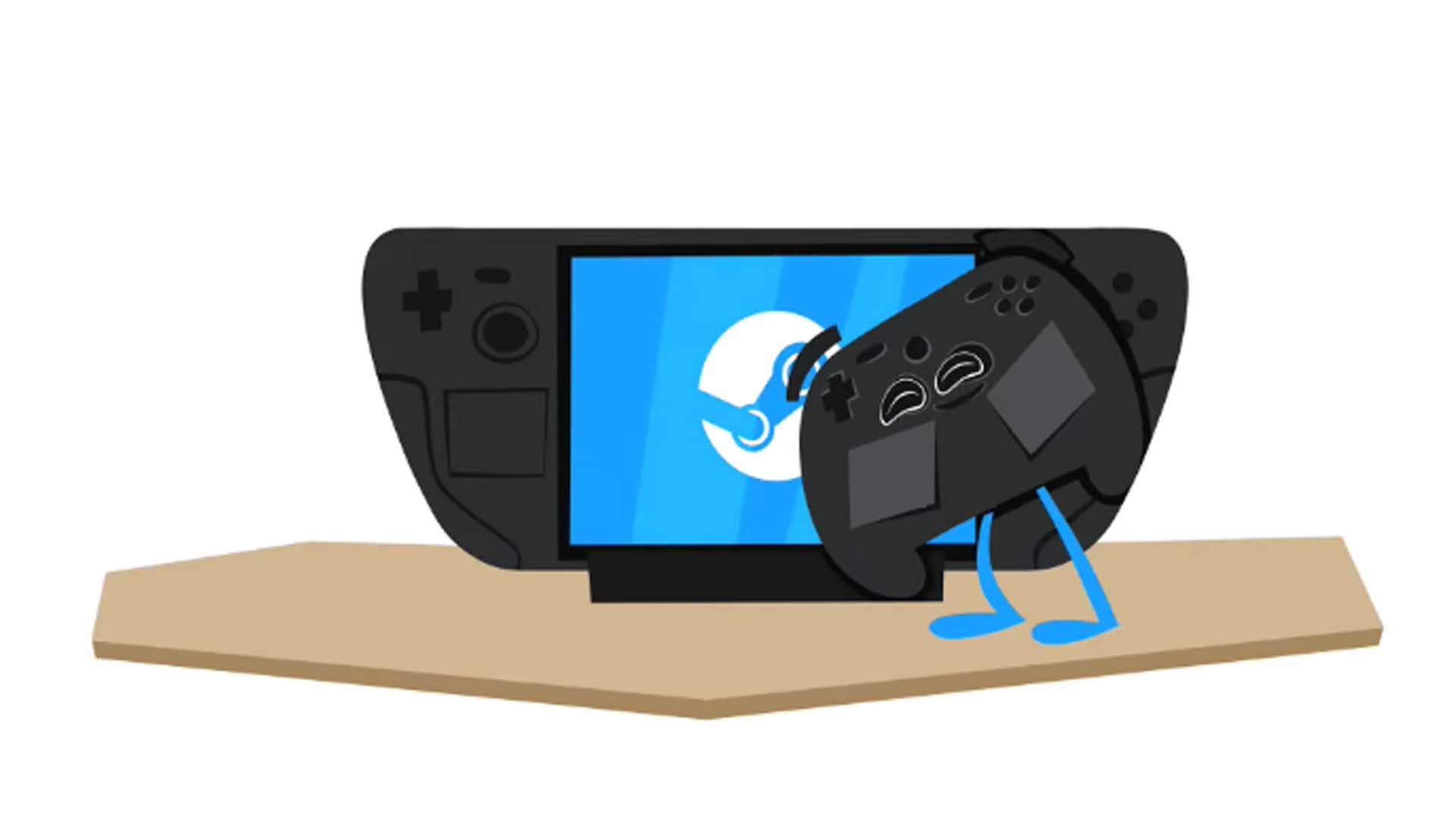
“The other thing that folks [at Valve] have done is make it so that any Steam Deck controller community configurations will automatically be ported to Steam Controller,” said Yang. “So what’s nice about Steam Controller is we’re shipping it, and people already have access to the thousands of [community-built] configurations that people have created for Steam Deck. And they all just work [on Steam Controller].”
“We thought it was important if someone, you know, is a diehard Steam Deck user [and] makes their own configurations, that they can just pick up this controller and it works just like their Steam Deck,” explained Slocum.
Talking to Valve, I got the feeling that making sure everyone will be able to pick up and use this controller was very important.
“Something that I like to think about with our products is that it’s really important to me as a user experience designer to think about…the spectrum of customers,” said Yang.
“On one end, [some people] are just like: I want to buy this thing. I want to plug it in. I want to play games, and I want it to work. I don’t really want to get into settings. [Then there] are people who are like: I really want to make this my own. I want to get into every nitty-gritty detail, every knob and dial, and tune everything so it’s my perfect button configuration. And I think what we’ve done with our current system is we do cater to both. You can just, you open the box, you plug in the puck, you plug in the USB cable, and then it should just work, and people can just play games.”
Why does the Steam Controller ring like a phone?
One of the funnier features included with Valve’s upcoming Steam Controller is its ping feature. If you can’t find your Steam Controller, you can use Steam to ping the controller, making it vibrate and produce a noise. That’s not funny, it’s useful, especially if this controller is going to be sitting in a living room near remote-eating couches. But what is funny is that when you ping the controller, it makes an old phone-ringing noise. This greatly amused me, and I made the controller ring many times. So I had to ask Valve about it.
“Engineer Rich [Karstens] thought it was a good noise and funny, and we were all like, that is a good noise and funny. So, like, let’s keep it,” said Yang. But it also highlighted how different Valve is from other big tech and gaming companies out there.
“A lot of time, engineers or designers will just put stuff in, and because of the way that our company works, we don’t have a meeting like, ‘Oh, what should the ping noise be?” said Yang. “I mean, I used to work at Apple, and that would have been a meeting. But [at Valve] it’s like, people will just put it in.”
If, for some reason, you hate the ringing phone and want to change it, which I can’t imagine, but fine, be a monster, Valve confirmed that, like so many other parts of its hardware, you can customize even this tiny, useful feature. In fact, they seem excited to see how people tweak that ping noise.
Oh, and if you’re hoping that in the future Valve ships a version of the Steam Controller that isn’t all black, the company seems very down to do more colors.
“Well, we’re definitely open to it,” said Yang. “Yeah. For colorways, we experimented a lot with colorways for Steam Deck for the limited-edition things. The Steam Controller is a really good fit for that, too. So it’s definitely one of the things we want to look at.” I requested a translucent controller a la the ’90s and they laughed, but didn’t say no. So if that happens, you can all thank me.
Valve’s new Steam Controller launches on May 4 and will cost $100.