Step 3: Turn off HDR
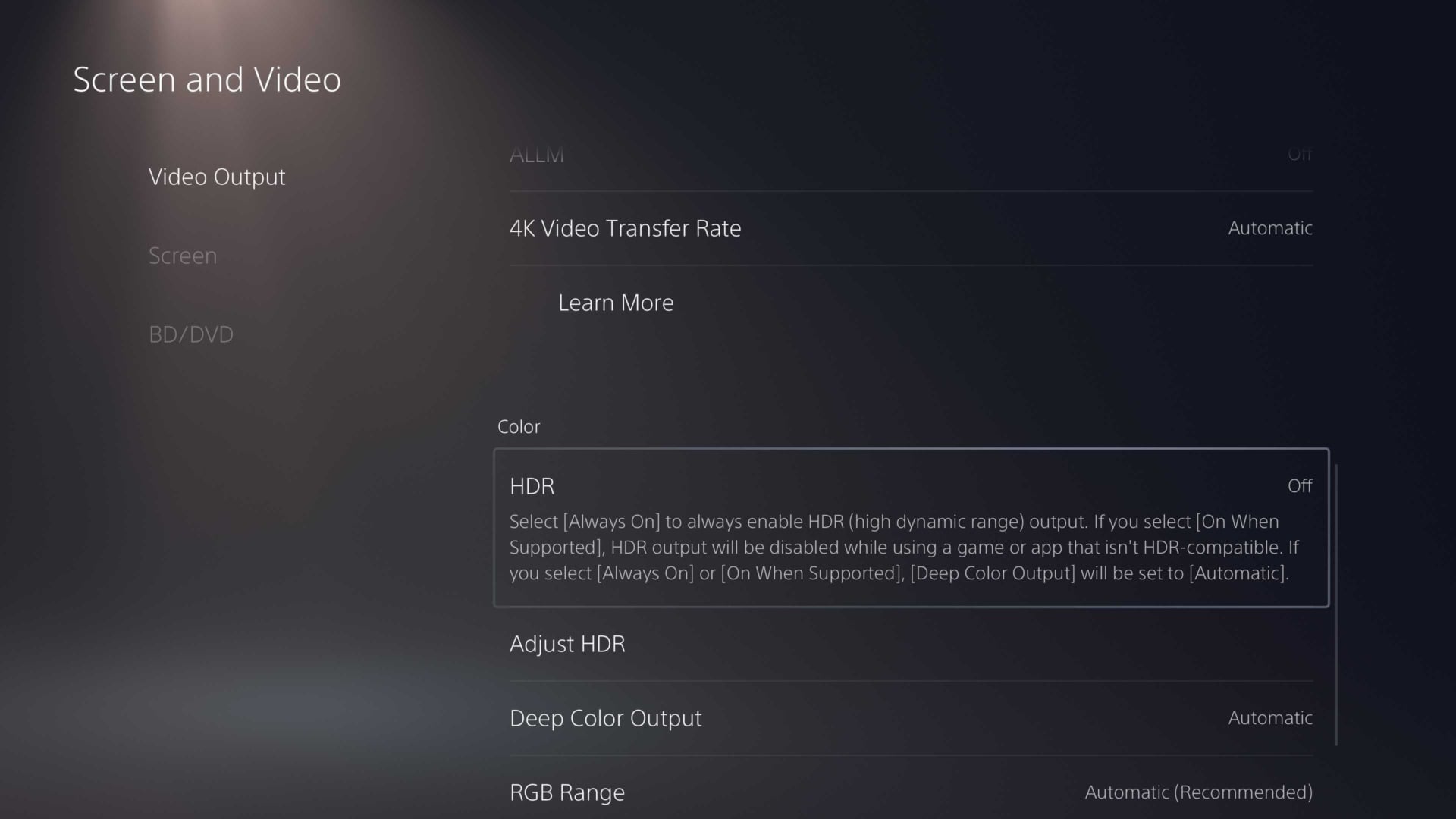
HDR, or High Dynamic Range, sure looks pretty, but it can result in washed-out capture. While you may enjoy having this feature turned on while gaming with a TV that supports HDR, you should get into the habit of turning it off while grabbing video or screenshots.
In the Settings menu, navigate to “Screen and Video,” scroll down to HDR and turn it off.