
Last week, my partner beat Star Wars Jedi: Survivor. I haven’t finished Fallen Order yet, so I watched a fair chunk of the sequel from beside him on the couch. But about two-thirds of the way through the campaign, he thrust a PS5 DualSense controller into my hand and urged me to build my own lightsaber.
That half an hour I spent fiddling with the game’s extensive customization was an incredibly satisfying gaming experience, like nothing else I’ve experienced in any other Star Wars game before it. It’s a huge testament to Respawn’s dedication to delivering one of the best Star Wars games of all time.
Though you can fall in love with Jedi: Survivor because of its endless opportunities to serve lewks, its perfect mix of all the Star Wars eras, its “last good save” mechanic that saves you from screwing up too badly, or the simple fact that it’s a really, really good game, I fell in love with its hyper-tactile lightsaber, blaster, and BD-1 customization mechanic. So in love, in fact, that I had to reach out to Respawn and find out the process behind creating Star Wars Jedi: Survivor’s extensive and wildly gratifying customization.
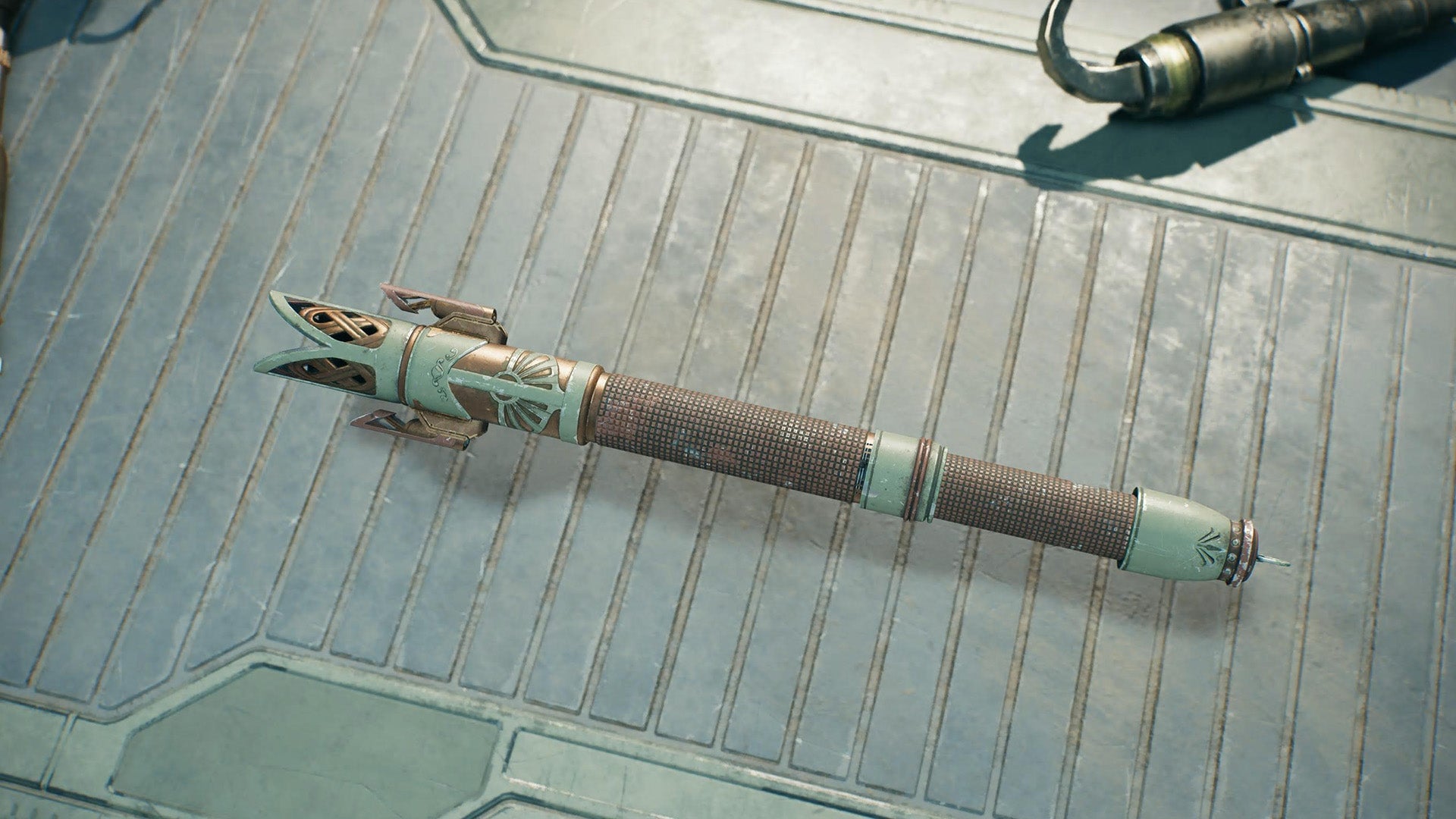
Hanging out at the Jedi: Survivor workbench
This far into Jedi: Survivor, my partner has unlocked a rather impressive collection of color palettes and gear components—so much, in fact, that I’m immediately overwhelmed. What feels like a gentle push of the joystick startles me, as several lightsaber pieces cycle into the center of the screen. “Okay, so it’s a bit confusing,” my partner warns. I look at him, my eyes begging for help. “I’m using the crossguard stance, you can see that in the top right corner. But when I break it into two sabers for dual wielding, the left end is where one beam comes out, the right end is the other.” My eyes tell him that this hasn’t helped. “Just mess around with it,” he insists.
I start all the way at the left: The beam of 36,000°F light that will emanate from the hilt. I shift one color over, because I want it to be golden, and gleefully realize that the hum emanating from the light beam has changed in pitch. (“This was a game-specific design feature in Jedi: Fallen Order as well but it was a lot more subtle…we wanted the sounds per color to feel even more special so we tried making the difference a lot more obvious so people would notice right away,” Jedi: Survivor senior sound designer Oscar Coen told Kotaku over email.)
After messing with the blade color, I shift over to the emitter, where the blade will emanate from; it pulls away from the rest of the lightsaber with a satisfying sound. I flip through my options, settling on the Hunter emitter, which feels strong but decidedly feminine, almost elven. I paint it a light, metallic green, like matcha.
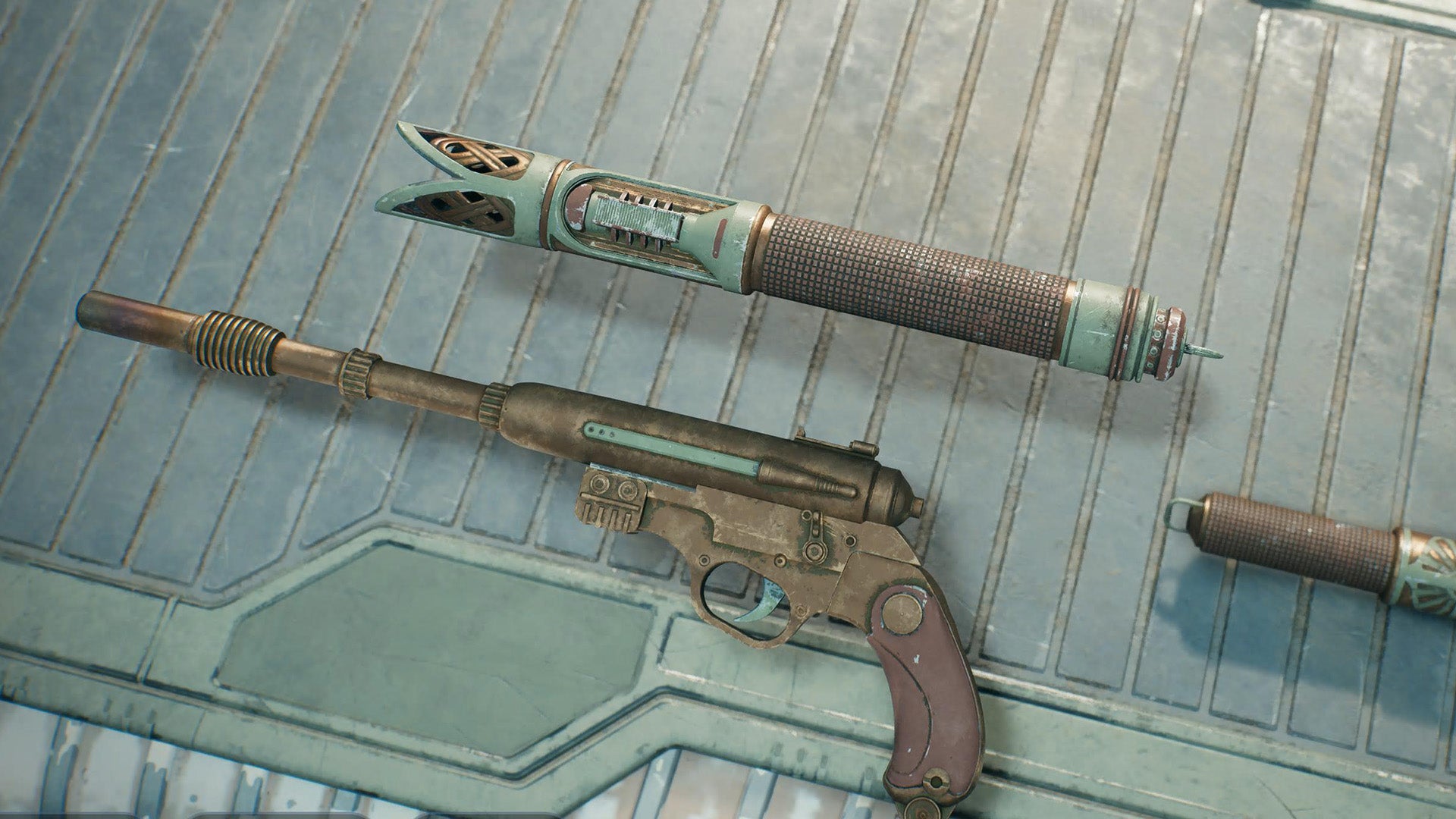
I shift through to the other components, adjusting the angle of the crossguard, swapping out his silver-colored, masculine components for pieces that look like they belong in this universe’s High Republic era. I can customize every inch of the weapon, from the switch that will unsheathe the blade to the very bottom of the hilt. I make sure the rest of the lightsaber is a mix of slightly worn, golden metal, and that same matcha green. It is undeniably gorgeous. I wish I could have it in real life. I put the controller down, satisfied. “Nope, you still gotta do your blaster and BD-1,” my partner reminds me.
Of course, they all have to match, so I give my blaster and my bot the same earthy, feminine touch. When I’m done, all three rest, shining on the workbench, looking like they belong to a beautiful but deadly Jedi. The process of customizing all of my weapons was so satisfying, I start over again from the beginning. I don’t need to play just yet.
Respawn’s Jedi: Survivor customization process
Achieving tactility and legibility with Jedi: Survivor’s weapon and bot customization was a crucial part of Respawn’s development process. After the success of Fallen Order, the team noticed how popular social media posts showcasing specific lightsaber builds were, and knew they “had to deliver on this experience” in the sequel, according to Lead UX/IX designer Jordan DeVries.
“Because of the significant increase in part categories and types, our original UI concepts focused on something more like the experience at Doma’s Shop, with a zoomed-out, high-level overview of your lightsaber and a grid of all of your collected parts—in early testing, players wanted to see their entire collection in a tangible way, instead of the more abstract icons from Jedi: Fallen Order,” he explained. “We always had the UI concept of floating lightsaber pieces in our back pocket; while this lets you get up close and personal to each part, there was a concern that players couldn’t see much more than four other parts, let alone their entire collection.”
They forged on however, and decided to stick with the idea of floating lightsaber parts you could assemble bit-by-bit. “The tradeoff was absolutely worth it,” DeVries said. “Being able to ignite the lightsaber on the bench itself also went a long way in keeping the experience tactile. And when combined with the deft motion from our animators and the sound effects of each piece seating together, as well as the practical engineering of our 3D modeling team, the resulting experience is something we’re incredibly proud of.”
But there’s even more going on behind the scenes to help ensure that the experience feels like you are, indeed, a Jedi using the Force to swap lightsaber parts in and out.
“I wanted to ensure that the player is never waiting for an animation to finish or a piece to settle into place, when they swap a piece or navigate to a different category,” said technical designer Michael Wong. “To achieve this, we blend traditional static animation with code driven movement. For each input the player presses, an animation plays on an invisible skeleton of the lightsaber, which is used as a guideline for code to move the individual pieces into their proper place. This allows the workbench to react responsively to the player’s whims.”
The Respawn team clearly went to great lengths to ensure Jedi: Survivor’s lightsaber, BD-1, and blaster customization felt like you were actually a powerful Jedi tinkering away at his workbench—and it pays off in spades. I haven’t even started my own playthrough of the acclaimed sequel, but I can’t stop thinking about how it felt to build my own saber, how it was the closest I’ll get to the workshop at Galaxy’s Edge (I’m not paying to go there and build that thing). When making a Star Wars game, you can’t skimp on the small stuff, and the workbench and all its tiny components has a massive impact on Jedi: Survivor’s magical feel.