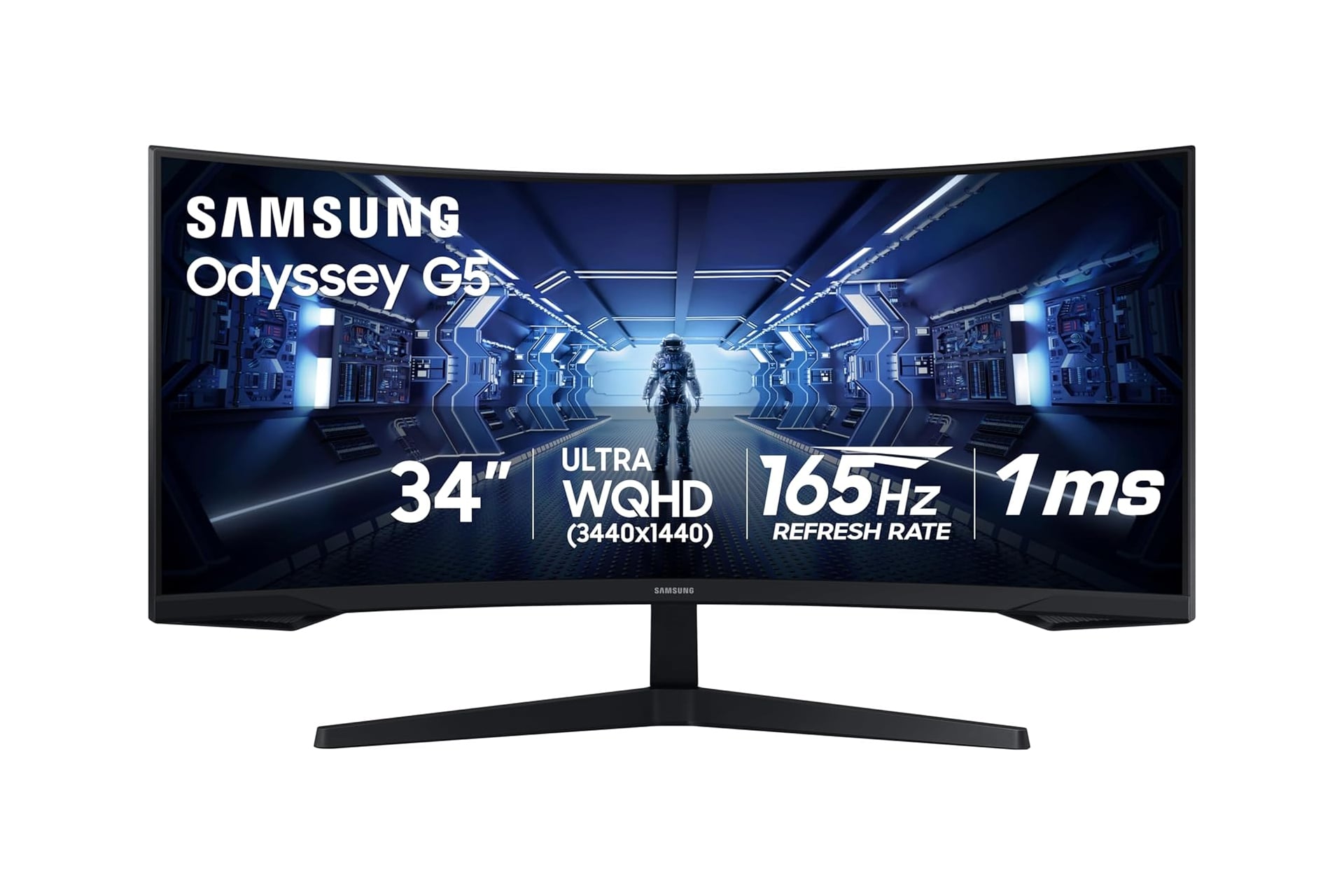
After building a custom gaming PC, or shelling out for a pre-built rig, you may not have much room left in your budget for all the accessories you want. Luckily, you can find yourself a solid gaming monitor without stretching your wallet too thin. Samsung’s line of Odyssey monitors provide a great selection to choose from, and regularly go on sale. Right now, the Samsung 34′ Odyssey G5 ultra-wide gaming monitor has dropped 30% on Amazon. Usually, this gaming monitor will sell for $400, but the deal takes the price down by $120 to just $280 for a limited time.
Optimal Curvature
If you’ve never used a curved monitor, your first though might be that it must be a gimmick. I mean, what’s wrong with a flat screen? Well, nothing is wrong with a flat screen. It’s just that curved screens are better—especially when dealing with PC monitors. You see, an ultra-wide curved monitor like this can better match the way our eyes perceive the world around us. The Samsung Odyssey G5 has a very tight 1000R curvature that draws you in and wraps around your vision. This is on the more-curved end on the spectrum of how curved a curved monitor can go.
The monitor has a fast refresh rate of 165Hz. You’ll be able to run games at a stable 120fps no problem on this monitor (provided you PC is able to keep up too). The screen also has a super fast response time of just 1ms. Do not under estimate how much input time matters with a monitor. In a fast-paced first-person shooter, this can be the difference between who gets the kill. Samsung has also equipped this monitor with AMD FreeSync Premium which helps to reduce screen tearing, stuttering, and input latency to ensure a smooth gameplay experience across genres.
With HDR10 support, the Samsung 34′ Odyssey G5 can display rich, color accuracy with contrast close to real life. You can see the details hidden within dark corners, even when some sections of the screen are bright. It displays in a QHD resolution of 3440 x 1440p.
The stand the monitor sits on can be adjusted to different angles. This way, you can tilt the screen more directly at you for a better and more comfortable viewing experience.
Choose to connect to the Samsung Odyssey G5 gaming monitor over either its HDMI port or its DisplayPort. You can also connect headphones or speakers directly through the monitor over its AUX jack.