
Short version: the photo gallery surprised me more than the price did.
See the pCloud Easter 2026 deal
What pCloud Photos actually does
The setup is straightforward. You upload your photos to pCloud, and the gallery organizes everything by date into a scrollable timeline. No folders to sort, no albums to create manually. It just works. I dumped eight years of iPhone backups into my account and within minutes I was scrolling through 2018 holiday photos I’d completely forgotten about.
The Memories feature is what caught me off guard. It surfaces photos from one, three, or five years ago, the same way Google Photos does. Except here, pCloud isn’t feeding your images into an AI model. There’s no facial recognition running in the background, no object tagging training a neural network. The timeline is built on dates and EXIF data, nothing else.
The built-in editor landed in January 2026 and covers the basics well. Eight filters, including Retrofilm, Vibrant, and Duotone, plus manual adjustments for brightness, contrast, and highlights. I edited a few underexposed shots directly in pCloud without exporting anything. The changes synced instantly across my phone and laptop. It won’t replace Lightroom, but for quick fixes on family photos, it does the job without leaving the app.
A map view based on EXIF data is rolling out right now. I could see some of my geotagged photos pinned on a world map. Not all of them showed up yet, so the feature still seems to be in early deployment.
The deal behind the test
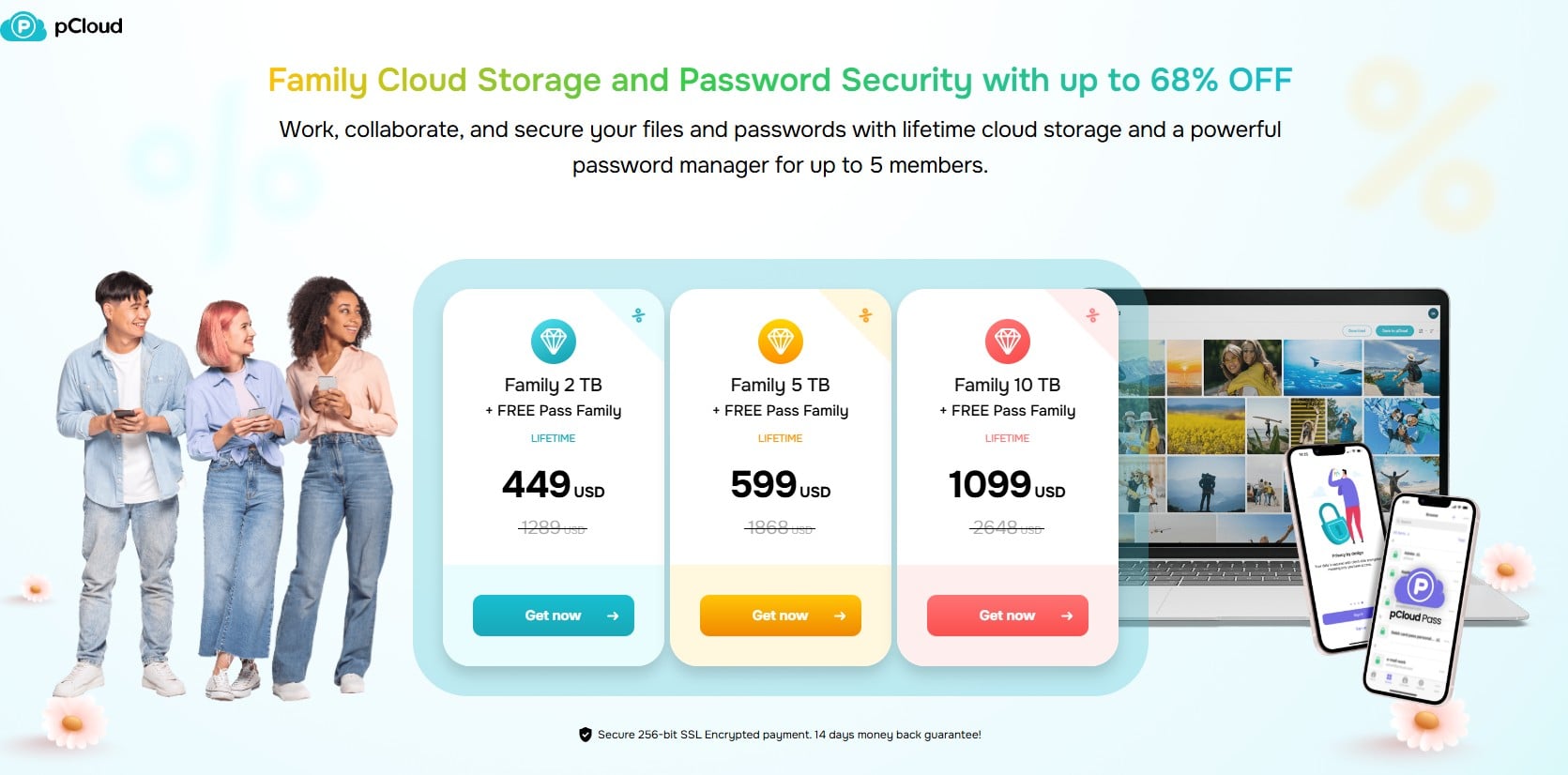
pCloud’s Easter sale runs from March 30 to April 8. The lifetime family plans are discounted across three tiers. The 2 TB Family is $449 instead of $1,289 (65% off). The 5 TB Family drops to $599 instead of $1,868 (68% off). The 10 TB goes to $1,099 instead of $2,648 (58% off). One-time payment, no subscription, no renewal. pCloud defines “lifetime” as 99 years from purchase.
Every plan includes pCloud Pass Family for free, their password manager that normally costs $253 as a standalone lifetime purchase. Zero-knowledge encryption, unlimited passwords, autofill, sync across all devices for up to five members. Each person in the family gets their own private vault.
Get the pCloud lifetime family deal
What worked and what didn’t
The photo timeline is fast and clean. Scrolling through thousands of images felt smoother than I expected, even on the web version. The automatic upload from my phone freed up about 12 GB of local storage in the first week. And the fact that pCloud doesn’t compress your photos is a real advantage. Everything stays at original quality.
On the other hand, the editor is basic. No batch editing, no selective adjustments, no RAW support. If you shoot in anything other than JPEG or HEIC, you’ll still need a dedicated editing tool. The map view is promising but incomplete. And pCloud Crypto, the zero-knowledge file encryption layer, is a paid add-on on top of the family plan. It’s not included.
The money-back guarantee is also 14 days, not 30. So if you’re testing, don’t wait too long to make up your mind.
Worth it for the photos alone?
If you’re a family that takes a lot of photos and wants them in one place without feeding them to Big Tech, the 5 TB plan at $599 for five people is hard to beat. That’s $119.80 per person for lifetime cloud storage with a privacy-first photo gallery and a password manager included. Easter timing aside, the Photos feature is the real reason this deal caught my attention. The sale ends April 8.