If you want to add friends on a Nintendo Switch 2, one of you will need to share your friend code with the other. This makes friend codes an extremely important part of the console’s social elements and not something to be shared with just anyone. As such, if your friend code is compromised in some way, or if someone has it and you’d really prefer that they didn’t, you can just get a whole new one.
How to change your friend code on Nintendo Switch 2
If your friend code has been compromised or you simply want to change things up for any reason at all, the process for changing it is pretty easy.
First, click on your profile icon at the top left corner of the Nintendo Switch 2’s home screen. Here, scroll down to “User Settings” to gain access to a whole lot of options. You’re looking for “Friend Settings” here, which is about halfway down the list. Click this setting, then click “Reissue Friend Code” at the bottom of the next list of options.
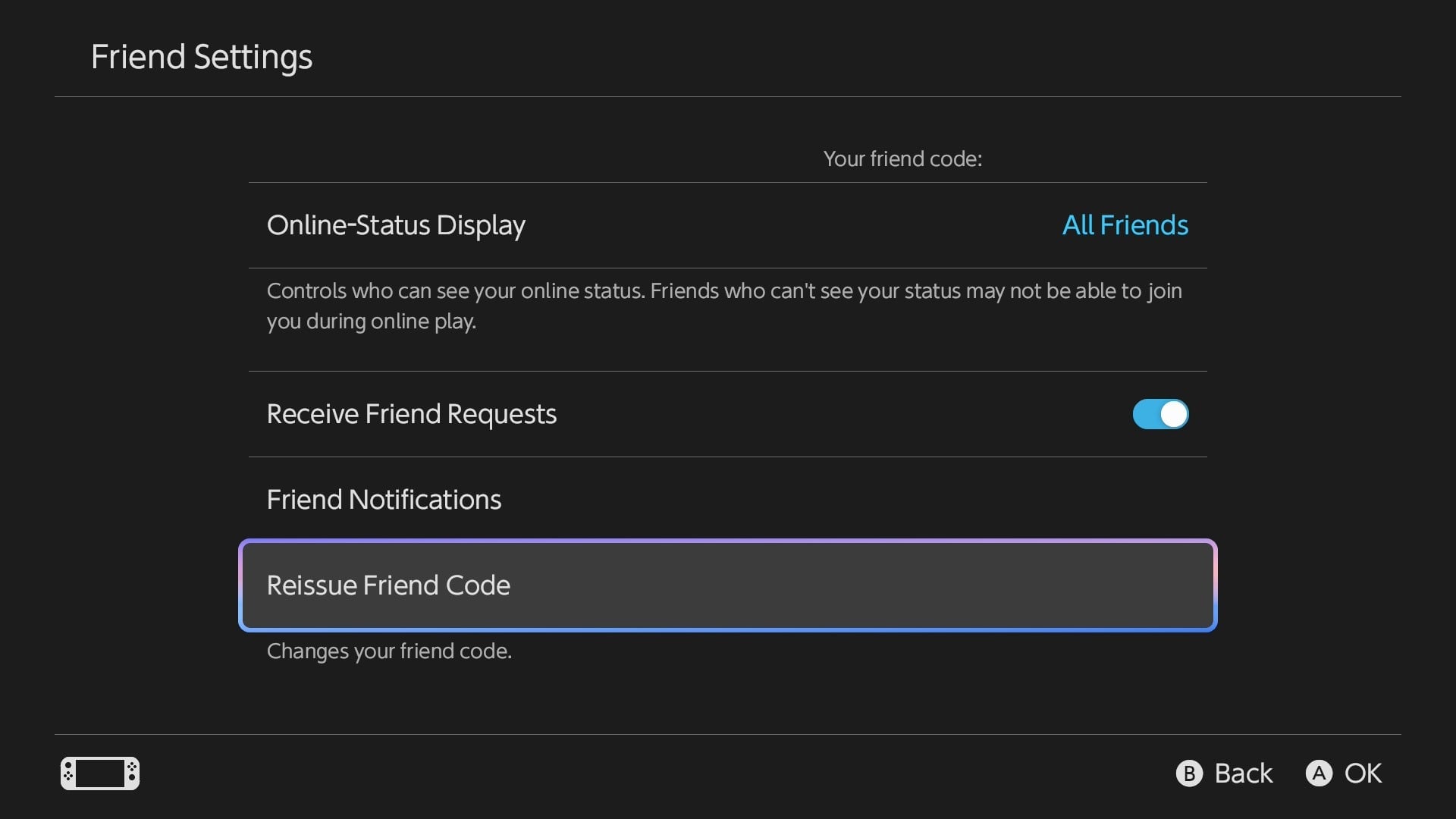
You’ll be asked if you’re certain you want to reissue your friend code, which includes a warning that you can only do this once every 30 days. If you’re absolutely positive you’d like to reissue the friend code, go ahead and select “Reissue”
You’ll now be provided with a fresh friend code you can give out to anyone you deem fit. To be safe, it’s a good rule of thumb not to share your friend code with people you don’t know or list it in public places like Discord chats or Reddit posts so that you can avoid it landing in the hands of any bad actors. If it does, I guess you’re screwed for the next month. But that’s on you because you can’t say I didn’t warn you, dork.