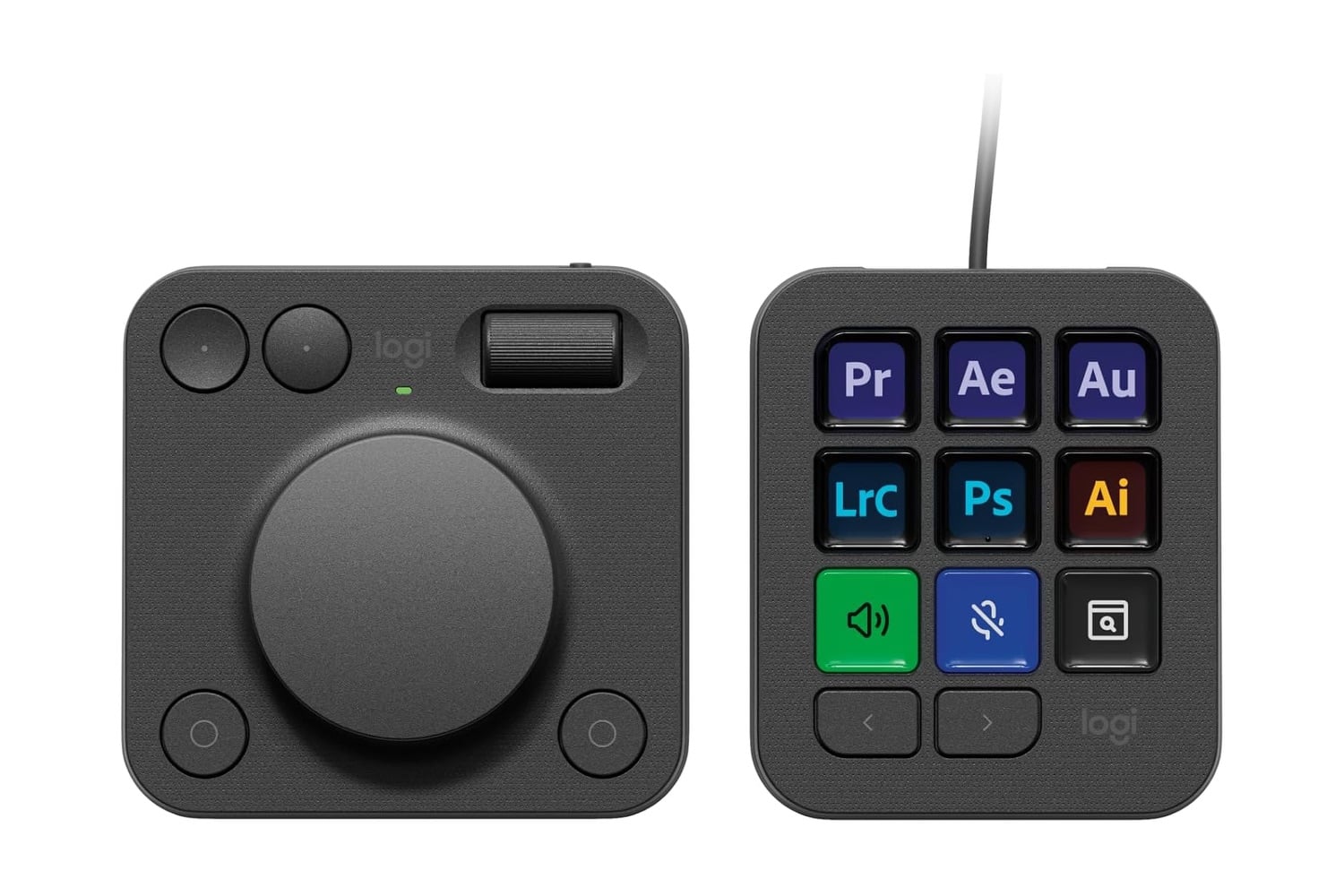
The Logitech MX Creative Console is a two-piece desktop controller that can streamline photo editing in Photoshop, video editing in Premiere Pro, or live streaming through OBS. A 9-button LCD keypad displays custom icons and labels, with assignments that change automatically based on the active application. The dialpad section adds two rotary dials for adjusting numeric values, such as brush size, exposure, or volume, plus four customizable buttons for additional shortcuts. Logi Options+ software handles customization across Mac and Windows, with built-in Adobe Creative Cloud integration and a marketplace for additional plugins.
A gadget that can tweak your stream and other media with the press of a button
The Console connects to a computer via USB-C, with no battery to charge or batteries to swap. The keypad and dialpad are two separate units, so you can position them on either side of a keyboard or move them around to fit your workspace. Each section has its own USB-C port and cable, so you can plug both into a single docking station or computer hub. The build uses metal and rubberized plastic, with non-slip feet on the bottom that prevent sliding during use.
You can use the Logi Options+ software to change each of the keypad’s nine customizable LCD buttons. When you switch profiles, it will do this automatically as soon as your active application has switched. So, they will always have an icon or shortcut displayed that matches whatever app is open at the moment. Additionally, each button can trigger an action, run a macro, or execute a multi-step process with multiple decision points. The button face updates immediately after you select a new active task, so you will see updated timer values, status bars, or media controls, etc.
The dialpad’s two rotary dials adjust continuous values, such as brush size, exposure, audio levels, or zoom percentage, with detents giving tactile feedback as the value changes. The four customizable buttons next to the dials extend the available shortcuts, with the same per-application profile system as the keypad. The dials can also accept a press-down click, doubling the available functions per dial. A home button at the center returns to the default profile view for switching between app contexts.
There are a few compromises the MX Creative Console makes for its split-form design. It’s wired-only over USB-C and requires Logi Options+ installed to access customization features. However, you still get included integrations for major Adobe Creative Cloud apps, a marketplace for additional plugins, and a 3-month Adobe Creative Cloud subscription with purchase. Linux isn’t supported, though, because the software unfortunately only works with Mac and Windows.
The Logitech MX Creative Console combines a customizable button keypad with dial controls for photo, video, and live-streaming workflows, and at $160, it’s a great deal for a Logitech creative controller. If you’ve been considering a shortcut controller for creative workflows but didn’t want to commit to a premium-tier price, the $40 off makes the MX Creative Console more accessible.