One of the new additions to Grand Theft Auto 6 to reflect the changes in technology in the world since GTA 5 came out is that you can buy and insert earbuds for Jason and Lucia to listen to radio stations while on foot. Was there a really good song that just started that you’re annoyed you’re going to miss it to go do a mission? Maybe you’re knocking over a bowling alley and want Kaleidoscope FM as the background noise to add your own needle-drop moment to the scene? Or maybe you just want closure on a Tish interview segment? Well then, earbuds are your answer, and they’re real easy to get.
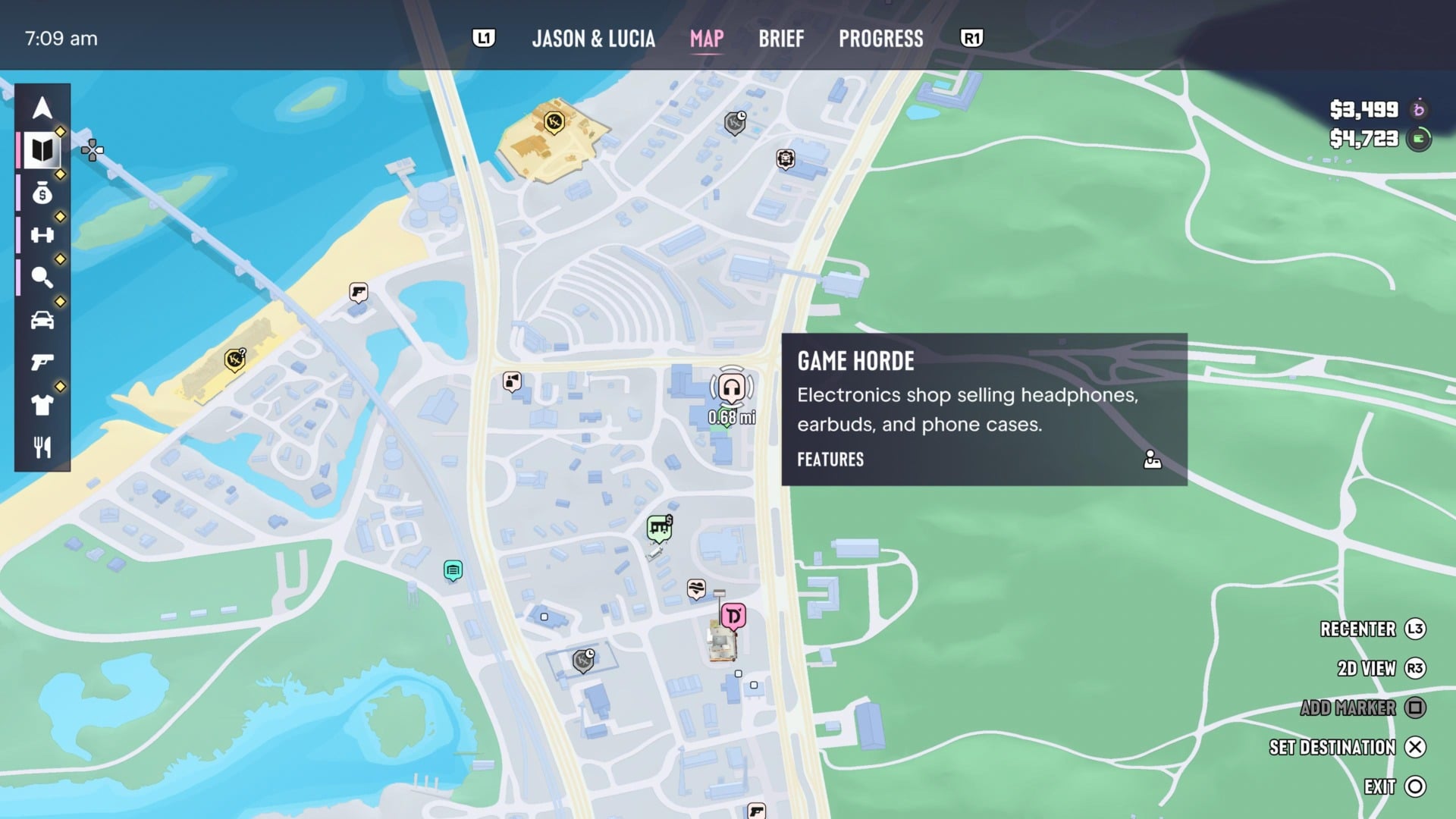
To start with, you just need to find any store with this headphone symbol. We’re going to go with Game Horde for the purposes of this GTA 6 explainer. So chart a path and head over.
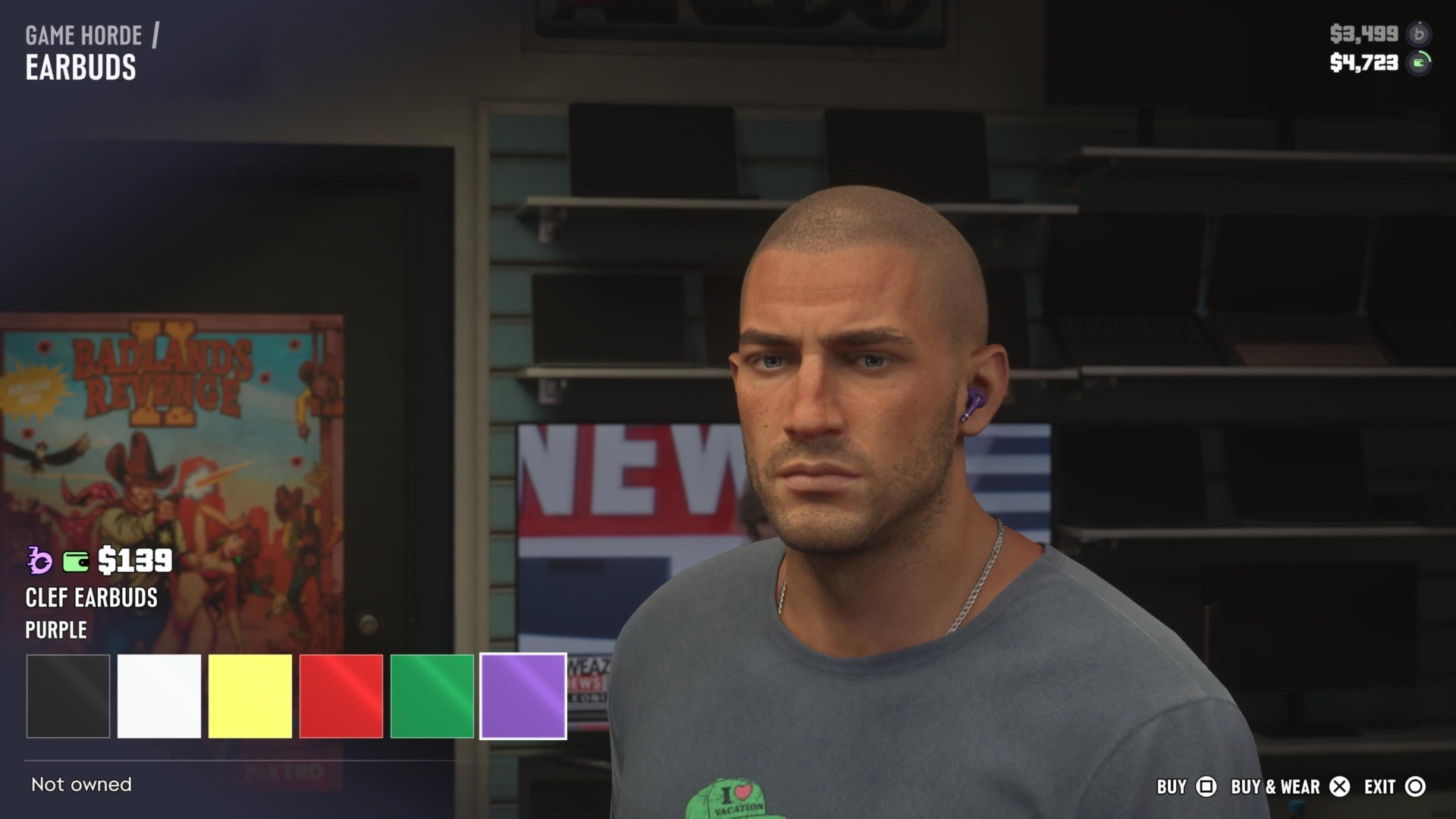
When you’re there, you can just approach the earbud case and start buying. You have a few colors to choose from, but we’re going to give Jason a sporty purple flair here. The earbuds are perceptible on your character, but unless you’re looking extremely closely, you probably won’t actually see them.
Once you’ve bought a pair, you put them on like you put on a mask or a hat. Hold L1/LB, then hit R1/RB to get to the item menu, highlight the headphones with the right analog stick, and hit X/A to put them in.
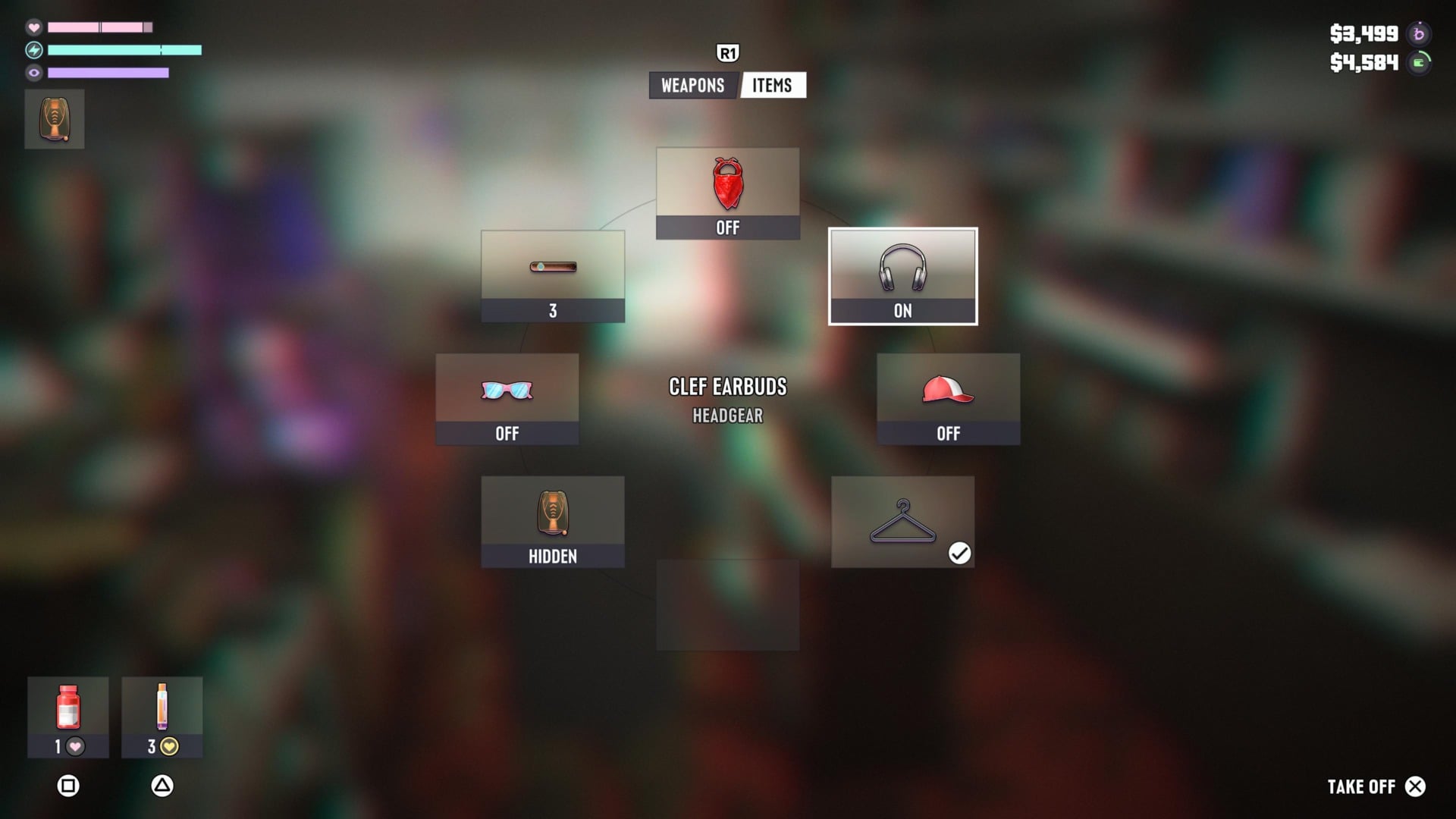
After that, you can just turn them on and navigate stations as if you were in the car, with Left on the D-Pad.
Don’t forget that double-tapping left quickly turns your music on or off without the need to pause and go to the radio station menu. Now you can listen to that Greek cover of Nickelback’s “This Is How You Remind Me” when you’re shooting up a drug den whenever you want!