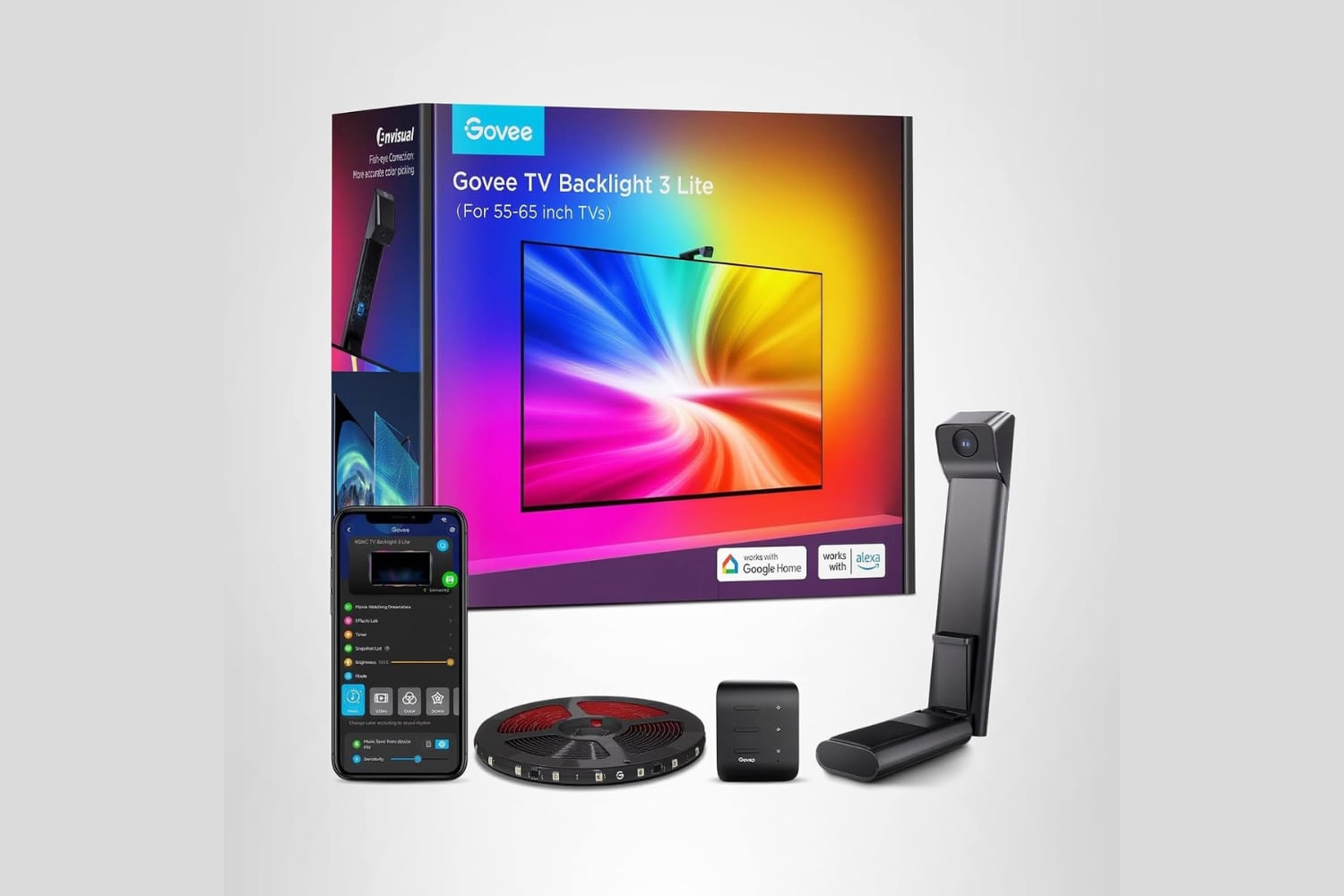
Bias lighting behind a television makes dark scenes easier on the eyes and enhances the picture, and Govee’s TV Backlight 3 Lite builds on that by adding camera technology to read the actual colors being displayed in real time. A camera clips to the top of the TV, reads what’s currently displaying, then drives the LED strip to reflect what’s being shown. If an ocean scene appears on the TV, the LED strip displays blue hues across the back wall. Fisheye correction compensates for the distortion introduced by the camera’s wide-angle lens, keeping the color mapping true at all edges. The LED strip is designed for TVs from 55 to 65 inches.
A backlight that creates custom matching color for your TV
What sets the Govee product apart is its ability to track and match colors, unlike others that simply glow one color all night. The camera continuously watches and adjusts to what’s happening on your TV, keeping in sync with the colors being displayed. For example, when a large explosion occurs on screen, it casts orange onto the back wall, while a forest scene may push green. This feature extends the image beyond the panel’s limits instead of stopping at the bezel.
Fisheye correction addresses one of the biggest issues with using a camera to color match. Because wide-angle lenses are used, objects at the edge of the camera view can be severely distorted. This results in improper color placement in those areas. To properly map all colors from side to side of the LED strip, Govee uses software to correct that distortion. Without fisheye correction, colors at the extreme left or right of your camera view would map improperly to the extremes of your LED strip, where the effect is usually most noticeable.
It takes about 15 minutes to set everything up after you take it out of the box. Stick the LED strip on the back of your TV using the included adhesive, clip the camera to the top of your TV, then go into the Govee app and run the calibration option to tell the system where your screen’s edges are. Nothing needs mounting to a wall, and no screwing is required, so if you’re renting, you can set this up without needing anyone else’s approval.
You complete the rest of the setup in the Govee app, including controlling brightness, saturation, and many preset scenes for times you aren’t actively viewing content. Music mode lets you sync your lights to whatever media is playing in your space, giving the setup another function beyond movie-watching.
Both Alexa and Google Assistant support voice commands, so you can dim your light strip without searching for your phone. Dimming the strip before a movie or turning it off from another room is now as simple as speaking a sentence instead of digging through the couch cushions to get to your phone. The same voice command works with whatever smart speaker you currently use. The strip also powers on and off with your TV, so it doesn’t stay lit after you’ve gone to sleep.