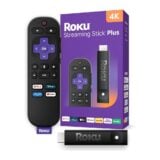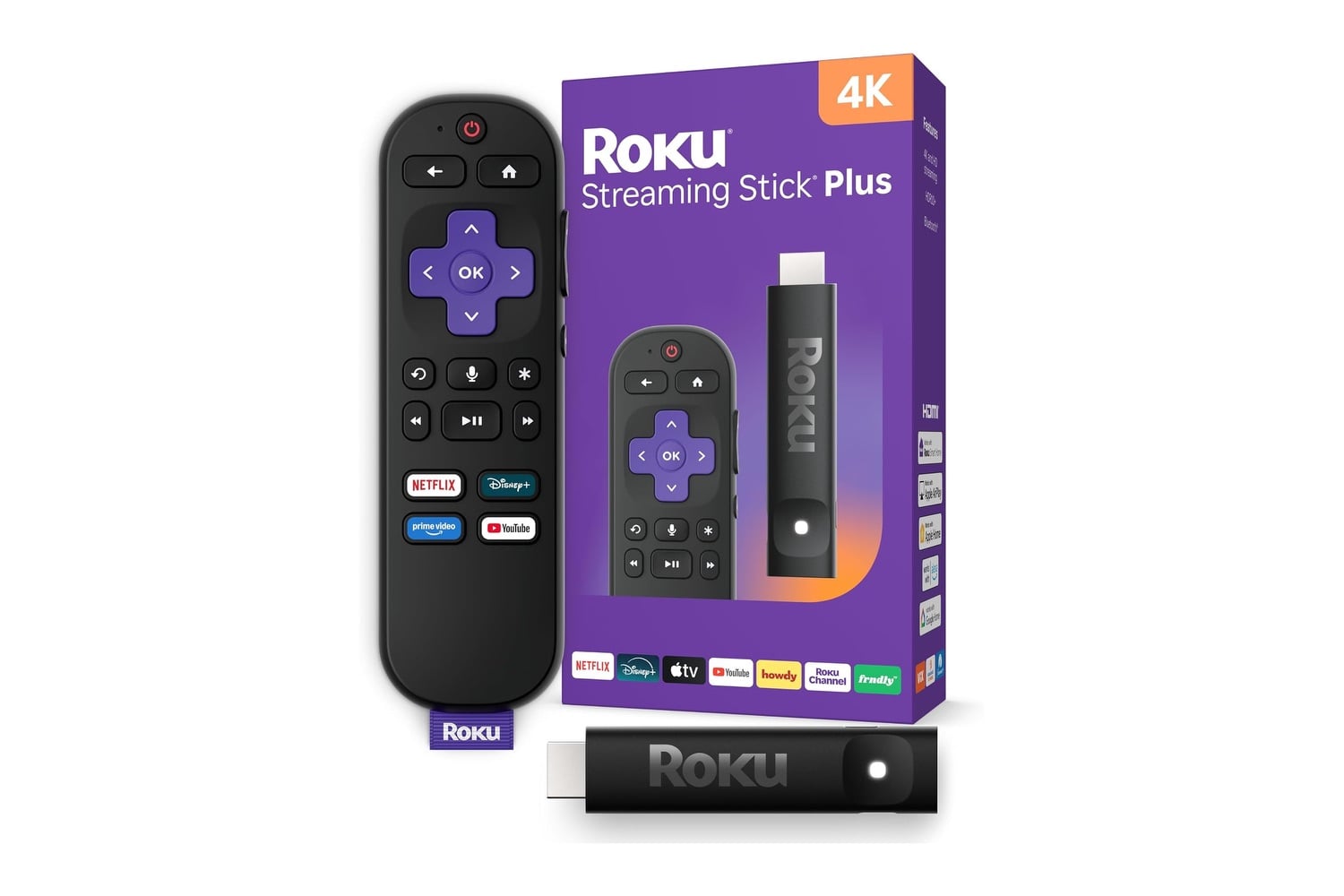
The Roku Streaming Stick Plus with Voice Remote converts your television into a fully functional 4K streaming device, and along with your favorite apps, you get hundreds of free live TV channels. It connects directly to an HDMI port on your TV and can be powered by your TV via its USB port, so you don’t have to find a wall outlet or deal with a mess of cables. With the remote, you can use voice commands to search for your favorite shows, turn your TV on or off, and adjust the volume.
A 4K streaming stick with a voice remote and free live channels
The Roku Streaming Stick Plus streams video up to 4K at 60 frames per second and upscales 720p or 1080p content for viewing on a 4K television. It supports HDR10, HDR10+, and HLG, and uses dual-band Wi-Fi on the 2.4 GHz and 5 GHz bands to connect to your home’s network. The streaming device is small and lightweight, measuring 3.7 by 0.8 by 0.45 inches and weighing about 0.8 ounces; along with the device, you receive a Roku Voice Remote and two AAA batteries.
Since this unit connects directly to an HDMI port on your television, the Roku Streaming Stick Plus doesn’t require an additional box on your entertainment center, and you can power it with one of the USB ports on the back or side of your TV, eliminating the need for a power brick. Setup is simple: insert the unit into an available HDMI port, select your wireless network from the list of options provided, enter your account information to access your streaming apps, and start watching. Future software releases automatically update your unit via the internet with no further action required on your part.
You can watch a variety of streaming services, such as Netflix, Disney+, Hulu, YouTube, Peacock, and Prime Video, on your Roku and use Roku’s search to see which service has a particular movie or show. The Roku Channel also offers a library of free movies and TV shows, plus hundreds of live TV options, so you always have content to watch whether you subscribe to a service or not. When you’re traveling, you can also bring it along, plug it into a hotel TV, and access all of your favorite services without logging in on someone else’s device.
Using voice commands on the Roku Voice Remote lets you find movies by title just by speaking, instead of navigating through lists and selecting them with the arrow keys. The remote also has TV power, volume, and mute buttons that work the same way as your television’s original remote control on most TVs. You can download the free Roku app on your iOS or Android smartphone or tablet, which acts as a secondary Roku remote and lets you use voice search and a virtual keyboard to enter titles.
You can watch in private using headphones connected to your smartphone via the Roku mobile app, which makes it a good option when you’re watching TV at night while others are sleeping. The Roku Streaming Stick Plus supports Apple AirPlay and Apple Home, so you can stream video and photos directly from your iPhone; it also works with Google Home and Amazon Alexa, letting you control it with voice commands through your smart speaker.
The Roku Streaming Stick Plus with Voice Remote lets you access your favorite content in 4K HDR resolution on a compatible TV, and it draws all the power it needs directly from the TV. The included voice remote is easy to use, making it simple to find what you want to watch, and you get a variety of free live TV channels that offer many viewing options without additional subscription services.