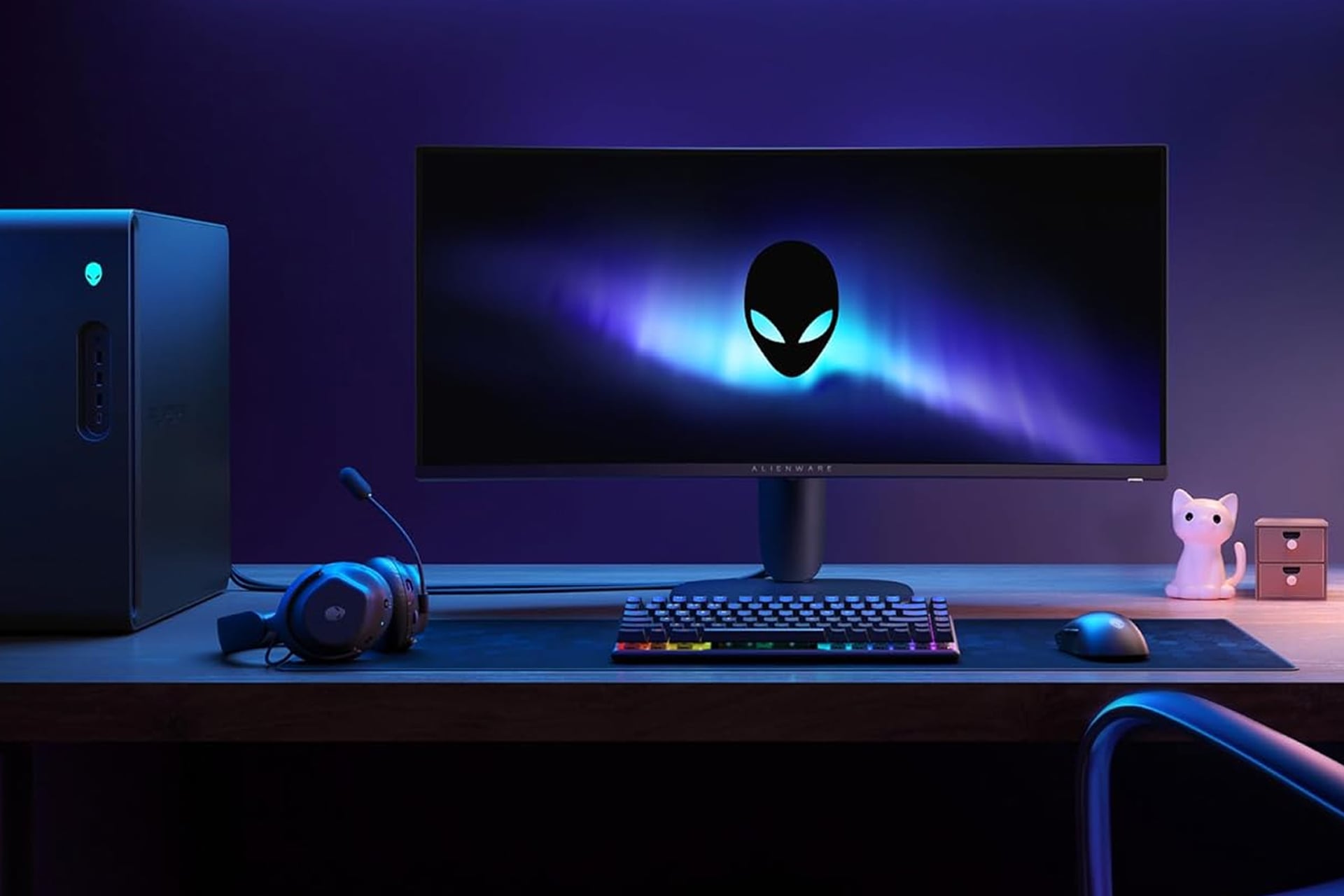
If you’ve never sat down in front of and used a curved monitor, be it for work, watching a TV show, or playing some video games, you might think that the whole thing is really just a gimmick. Like 3D TVs in the home before it, one can easily think this tech would be a fad for a brief period before ultimately getting tossed to the side. Those who have actually used a curved monitor know this not to be the case. A curved monitor overs several advantages over a flat one, and right now, you can get one for yourself for not too much. Amazon has the Alienware 34-inch curved gaming monitor on sale for 17% off at the moment. Normally sold for $350, this discount ends up shaving off $60. You’ll only need to pay $290 for a limited time.
Measuring across at a wide 34 inches, this Alienware gaming monitor is designed to curve around you’re entire periphery. At a curvature of 1500R, it’s intended to better mimic the way our eyes interpret the world around us. You’re able to surround your vision with the environment of the game you’re playing. This can be especially immersive in first person games.
With a resolution of 3,440 by 1,440 pixels, this depicts detail even better than standard HD. Everything looks sharp, and with its HDR support, you’ll all the details will come together brilliantly with deep black, bright whites, and lush colors.
Smooth Action
The screen will keep your games looking and feeling smooth. The Alienware curved monitor supports a refresh rate of 180Hz so you can keep a high frame rate across titles. With its 1ms response time, input lag is practically nonexistent. Platformers will feel ight and snappy while shooters will give you plenty of time to react to your opponent.
You can comfortable game for hours on end with the Alienware curved gaming monitor. The screen has a dedicated console mode as well as a hardware-based low blue light solution. These together can help to reduce eyestrain over long periods of looking at the screen without losing color.
You can connect to the monitor over either of its two HDMIO ports or the DisplayPort. It also features USB ports, one of which can even be used to charged your phone or other devices while right at your desk. The built-in joystick makes navigating the settings menu easy and intuitive for if you decide to start customizing the look and feel of your screen even further.
The whole monitor sits on a low profile stand whose base takes up only a small amount of space atop your desk.